
Participant
May 6, 2023
Question

Problem with piece of text showing up in the actual video

  • May 6, 2023
  • 1 reply
  • 232 views

Hi, I have a problem with Adobe After Effects. A bit of a text is not showing in the actual video. I can see it is in the Control/composition section:
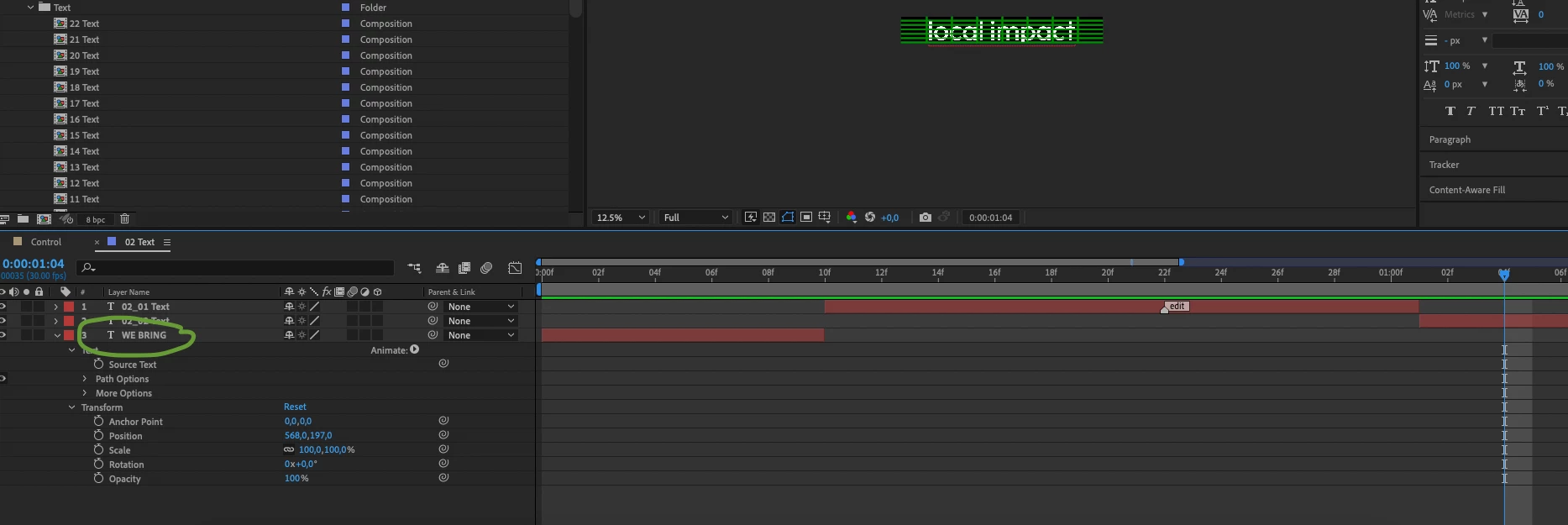
 

but when I check the final video it is not showing up and it goes to a piece of text that is scheduled after ' WE BRING' . Can anyone help?

Thank you so much!

This topic has been closed for replies.

1 reply

Community Expert
May 6, 2023

Your screenshot and your explanation don't make much sense. Layer 2 is showing Local Impact. Layer 1 appears before that, Layer 3 should show Layer 3 "WE BRING" ends at 10 frames. If the main comp is named Control and the  Local Impact text layer does not show up then the layer is either trimmed, or something else is going on. 


Press Alt/Option + Ctrl/Cmnd + ; to open Preferences and make sure Syncornize time of all Related Items is checked in the Main Section. Return to the 02 Text comp and make sure that the CTI (current time indicator) is over the Local Impact layer, then return to the Control comp and fine the 02 Text nested comp (pre-comp) and check the layer for any modified properties, an overlapping layer, or an out-point.