Participant
July 25, 2024
Question

Problem with selection tool
  • July 25, 2024
  • 2 replies
  • 144 views

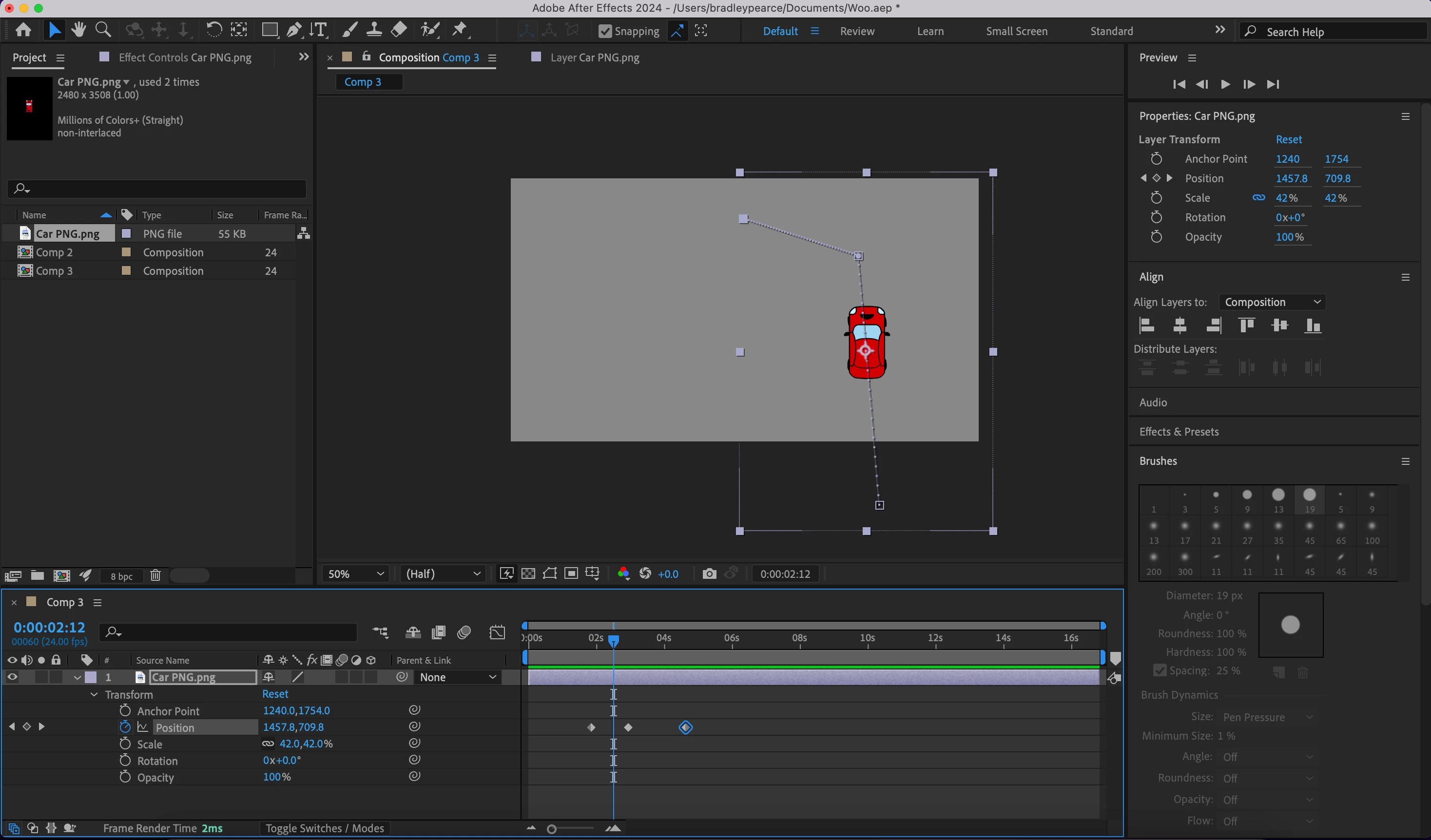
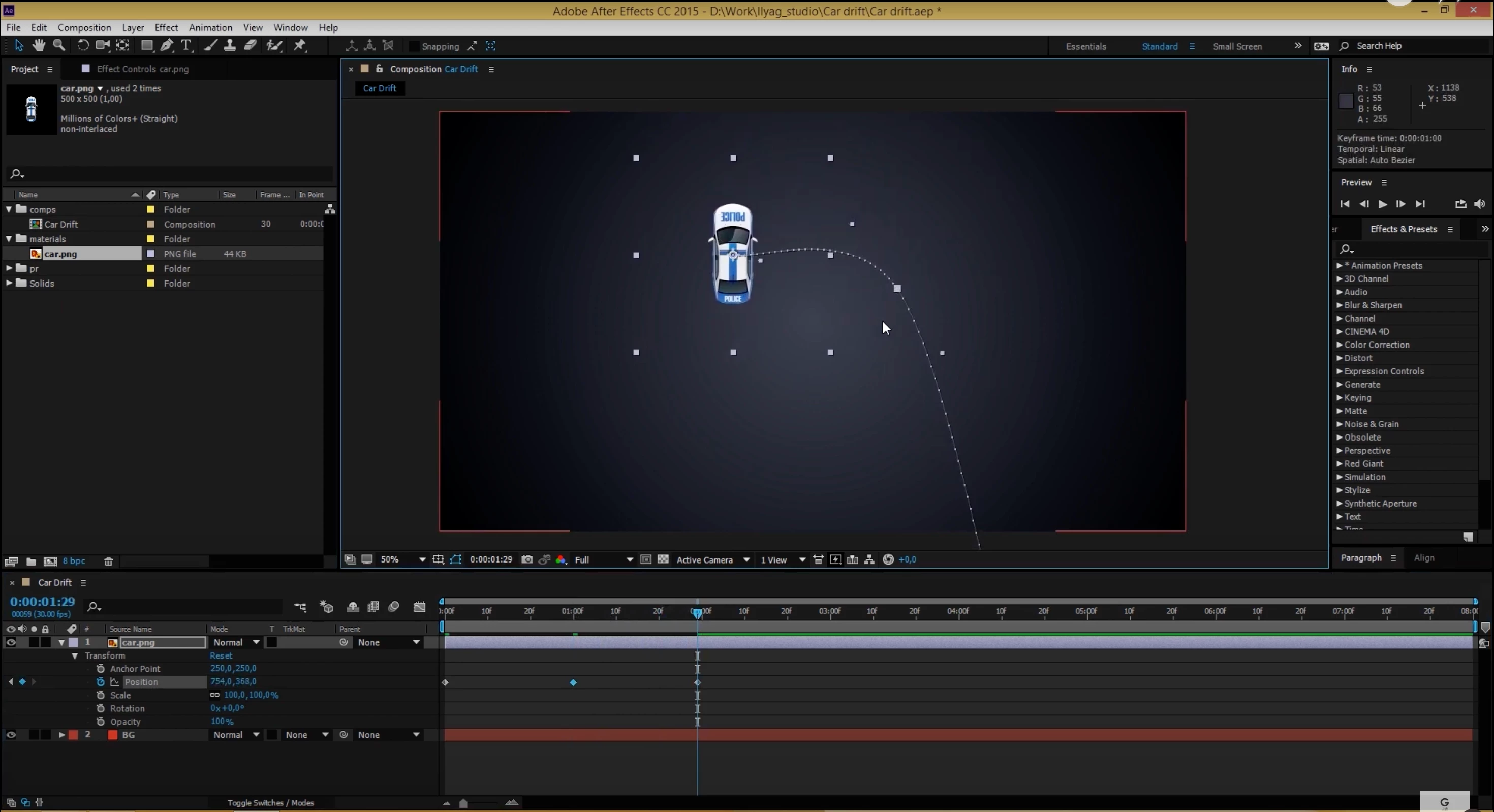
Hey, I am brand new to after effects and am trying to recreate this tutorial. In the video below the teacher moves the car to different positions, creating points of the path and the path curves to follow the points. Meanwhile when I follow the same steps, my path is a straight line and makes corners and doesn't curve. Cheers for any help.

This topic has been closed for replies.

2 replies

Inspiring
July 25, 2024

RotoBezier creates a specific style of path, so if you just want your exist path with straight lines but curved corners you can click and drag your mouse to extend your bezier handles. These can then be adjusted after you let go. If you want to convert a hard corner to a rounded corner, switch from the Pen tool to the Convert Vertex tool (under the same icon). Here's an article on how to use the Pen Tool: https://aejuice.com/blog/how-to-use-pen-tool-in-adobe-after-effects/

Legend
July 25, 2024

Before drawing your path, enable RotoBezier.