
Participant
January 18, 2017
Answered

puppet pin tool making image/asset broken or damaged

  • January 18, 2017
  • 3 replies
  • 53332 views

hello, i want to ask
when i using pin tool, and i scale the image, the pin tool make it broken
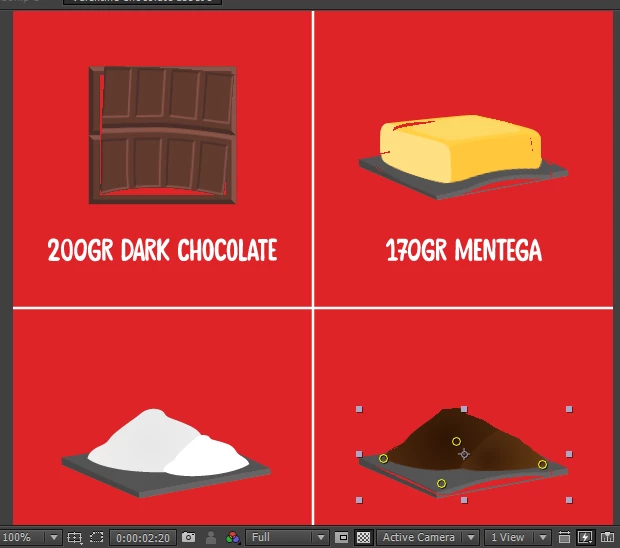
like this one, i using pin tool, make the image make squishy movement
but when i scale it (i make the image come out like.. hmm i not sure waht its called, maybe popout?)
the scale was : enter > 0 >100%
then out > 100>125>0%

as you look on the image i post, pin tool make the asset damaged

is there any method to fix it?

thank you!

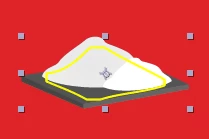
edit : and yeah forgot to ask, why some image have smaller area than it should when i using pint tool to them, like this one
(the area size only inside the yellow line)
make it perforated when i try to make it squishy
This topic has been closed for replies.
Correct answer Warren Heaton

Have you tried increasing the Mesh "Expansion" value?  If edges of your source footage tear, increasing this value usually resolves the issue.

3 replies

Nicholas J Leach
Known Participant
November 17, 2020

That is it. Finally found the answer, thanks. I don't understand why the default setting is not set at a high enough exspansion value to prevent tearing. Why would anyone want their image to tear. I have been frustrated with this for years.

People that are not animation experts but who do all functions of production need clear and pecise tools.  Such a simple fix would make thimgs a lot easier. Adobe why not make your tools work the first time some tries it?

Warren Heaton
Community Expert
Warren HeatonCommunity ExpertCorrect answer
Community Expert
January 18, 2017

Have you tried increasing the Mesh "Expansion" value?  If edges of your source footage tear, increasing this value usually resolves the issue.

tcandy19
Participating Frequently
August 7, 2023

youre literally the best i was going crazy bc of this

Mylenium
Legend
January 18, 2017

All distortion effects are sensitive to transform operations and the puppet mesh in particular. It always has to encompass the whole shape. Pre-compose and apply the Puppet stuff after you have scaled inside the pre-comps.

Mylenium

Participant
January 18, 2017

ah ic, so theres no other way than pre-compose
thank you

Community Expert
January 18, 2017

Puppet pin only works on a layer that has no transformation or distortion effects applied. Puppet pin works on the information in the first frame so if that  changes over time then the effects breaks. It's always been that way and it's that way with several other distortion effects. When in doubt or when facing problems you can't seem to solve, pre-compose.