
ChrisCrystalize
Inspiring
February 13, 2018
Answered

Puppet Sketch Tool not activating

  • February 13, 2018
  • 1 reply
  • 992 views

The 2017 Adobe CC After Effects Classroom In a Book needs a forum all of its own for users not getting the results as the chapters indicate should be happening. On Chapter 8, page 212, the instructions read for the user to change the name of their project to MotionSketch.aep, move toe playhead to 2:08 and delete all the keyframes afterwards in the project created earlier in the chapter. Then it says to select Puppet in the timeline to see the pins in the composition panel. Okay, I did that, and can see the pins. Then it says to press F2 to deselect all the layers and select a pin in the composition. However, all the pins disappear when a layer isn't selected so I'm guessing as to where to put my mouse cursor. Then the instructions say to hold down the Ctrl key while holding the mouse button to activate the puppet sketch tool and a clock icon should appear.
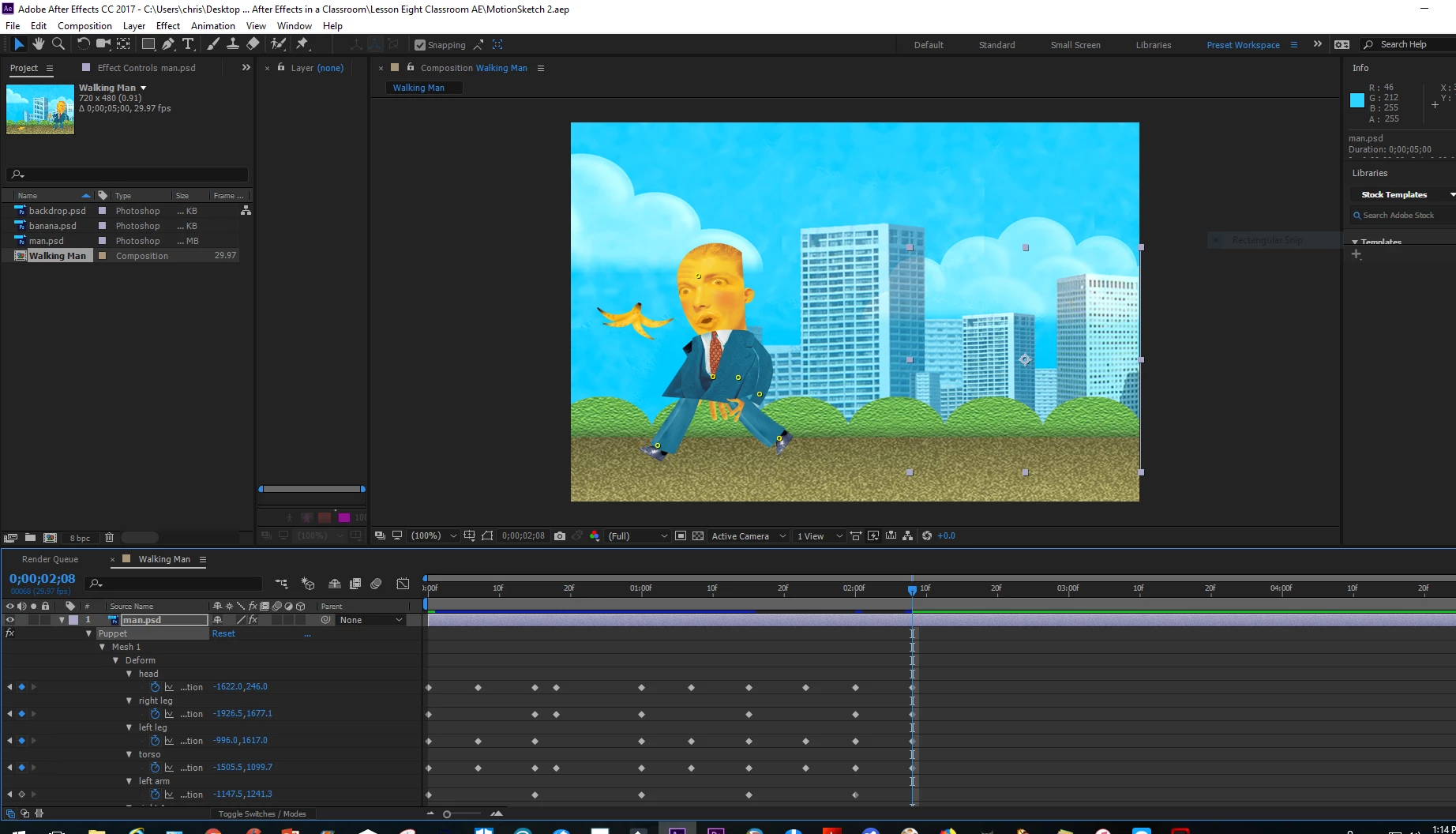
Well, it doesn't, and moving my mouse cursor with the button depressed and holding the Ctrl key only draws a marquee around the area I'm moving the mouse so therefore I cannot complete the chapter. This is very frustrating as the book is not detailed enough for a beginning student. Anybody who is starting out with Adobe CC will be doing a lot of Google searching if they use these publications for how to invoke many of the required tools as the authors assume some basic knowledge beforehand.

Anybody know another way to activate the Puppet Sketch tool so I can complete the chapter? I hate leaving work unfinished but if I can't select the tool the chapter calls out for I have no choice. I'll continue to Google, YouTube and go on Lynda.com for possible answers; spend more time doing that than actually working within this book.

I thank the previous person who helped me with the Convert Vertex Tool; I was able to move on from Chapter 7 since then. I have 5 more chapters left in this book and am debating on whether to continue on with this or go to Chris and Trish Meyers Motion Graphics publication, which unfortunately is for CS5 and 6 versions of After Effects. They have an Apprentice Guide too, which I finished in November which goes in greater detail than the Adobe Classroom in a Book series but unfortunately is dated to the CC 2105 version.

    This topic has been closed for replies.
    Correct answer Roei Tzoref

    The meyers can teach you all you need to know as for basics and also deep understanding better than anyone I have seen. As for the pins. Don't press F2 because it will deselect everything. when you see the pins, Ctrl hold and them click on a pin to activate the recording.

    for any feature you want to explore, simply type its name in the upper right search field of your Ae interface. Also make sure you go over all the free tutorials on the Adobe website Ae tutorial page. If you got Lynda Id stick with Anything the meyers can teach you and also Mark Christianse.

    1 reply

    Roei Tzoref
    Roei TzorefCorrect answer
    Legend
    February 13, 2018

    The meyers can teach you all you need to know as for basics and also deep understanding better than anyone I have seen. As for the pins. Don't press F2 because it will deselect everything. when you see the pins, Ctrl hold and them click on a pin to activate the recording.

    for any feature you want to explore, simply type its name in the upper right search field of your Ae interface. Also make sure you go over all the free tutorials on the Adobe website Ae tutorial page. If you got Lynda Id stick with Anything the meyers can teach you and also Mark Christianse.

    ChrisCrystalize
    Inspiring
    February 24, 2018

    Thank you! Yes, Chris Meyer is very good; I would like to see a more up to date Motion Graphics book though, the latest is at CS5. I have a free subscription to Lynda.com through my employer and am going over his Apprentice series. I already went through the 4th edition of the book (AE CC 2015) but need to go over it several times to fully ingrain the material. First time around took 6 months. I'm doing my own projects now with AE; basically dressing up Power Point and Filmora videos I've created. Eventually I will be able to do all my work in the Adobe CC Suite and won't need the other programs.

    Mark Christiansen is very advanced, his videos are very informative but for right now it is purely entertainment for me as it is way too advanced for my present skillset. Eventually I will get there.

    Chris