
Exit
  • Global community
    • Language:
      • Deutsch
      • English
      • Español
      • Français
      • Português
  • 日本語コミュニティ
  • 한국 커뮤니티
0

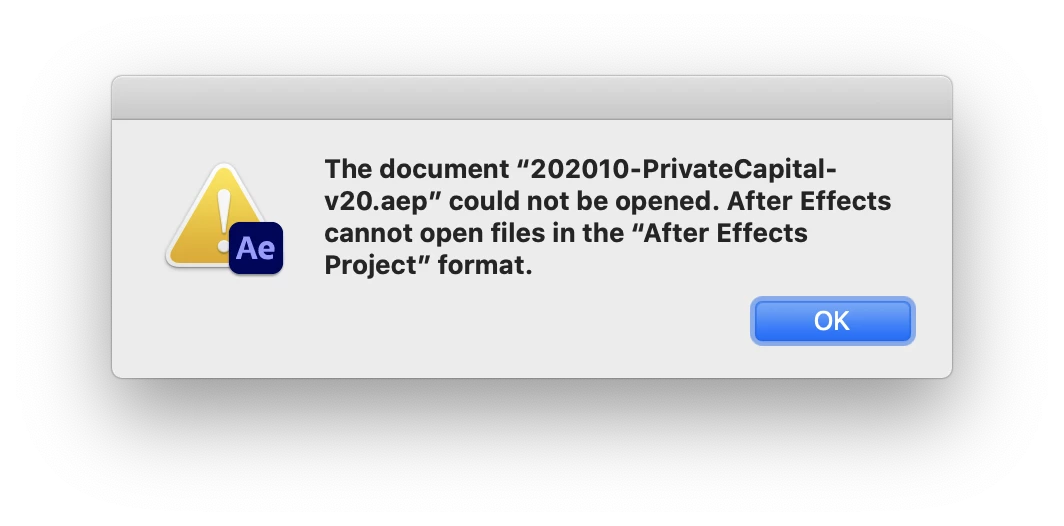
"After Effects cannot open files in the “After Effects Project” format." ?!?

Explorer ,
Feb 16, 2021 Feb 16, 2021

Lately I've been getting this annoying popup when trying to open an .aep from Finder:
Judge0_1-1613511382119.png


I have to go into Ae and "File>Open..." from there.
Anyone else have this? Is there a fix?

TOPICS
Error or problem
521
Translate
Report
Community guidelines
Be kind and respectful, give credit to the original source of content, and search for duplicates before posting. Learn more
community guidelines
Adobe Employee ,
Feb 19, 2021 Feb 19, 2021

Hi Judge0,


Thanks for reaching out.

It could be related to the user account permissions. Please try the steps mentioned in the following article: https://helpx.adobe.com/x-productkb/global/repair-disk-permissions-running-disk.html

Let us know if it helps.


Thanks,

Nishu

Translate
Report
Community guidelines
Be kind and respectful, give credit to the original source of content, and search for duplicates before posting. Learn more
community guidelines
New Here ,
Oct 28, 2025 Oct 28, 2025

workflow_entertainmen1171_0-1761639925905.png

Please help


Translate
Report
Community guidelines
Be kind and respectful, give credit to the original source of content, and search for duplicates before posting. Learn more
community guidelines
Adobe Employee ,
Oct 28, 2025 Oct 28, 2025

Looks like the project has been corrupted. Sorry about that. I can try opening it if you can send it to me. Feel free to share via DM if you prefer not to share it publicly.


Thanks,
Nishu

Translate
Report
Community guidelines
Be kind and respectful, give credit to the original source of content, and search for duplicates before posting. Learn more
community guidelines
New Here ,
Oct 28, 2025 Oct 28, 2025

Yes, I am sharing plz check and if you have any idea plz let me know 

Translate
Report
Community guidelines
Be kind and respectful, give credit to the original source of content, and search for duplicates before posting. Learn more
community guidelines
Adobe Employee ,
Oct 29, 2025 Oct 29, 2025

Thanks for sharing the file. It shows the same error on my end as well, but it ultimately opens the project file and it seems to be working fine. Does it behave the same on your end, or does it fail to open the project at all? Have you tried importing your project into a new one? This sometimes fixes such issues.

Let me know.


Thanks,
Nishu

Translate
Report
Community guidelines
Be kind and respectful, give credit to the original source of content, and search for duplicates before posting. Learn more
community guidelines
New Here ,
Oct 29, 2025 Oct 29, 2025

Capture.JPG

Translate
Report
Community guidelines
Be kind and respectful, give credit to the original source of content, and search for duplicates before posting. Learn more
community guidelines
Adobe Employee ,
Oct 30, 2025 Oct 30, 2025
LATEST

I see the error. What happens when you click OK? Does it crash or continue to open the project? On my end, it opens the project when I click OK.

Let me know.


Thanks,
Nishu

Translate
Report
Community guidelines
Be kind and respectful, give credit to the original source of content, and search for duplicates before posting. Learn more
community guidelines