
Exit
  • Global community
    • Language:
      • Deutsch
      • English
      • Español
      • Français
      • Português
  • 日本語コミュニティ
  • 한국 커뮤니티
0

RAM Preview AE 22.0.1 not working

Explorer ,
Dec 06, 2021 Dec 06, 2021

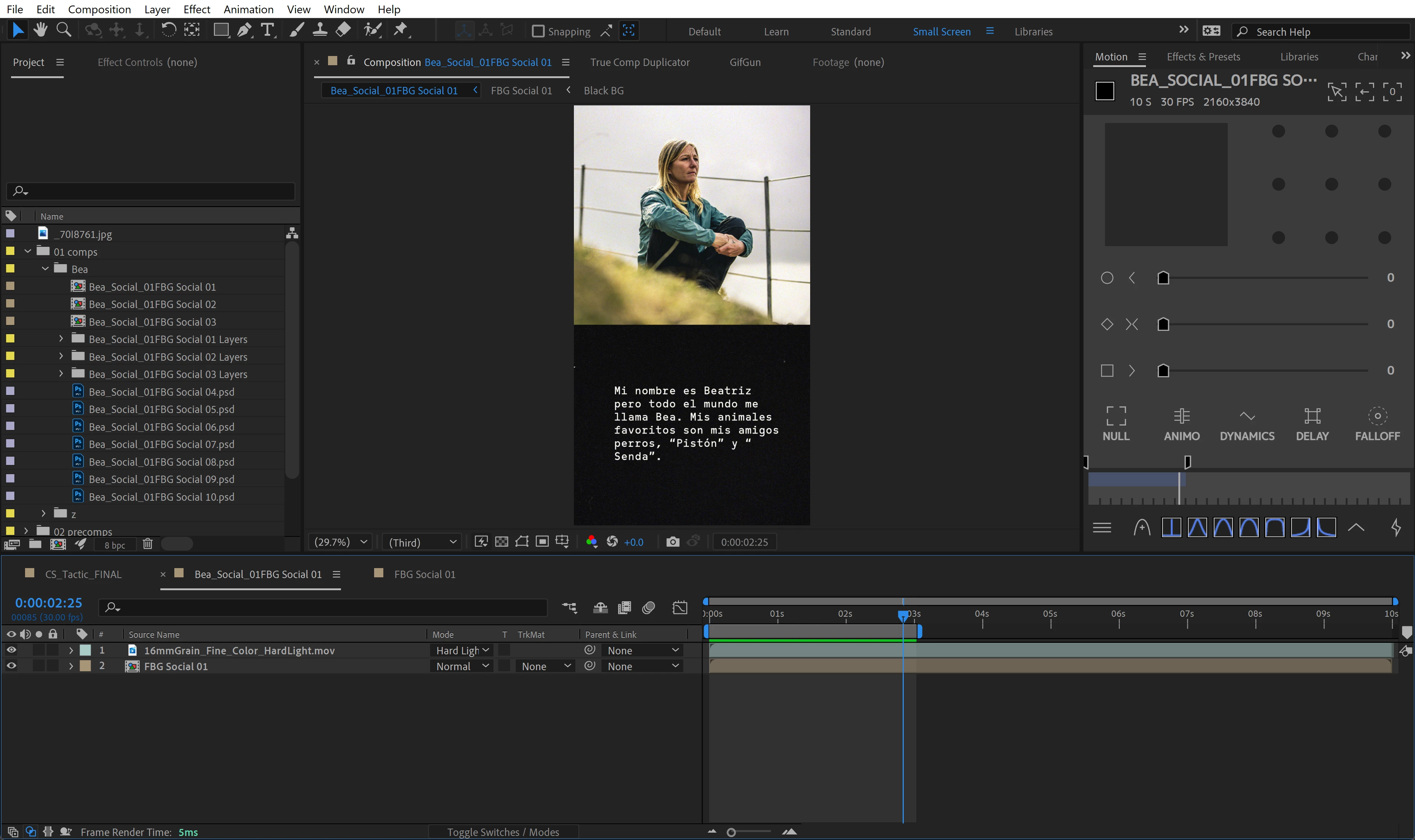
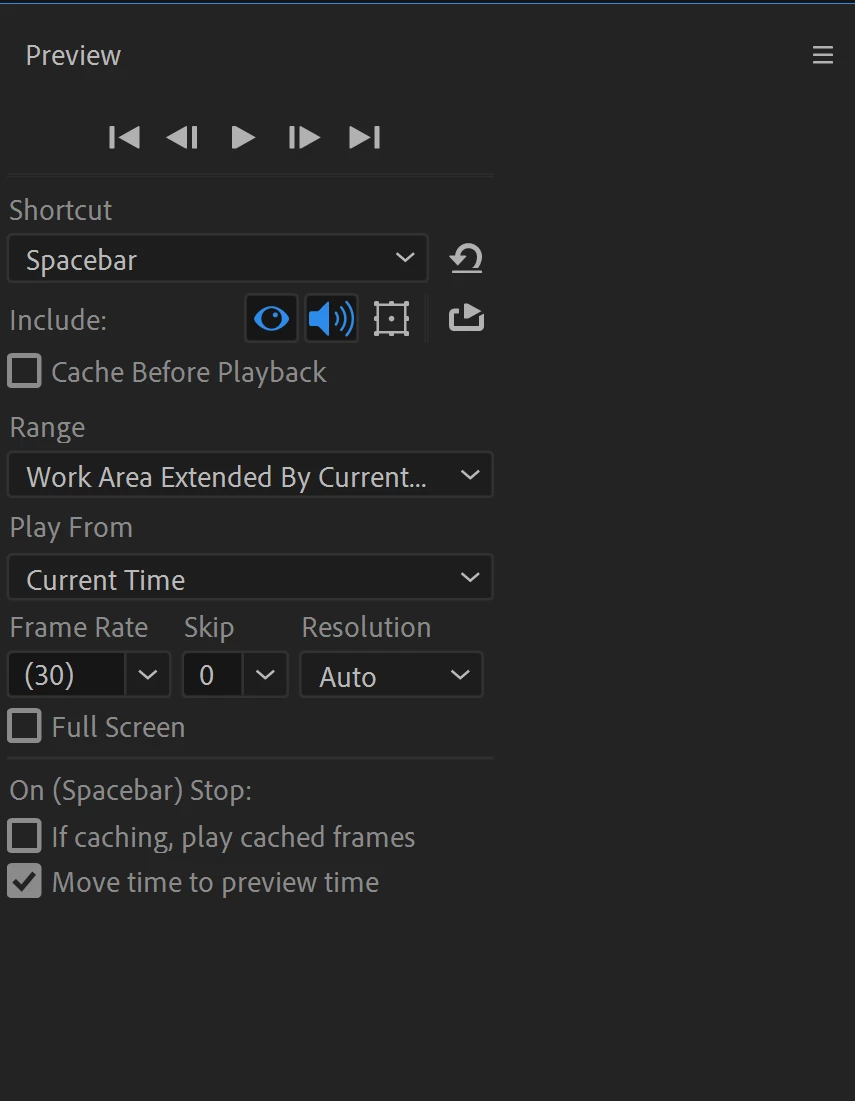
After Effects previews have been super unreliable for me lately. For example this small composition is fully rendered but will not playback. The solve has been closing and opening the application but it just stops again after the first couple previews. 


System

Dell XPS 9700

Intel I9-10885H 

Windows 11

64gigs Ram

RTX 2060


Any tips would be greatly appreciated! AE user for 10 years now? Preview has always been buggy but this is pretty bad!
 

Adobe 1.pngAdobe 2.png

TOPICS
Error or problem
301
Translate
Report
Community guidelines
Be kind and respectful, give credit to the original source of content, and search for duplicates before posting. Learn more
community guidelines
Adobe Employee ,
Dec 09, 2021 Dec 09, 2021

Hi sanagustin,


Sorry for your issue.

Does it happen with a particular project or all of them? Could you try working on a project that doesn't have any external footage and see if the issue persists. Also, I'd suggest making sure that drivers of both the GPUs (onboard and dedicated) are updated to the latest.

Let us know how it goes.


Thanks,

Nishu

Translate
Report
Community guidelines
Be kind and respectful, give credit to the original source of content, and search for duplicates before posting. Learn more
community guidelines
Explorer ,
Dec 13, 2021 Dec 13, 2021

I am also having this issue across multiple projects, locally and on a cloud-based server. My drivers are up to date and I'm on a 2019 MacBook Pro 2.3GHz 8-core i9 with 32GB RAM and an 8GB AMD Radeon Pro 5500M. Pretty shocking for a fairly new machine with the latest software.

Translate
Report
Community guidelines
Be kind and respectful, give credit to the original source of content, and search for duplicates before posting. Learn more
community guidelines
Explorer ,
Dec 20, 2021 Dec 20, 2021

It happens on multiple projects. GPUs all up to date. I literally have to close the program and reopen it so I can preview it one time. I've been using AE for 10+ years. 

Translate
Report
Community guidelines
Be kind and respectful, give credit to the original source of content, and search for duplicates before posting. Learn more
community guidelines
Community Expert ,
Dec 21, 2021 Dec 21, 2021

Podrías intentar purgando After Effects. Para hacerlo debes ir al menu Edit / Purge / All Memory & Disk Cache... luego presionas OK y listo. Espero te sirva.


Byron.
Translate
Report
Community guidelines
Be kind and respectful, give credit to the original source of content, and search for duplicates before posting. Learn more
community guidelines
Explorer ,
Dec 21, 2021 Dec 21, 2021

Purging After Effects doesn't work. Funny enough this was one of the tricks we'd do back in the day but seems like with the latest AEs this does not fix the problem. 

Translate
Report
Community guidelines
Be kind and respectful, give credit to the original source of content, and search for duplicates before posting. Learn more
community guidelines
Community Expert ,
Dec 21, 2021 Dec 21, 2021
LATEST

you said you are on 22.0.1, and 22.1.1 already release, so try to update and check if this can fix the issue.

Translate
Report
Community guidelines
Be kind and respectful, give credit to the original source of content, and search for duplicates before posting. Learn more
community guidelines