
DMMax
Inspiring
January 12, 2018
Question

Reddish/Magenta color blocking removal?

  • January 12, 2018
  • 2 replies
  • 3391 views

I am using a Panasonic GH5 with V-Log L profile and in my videos in the shadows and some other areas, there is reddish/magenta color blocks and I am unsure if there is a way to remove this as it occurs on a lot of my videos. I am using 4K ALl-I 400Mbps 10-bit 4:2:2. I found this video before which has helped remove other chromatic aberrations and color fringing:

However, when I try to remove the reddish/magenta color blocking this way, it just ends up effecting all reds in the video, even ones I don't want changed. Here is an example that shows the issue. I too this video of a gull and as you can see on its chest beside its legs, it has this noticeable issue:

This is an unedited screenshot of the video and edited version with a saturation boost and adding the Panasonic V35_to_Rec709 LUT::
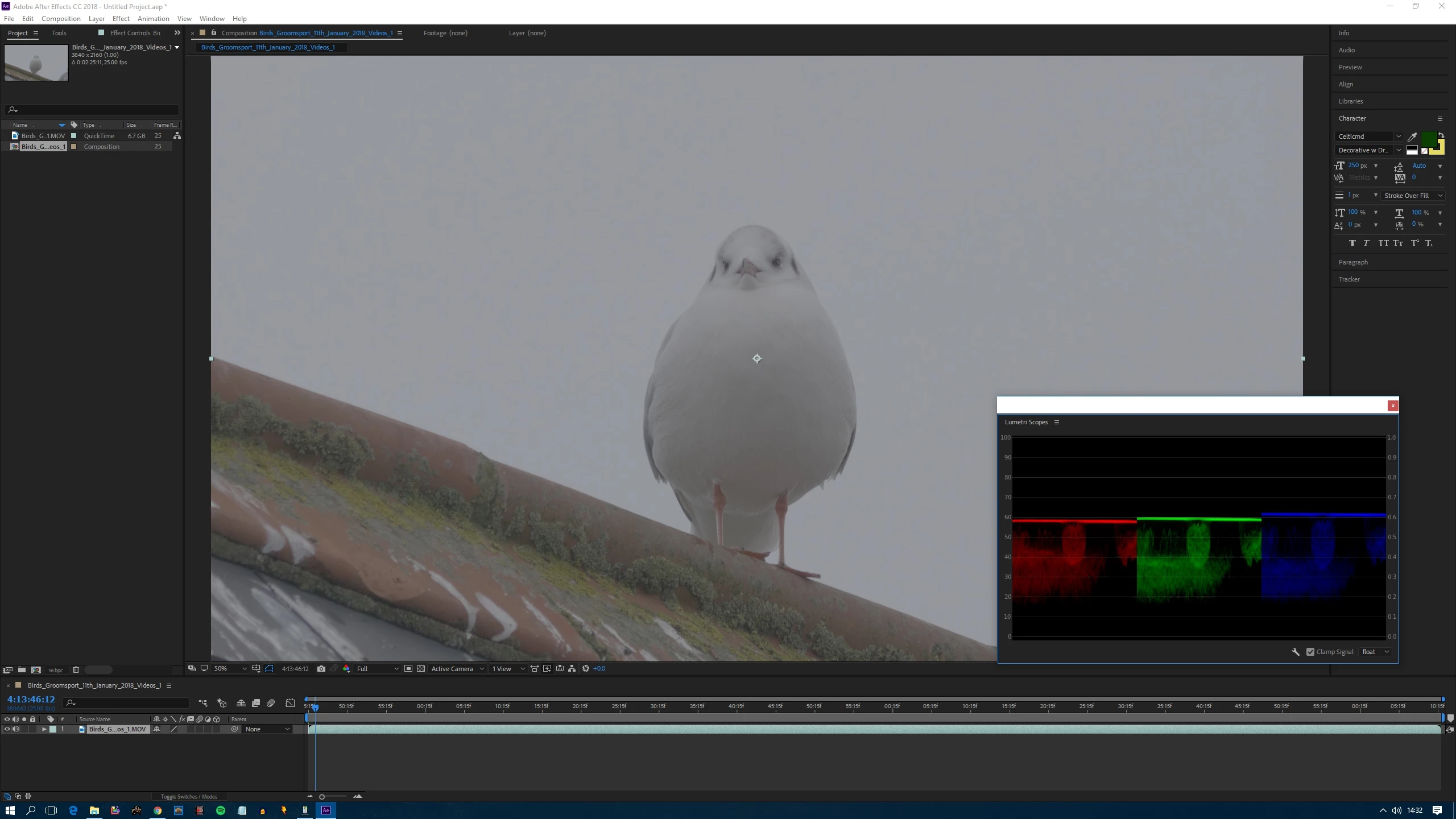
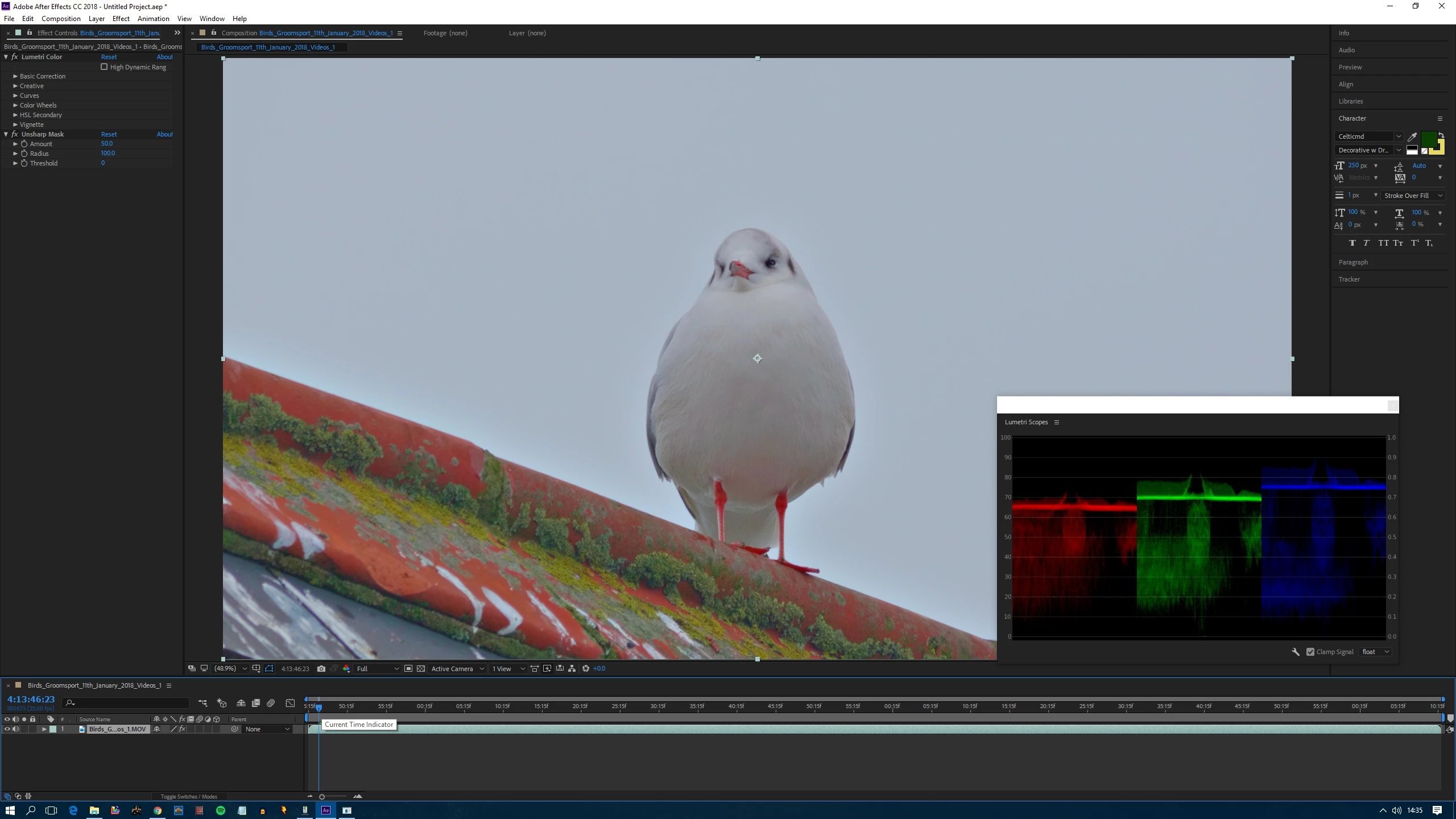
Here is close up of it and you can see the problem is there on the video, its nothing to do with what settings I apply on the video, first is unedited and second is edited:
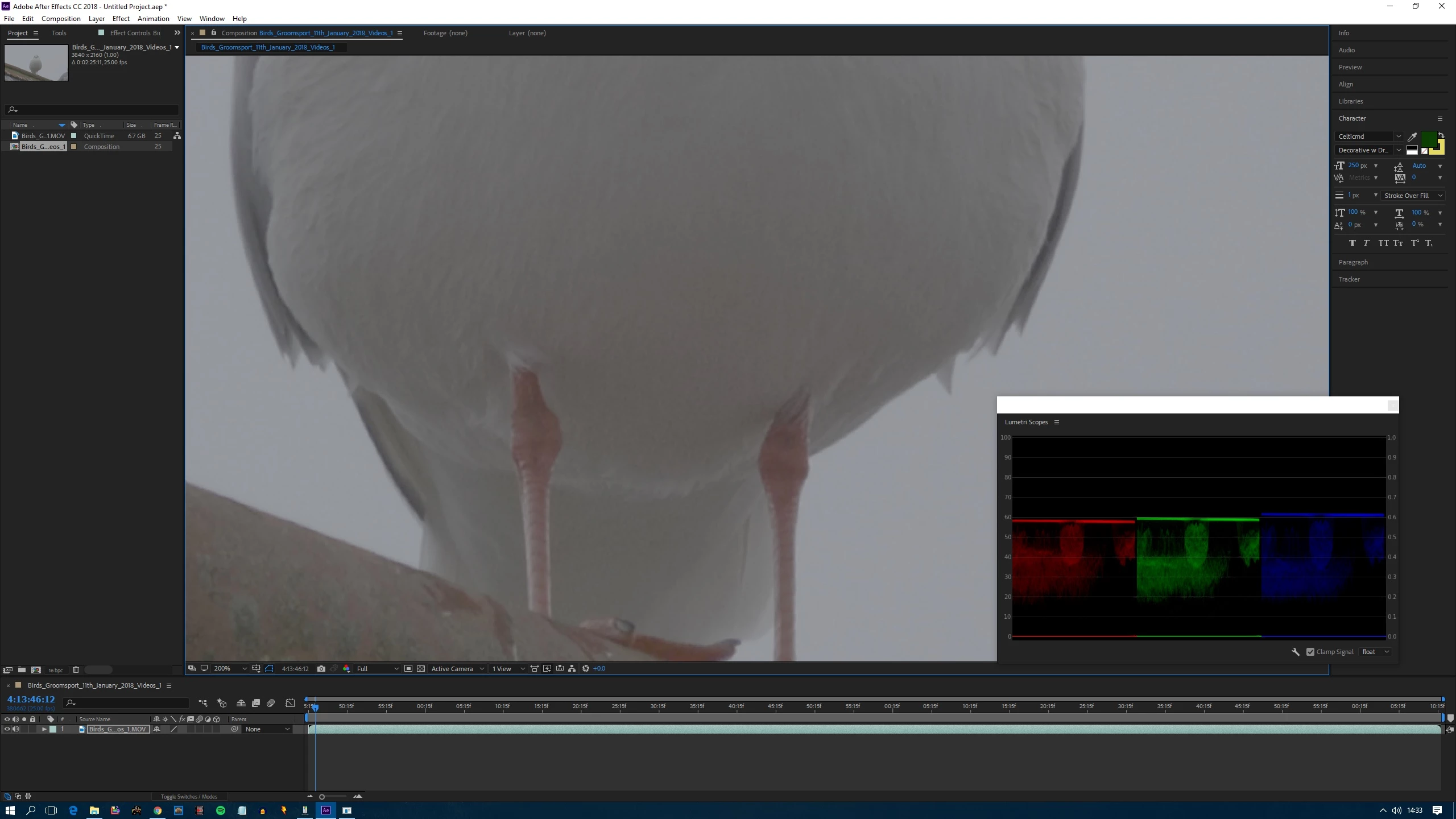
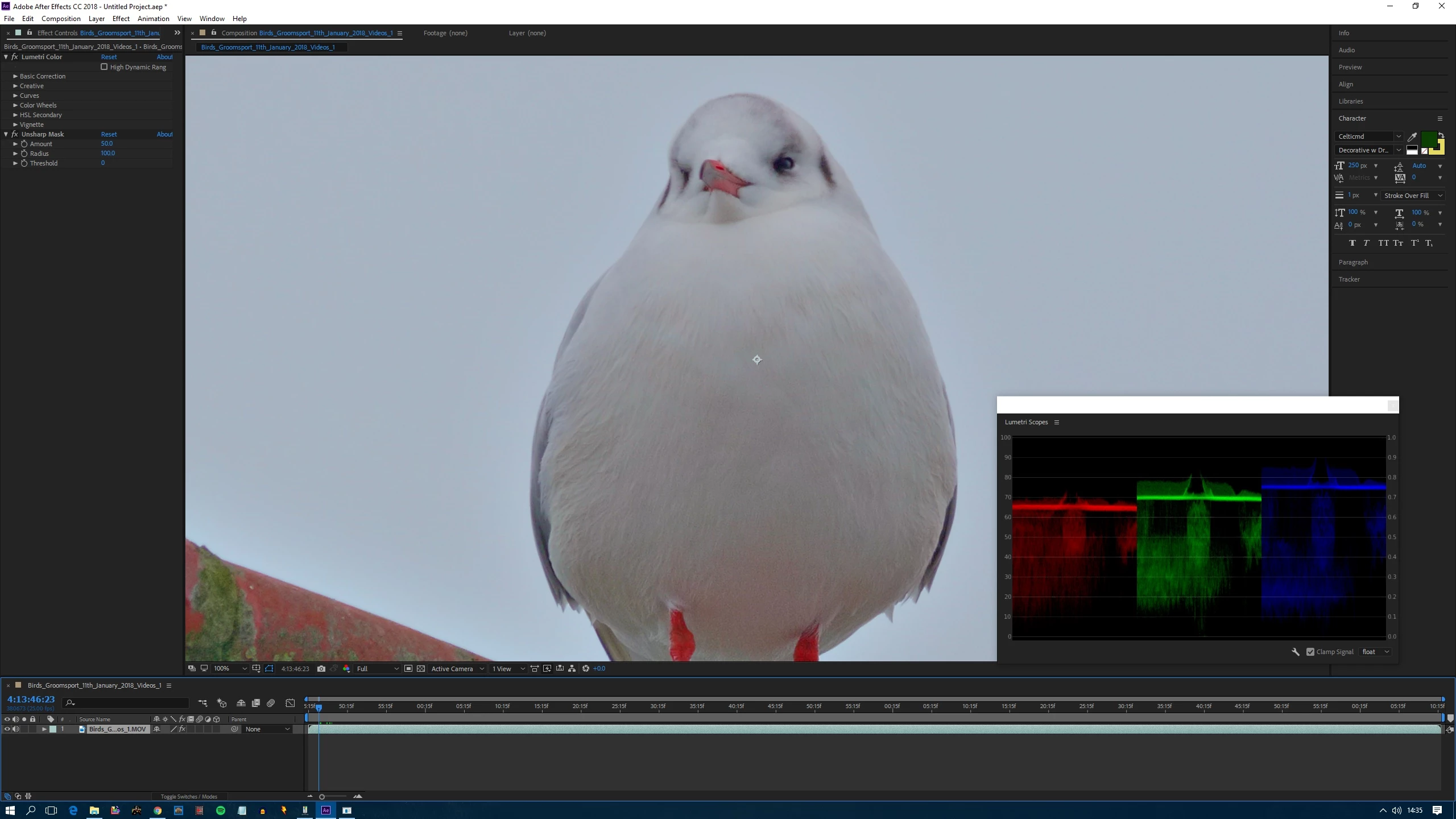
Here is a short sample clip of the edited video itself so you can see the issue on the video. As I mentioned the settings I added didn't cause the issue, only made it more noticeable. The video is in DNxHR 4K 10-bit 4:2:2 HQX. If you zoom in on the birds  chest, you can see the extent of the issue. Link: Dropbox - GH5_Gull1_Sample.mov  Download it rather than play it.

Can anyone help?

This topic has been closed for replies.

2 replies

Kevin-Monahan
Community Manager
Community Manager
January 23, 2018

Hi DMMax,

What did you end up doing to solve this issue? Let us know.

Thanks,
Kevin

Kevin Monahan - Sr. Community and Engagement Strategist – Adobe Pro Video and Audio
Mylenium
Legend
January 12, 2018

Well, the tutorials is actually pretty amateurish and mostly useless. If you have to use extensive masking to remove CA, then you're doing it wrong. The real trick - as so often - is simply to transpose the channels individually and make the color components converge again. In your case you would use effects like Channel Combiner and Shift Channels to separate all the components, convert them to YCbCr, apply distortion effects like Optics Comepnsation and move the layer by tiny amounts, then apply secondary instances of the afforementioned effects to convert back to RGB and use Add blending mode on your 3 layer duplicates, each representing blue, green and red, respectively, to bring everything back together. Under ideal conditions this doesn't require any additional color corrections at all nor any of the atrocious workflows shown in the tutorial.

Mylenium

DMMax
DMMaxAuthor
Inspiring
January 15, 2018

Hi Mylenium,

Thanks, but how do you do what you said? I don't really know much about using After Effects yet and unsure to do what you said.

Kevin-Monahan
Community Manager
Community Manager
January 25, 2018

Excuse the late reply, I haven't been well. Rick GerardI have looked at what you said, and I have found from doing what you have said, I have been able to correct the white balance in my V-Log L videos and it has reduced some of the color issue.

Kevin, so far I have yet have not been able to remove the magenta blocking which is the main issue I am having, but might have reduced it slightly, not enough to make it unnoticeable yet. I don't think its a chromatic aberration issue since it happens with whatever lens I use. It could be macro blocking from being a AVC codec. I don't know if this codec info from the videos will make a difference to what it is, but:

ID :1
Format :AVC
Format/Info :Advanced Video Codec
Format profile :High 4:2:2 Intra@L5.1
Format settings, CABAC :No
Format settings, GOP :N=1
Codec ID :avc1
Codec ID/Info :Advanced Video Coding
Bit rate mode :Variable
Bit rate :400 Mb/s
Width :3 840 pixels
Height :2 160 pixels
Display aspect ratio :16:9
Frame rate mode :Constant
Frame rate :25.000 FPS
Standard :Component
Color space :YUV
Chroma subsampling :4:2:2
Bit depth :10 bits
Scan type :Progressive
Bits/(Pixel*Frame) :1.929
Encoded date :UTC 2017-12-26 13:36:34
Tagged date :UTC 2017-12-26 13:36:34
Color range :Full
Color primaries :BT.709
Transfer characteristics :BT.709
Matrix coefficients :BT.709

Hi DMMax,

Are you monitoring this image in a sequence which matches clip settings? Your video is quite small in comparison to, say, a HD frame size or even SD. The frame size (840 x 160) seems very odd and quite small. I'd start by shooting at a default frame size.

Thanks,
Kevin

Kevin Monahan - Sr. Community and Engagement Strategist – Adobe Pro Video and Audio