MahaB82A
Legend
October 23, 2022
Answered

Reload Footage

  • October 23, 2022
  • 2 replies
  • 5331 views

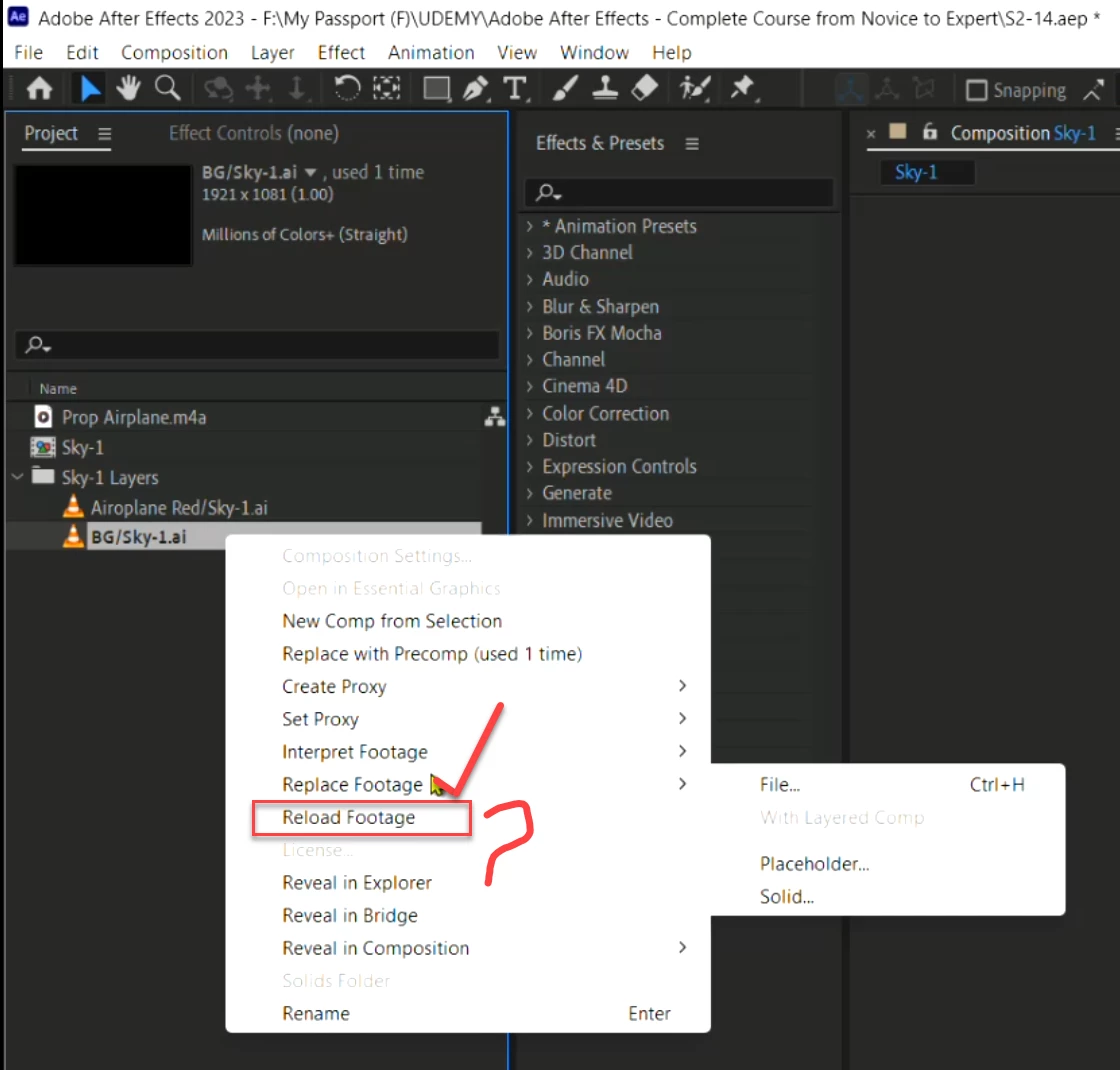
I can understand Replace Footage which can be used to replace lost link. What is the pupose of Reload Footage


Correct answer Warren Heaton

Using File > Reload Footage tells After Effects that the source footage has been edited outside of After Effects since the last time the footage was loaded and forces the changes to appear.


Still image file formats are an excellent example of when this might be needed.  Let's say we tab out of After Effects and open an image used in our After Effects project in an image editor like Adobe Photoshop, Adobe Illustrator, Affinity Photo, or Affinity Designer, make changes to the image, and then save.  When we return to After Effects, we'll likely still see the older version of the picture until we reload the footage.  


If we use Edit > Edit Original, After Effects should reload footage automatically upon returning to After Effects.  If for some reason it doesn't, we can use Reload Footage to do so.

2 replies

Inspiring
March 14, 2023

Is there ever going to be an equivalent feature in Premiere? Often I know I've edited stuff outside of Premiere, but it doesn't show up in the Program window. The options are to delete the cache, or quit and reload Premiere. It'd be great if there was a refresh/reload media button like this in Premiere.

Warren Heaton
Community Expert
Community Expert
March 14, 2023

Do you mean something other than File > Reload Footage?


Inspiring
March 14, 2023

I mean in Premiere. It's a very useful feature in After Effects. Premiere lets you relink, make offline, replace footage, but it doesn't have a straightforward reload footage feature like After Effects does.

Warren Heaton
Community Expert
Warren HeatonCommunity ExpertCorrect answer
Community Expert
October 23, 2022

Using File > Reload Footage tells After Effects that the source footage has been edited outside of After Effects since the last time the footage was loaded and forces the changes to appear.


Still image file formats are an excellent example of when this might be needed.  Let's say we tab out of After Effects and open an image used in our After Effects project in an image editor like Adobe Photoshop, Adobe Illustrator, Affinity Photo, or Affinity Designer, make changes to the image, and then save.  When we return to After Effects, we'll likely still see the older version of the picture until we reload the footage.  


If we use Edit > Edit Original, After Effects should reload footage automatically upon returning to After Effects.  If for some reason it doesn't, we can use Reload Footage to do so.

MahaB82A
MahaB82AAuthor
Legend
October 23, 2022

Thanks for the explanation.