- Home
- After Effects
- Discussions
- Remove strong light reflections from a video
- Remove strong light reflections from a video
Remove strong light reflections from a video

Copy link to clipboard
Copied
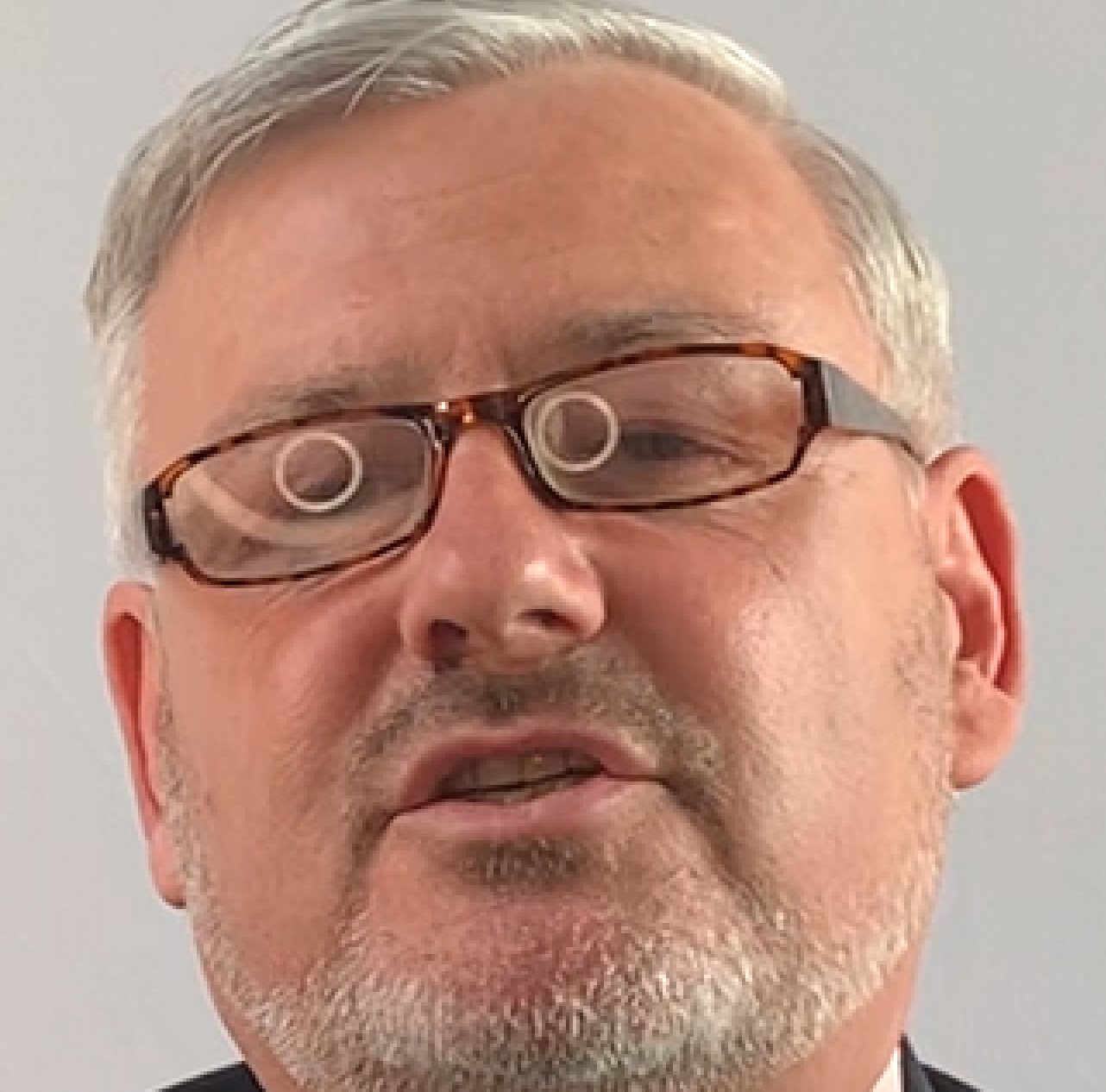
I am trying to find a way to remove light reflections from a man's glasses on a video I'm editing. The relfections are strong white circles and cover all of the glass area. As it's a video cloning or masking won't work in this instance, so I was wondering if anyone had any advice of how to remove these reflections? I have attached a screengrab of the issue.


 6
Replies
6
6
Replies
6


Copy link to clipboard
Copied
I'd give Content Aware Fill a run at this, but you can't expect miracles. The eyes are probably exactly where your viewer is going to be looking, and any weirdness there is probably goign to be pretty off-putting.
The right answer is really that this should have been addressed during the shoot.
Copy link to clipboard
Copied
Thanks. Completely agree this should have been picked up on the shoot, I was left to pick up the pieces!
Copy link to clipboard
Copied
Yep, we've all been there. If it helps at all, instances like this can be a good conversation point as to why getting feedback from the post-production dept BEFORE it becomes their problem can save everyone a lot of time and trouble...

Copy link to clipboard
Copied
Try to track some circular masks with a stroke onto the ring lights or extract the actual luminace information using e.g. Channel Combiner and then use the resulting matte to drive a darkening effect or apply it to a darkened duplicate of the layer. You won't be able to get rid of the artifacts entirely, but may be able to bring it down to a level where it becomes acceptable.
Mylenium

Copy link to clipboard
Copied
The fix is going to require some tracking, rotoscope, and clever use of one or more other tricks. If we saw the actual video you are working with we would have a better idea of exactly what to do. I would probably start with Mocha AE and the Stabilized Power Pin workflow to give me a comp with the reflections locked into position so I didn't have to worry as much about keyframing masks or lining up the repair.
One more thing. Avoid the "Drag and Drop here.." field. Instead, embed your images in your reply by dragging them directly into the form or using the toolbar. Linked images are unreliable and a pain to look at.
Copy link to clipboard
Copied
Thanks for your response. Looks in the end the best solution is to get a Flare Operator to take this on. Noted for the image upload in future!


Find more inspiration, events, and resources on the new Adobe Community
Explore Now
 AdChoices