if you want to remove the black background that is blended with the image you need to use some form of matte extraction procedure (like keying) to export it without it. if this is the case I would recommend this free plugin to knock out black background: http://www.videocopilot.net/blog/2014/05/new-plug-in-color-vibrance/ . it does other things too, but it has a checkbox to knock out the black
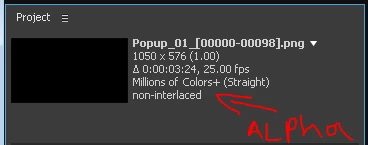
first we should establish that your sequence does not contain alpha information to begin with. import your sequence to After effects. do you see in the project panel thumbnail a mention of alpha? did the provider of this sequence give you information about its transparency or lack of?
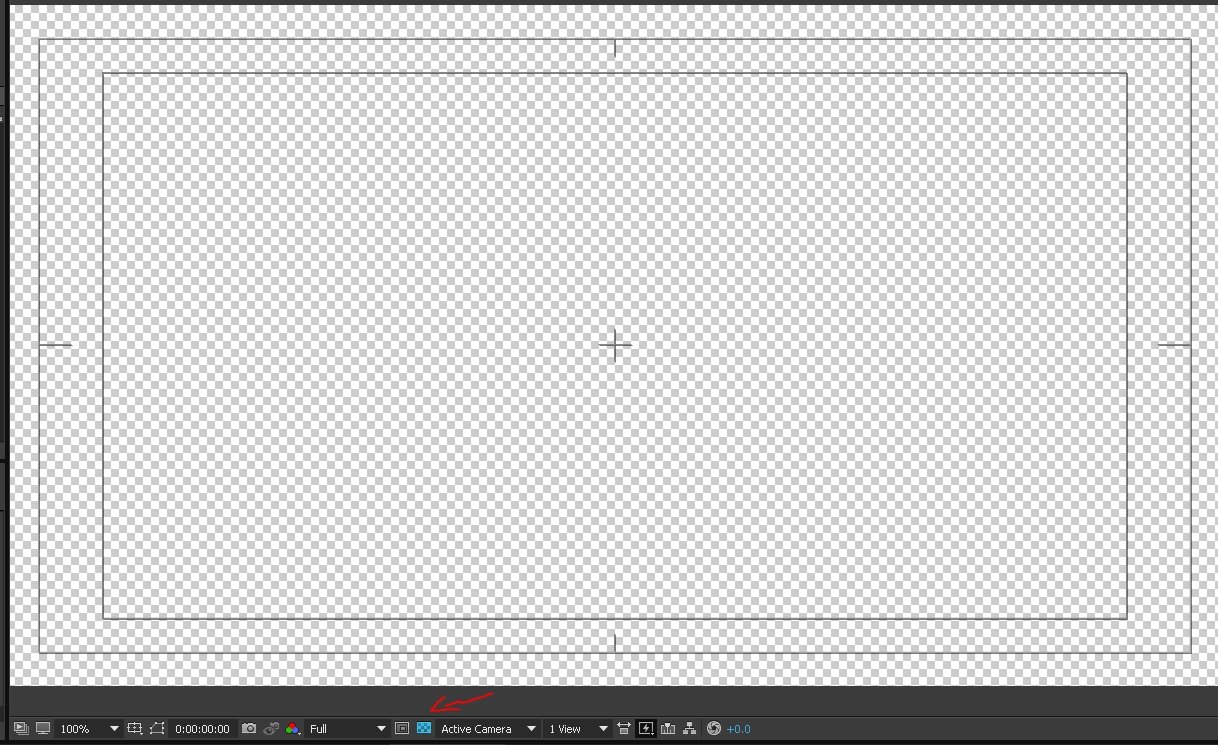
you can create a composition from this sequence and click on the toggle transparency switch to verify it does have transparency
if it does have transparency and you want to export it with transparency, then make sure you are exporting the alpha channel. some format support it, some don't
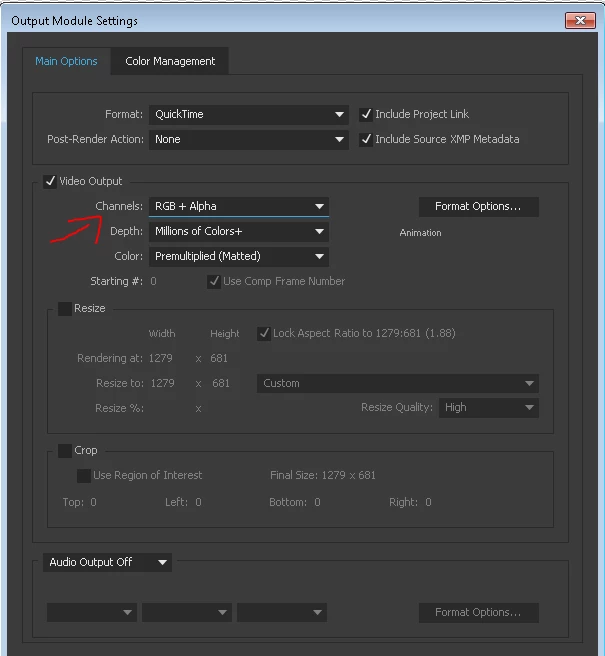
in the Channels options: make sure it's set to RGB+Alpha
in the Color options: you may want to use straight alpha or premultiplied (matted) alpha - it depends on what your workflow needs are.
after you rendered the footage, note that video players won't show you if there is or isn't transparent background (it will show you the background color which usually is black). the only way to make sure is reimport it to Ae and see for yourself.


 AdChoices