
noura67405118
Participating Frequently
August 25, 2018
Question

RENDER STOPS WORKING AT A FRAME

  • August 25, 2018
  • 4 replies
  • 537 views

I try to render my project file with a duration of 16.7 seconds. The rendering stops or hangs at 6:04. The time elapsed doesn't change, the time remaining doesn't increase and when I try to pause the rendering, it shows the continue button but doesn't allow me to click stop. I can't even click on a different comp or exit out of ae. I am working with After Effects 2017 on a 2015 macbook pro. Need help asap
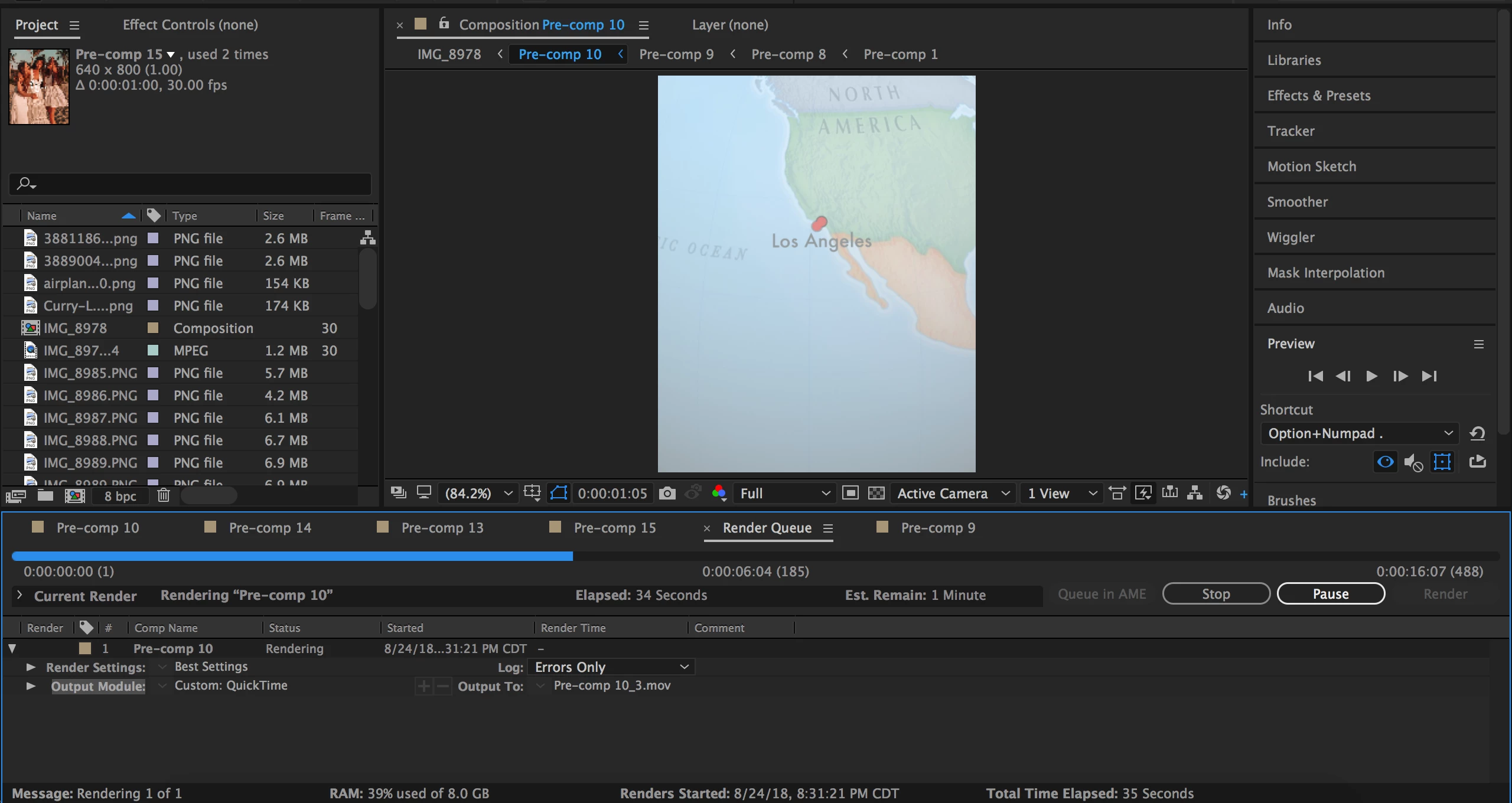
This topic has been closed for replies.

4 replies

imeilfx
Inspiring
August 25, 2018

There have to be some damaged file or something there. To diagnose that, you have to check what exactly is happening in your composition.
We can't exactlly say what is causing it because we don't know your timeline and what you are using in your composition.

Check your composition in that place.

If you find something that looks like cause of your issue, deactivate it  and try to render (2-3 sec with that part in) - That way you will check what causes your issue - next step will be to fix that.

Community Expert
August 25, 2018

Go to  Edit - Purge - All Memory and Disk Cache

Mohammad.Harb
Community Expert
Community Expert
August 25, 2018

How about rendering in media encoder?

noura67405118
Participating Frequently
August 25, 2018

I dont have that

P.M.B
Legend
August 25, 2018

noura67405118  wrote

I dont have that

Media Encoder comes with After Effects just go to your creative cloud app and install it.  Unless....

~Gutterfish
Mohammad.Harb
Community Expert
Community Expert
August 25, 2018

Try rendering it as image sequence,

then import the sequence and re-render it as a video file

noura67405118
Participating Frequently
August 25, 2018

Same problem, didnt fix