
Participant
June 21, 2025
Question

Rendered rotoscope footage has glitch.

  • June 21, 2025
  • 3 replies
  • 929 views

Hi, guys. Please help me out, I've been struggling with this glitch on my rendered footage.


It is a 1 second H.264 4K footage. I used Rotoscope 3.0. And I did rotoscope frame by frame and freeze it before the render. The frame rate is 59.94. I made sure the frame rate is matched with the original footage when I render. 

The render is fine when I use only roto brush, however, When I use the fine tuning edge brush on my footage, even though the preview in the composition looks fine, but after I render it, it appears to have glitches on some of the frames. I tried render as Tiff Sequence RGB+Alpha, Quick Time RGB+Alpha. It always gives me glitches.
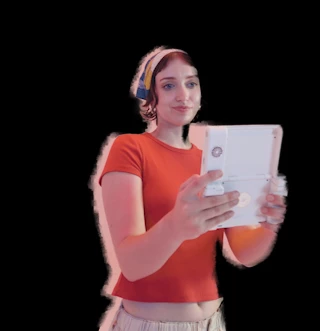
Here is screen shot of the glitch I got:


3 replies

Participating Frequently
June 26, 2025

After Freezing your rotoscope try Pre-Composing it (shift+ctrl+C).

I was getting the same glitchiness in AE 25.3

Pre-Comp and now it runs fine. Hope this helps!

Participating Frequently
June 26, 2025

That didn't work for long.

I turned on Motion Blur in the Rotoscope panel and it went haywire again.

I'm attaching a screen capture in 2 parts. 

I'm using a proxy. I use both options given when Pre-Composing.

Here is my Computer specs


Processor AMD Ryzen 7 5800X 8-Core Processor 3.80 GHz
Installed RAM 32.0 GB
System type 64-bit operating system, x64-based processor
I'm using AE 25.3 Just installed 3 days ago. I was having a similar issue in the previous version where it was giving me mismatching frames. It advised me to set the Composition FPS to a weird number when the video was shot in 59.879 FPS or something like that.

Participating Frequently
June 27, 2025

Graphics Card

Nvidia GeForce RTX 3080Ti


OS 

Edition Windows 11 Home
Version 24H2
Installed on ‎12/‎9/‎2024
OS build 26100.4349
Experience Windows Feature Experience Pack 1000.26100.107.0


Adobe just came out with a new update 25.3.1

The Rotoscope bug has gone away.

nishu_kush
Community Manager
Community Manager
June 23, 2025

Hi there,


Thanks for writing in. What version of After Effects are you using? What are your system specifications (CPU, GPU, RAM, OS version)? Can you try exporting using Media Encoder?

Let me know how it goes.


Thanks,
Nishu

Participant
June 21, 2025

Update: It wasn't H.264. I chopped up the clip into few 1 second videos in Premiere Pro, exported in HEVC(H.265), then imported into AE to roto.