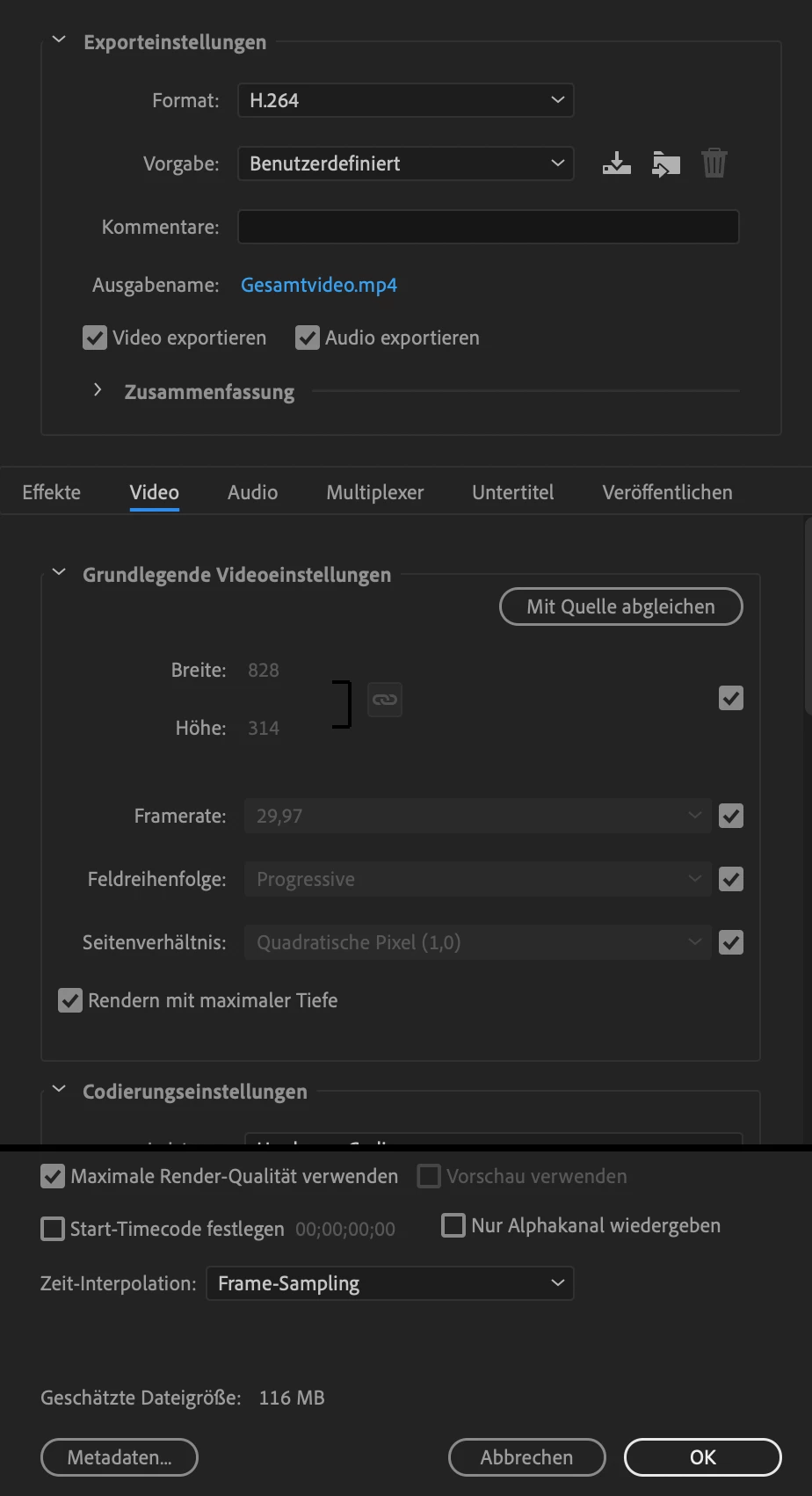
828 x 315 is is not a frame size that works for any kind of video compression, especially H.264. I hope that is a typo and not a recommendation from anyone.
Color is compressed in blocks of at least 4 pixels so the frame size must be an even number. Just that frame size by its self will cause a bunch of compression artifacts because the video will be resized to an even number of pixels. If you want to stick with that frame ratio at least double the size of your comp and make sure that you have an even number of pixels for both height and width. Maybe this screenshot will help explain things. I downloaded your video and created a comp to see what I could see. I added a one-pixel stroked line with horizontal, vertical, and a 45º segment, duplicated the graphic, and got one as close as I could to the pixel grid and the other one about as far off as I could get it.
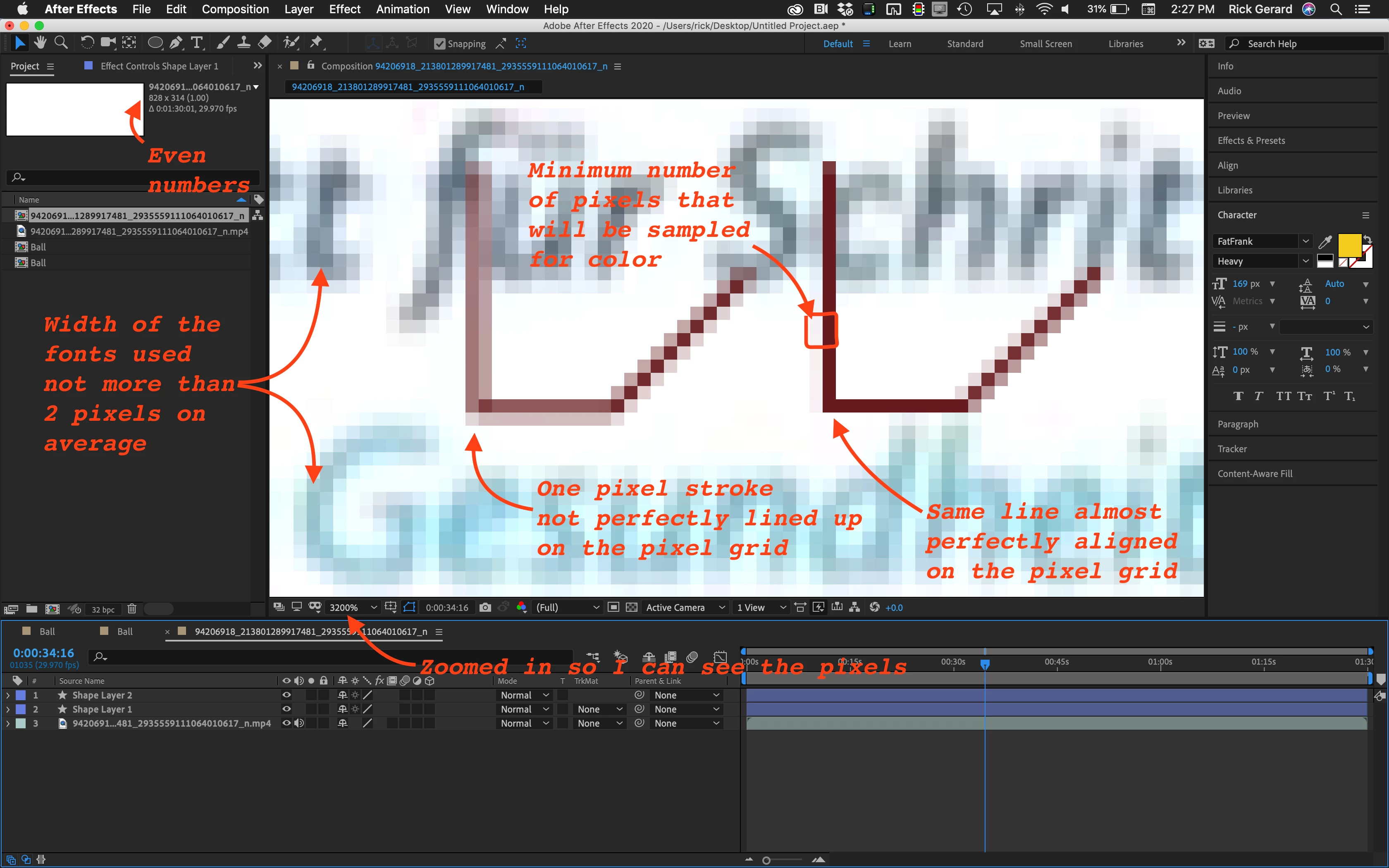
Here are the design problems that can be solved by doubling the frame size.
- At this frame size, the fonts are so thin that I could not find more than a couple of pixels that I think are the original color for the font because it is almost impossible to line up characters with the pixel grid
- The absolute minimum number of pixels that are going to be used for a color sample is 4 - and as indicated, the color sample for the outlined area includes 2 almost white pixels and two brown ones. The color in that block cannot be accurate and only the luminance value is left to define the line.
- Increasing the data rate will give you a little fewer motion artifacts but it will do almost nothing for the color sampling problem and the misalignment of the text on the pixel grid
Doubling the comp frame size will allow you to use fonts that are twice the size and give the compressor a lot more to work with when trying to reproduce the original colors. When the footage is scaled down the contrast on the edges and the apparent sharpness will be improved, rather than degraded, especially on high-resolution displays because web pages are scaled up to compensate for the tight pixel grid in HR (Retina) displays. In the same way your web graphics should be twice the size that they should be for HR displays, your web video should be twice as big also.
I know these things because years ago I was part of a development team researching and creating the father of video compression as we know it. All Interframe (MPEG) compression finds identical luminance value pixels and predicts their movement so they don't have to store every luminance value for every pixel for every frame then they take at best, a four-pixel block of color information from those matching luminance pixels and average the color and predict the changes over time. Everything is an average, even at high data rates and if the codec does interframe compression the software is calculating the pixel values for luminance and color (chroma) from an average of the data from at least every other frame. At the very best, interframe compression is predicting the pixels of in every other frame so half of the frames you see are just an approximation of what was there in the original. It is getting better, and it's kind of amazing that it works at all, but if you want to look like a professional, and you want to create motion graphics like a professional, you need to perfectly understand how things work and use that knowledge when you design your videos.
Take a couple of minutes, load your comp up in AE and use the Scale Comp script that comes with AE to resize the comp to double the size. This should increase the font size and scale of any vector layers without any loss and if you scaled down images or video in the original comp it will be brought back closer to 100%. Render and post another video and you should see a marked improvement. Folks will wonder how you got your Facebook video to look so good.




 AdChoices