amandar33173544
Participating Frequently
November 16, 2019
Answered

Rendering Transparent Background

  • November 16, 2019
  • 2 replies
  • 8272 views

Hi all

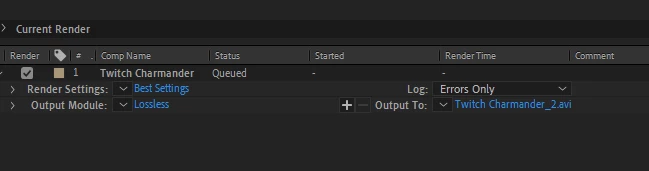
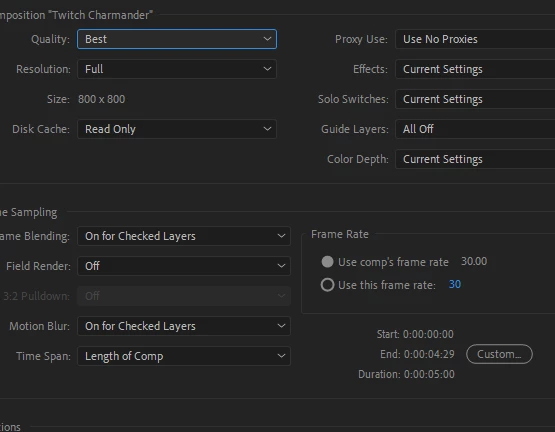
I am trying to render a clip with a transparent backround but for the love of me I cannot get it to work.  I have also tried media encoder but I am not sure what settings I need to have not export it.  I am using windows 10 with the new Adobe After Effects 2020.


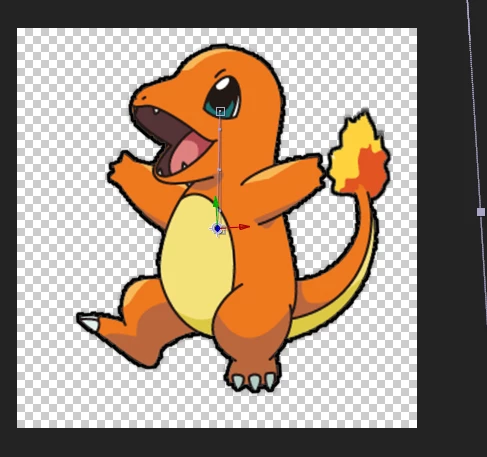
The image is transparent, and when I try to render it shows as black.  I have also tried Quicktime as well.


Would love any help, I have been stuck on this for weeks?

Amanda


This topic has been closed for replies.
Correct answer Rick Gerard

Is there a way to do it through Media encoder to help make the file smaller - like with the format of h.264? or I can only render the alpha channel through the render queue?


Formats that support RGBA (Alpha Channels) are limited and the file size is small. H.264 only supports 3 channels, not 4. Delivery formats do not support all channels because the media players used for playback do not support transparency and the file size would go up by at least 30%.

2 replies

Participant
February 2, 2023

I am Using CS6 version , How can I export transparent background ? Help me please.


Roland Kahlenberg
Legend
November 16, 2019

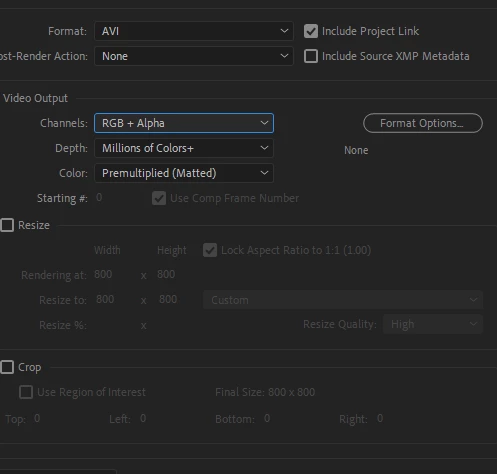
Depending on the CODEC/Container you have chosen, the Alpha Channel settings are initiated in the Format Options section. If you select QuickTime for format, select a CODEC which supports Alpha Channel. Animation, ProRes, 422 and better and DNxHD and Cineform all support an Alpha Channel. While you're in the Format Options section, ensure you enable the Alpha Channel option. Exit the Format Option section and while you're back in the Main Dialog of the Output Module, ensure you select RGB + Alpha, Millions+ and Straight for the Video Output section. Straight Alpha Channel is the preferred setting.


Let us know if this solves your issue.

Very Advanced After Effects Training | Adaptive & Responsive Toolkits | Intelligent Design Assets (IDAs) | MoGraph Design System DEV
amandar33173544
Participating Frequently
November 16, 2019

No this didn't change the backgroud.


If I change the codec to 422, i cant select the RGB + Alpha Channel.


amandar33173544
Participating Frequently
November 16, 2019

You were provided with alternatives. Have you tried them?


My apologies, yes I did try them!  I tried the 422 and the RGB + Alpha channels is not available to select. I have also tried the DNxHD and still has the black background as well.