RuyRamos
Participating Frequently
December 16, 2017
Answered

Replacing sign on closing door / After Effects CC

  • December 16, 2017
  • 2 replies
  • 894 views

Hey everyone!

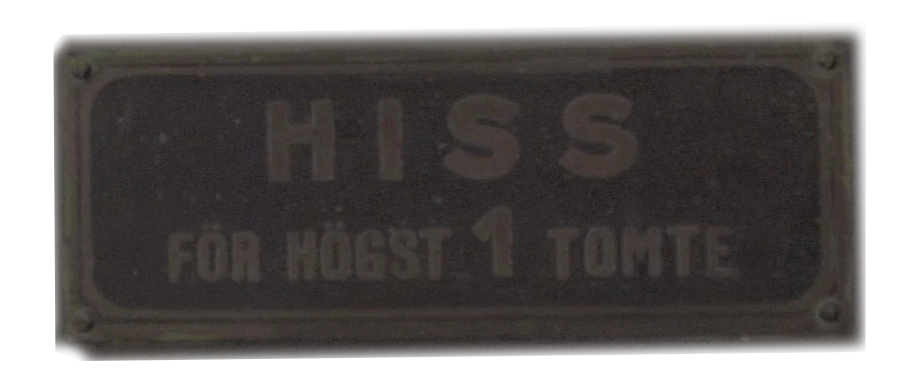
I have a problem replacing a sign in AF. This is the sign i want to put in.
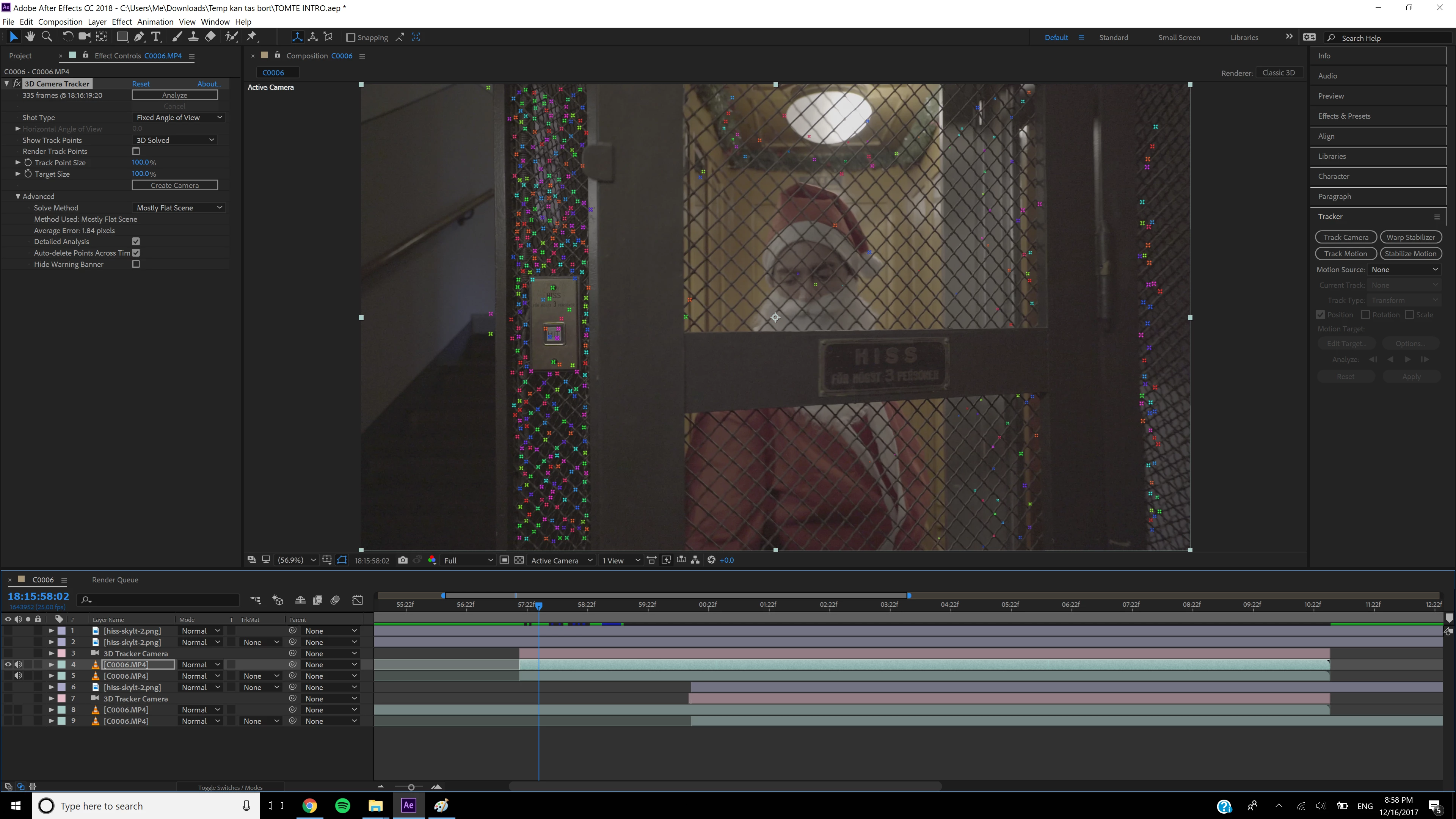
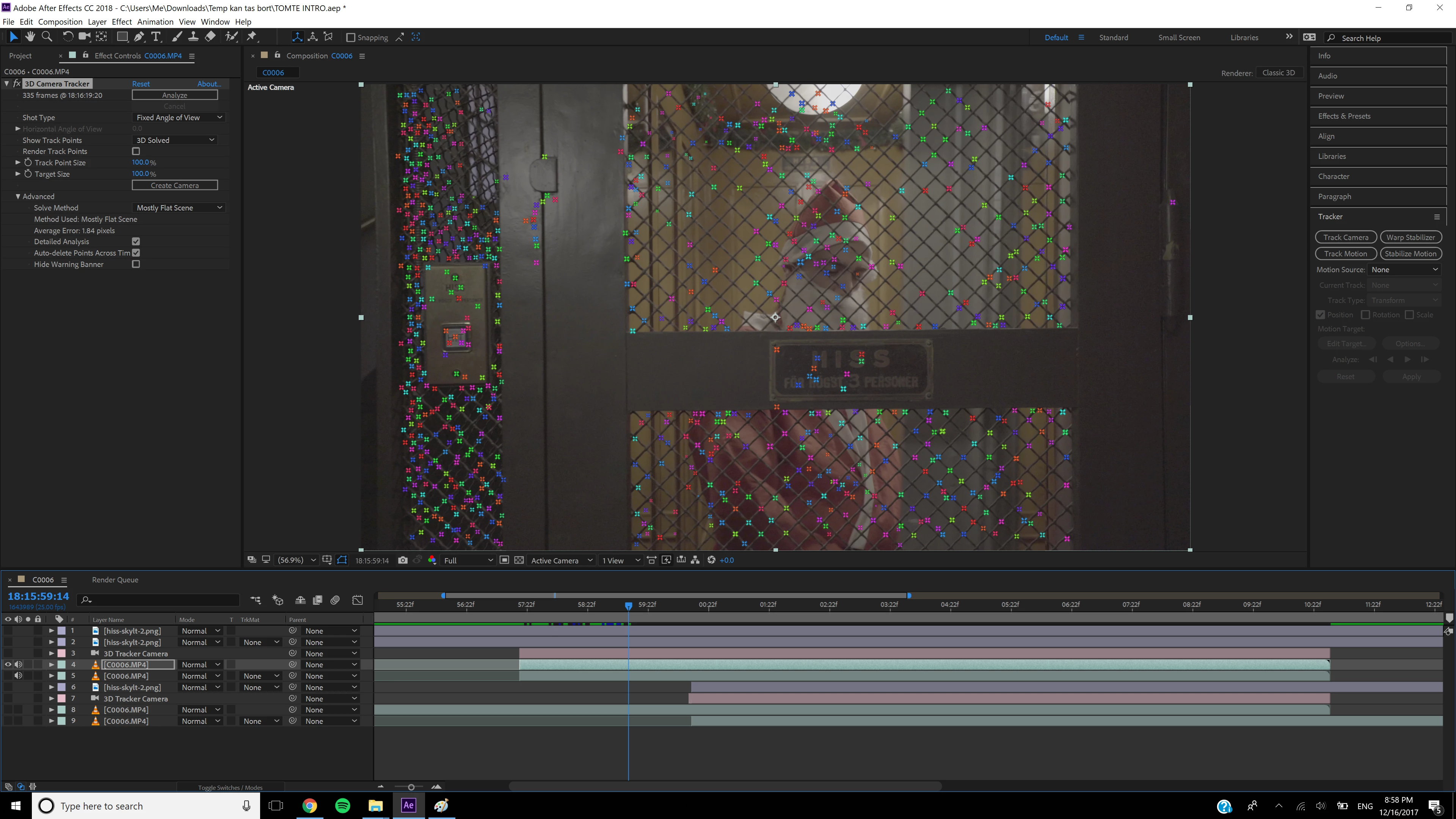
I used the 3d camera tracker but for some reason, I don't get the points that correspond to the plane im after. (see pictures below).

I managed to replace the sign using 3d camera tracker after the Santa Clause close the door and it looked great.

But I need to replace it from the beginning when he starts closing the door. Suggestions? Other ways of doing it?

Thank you very very much! I'm so stuck!
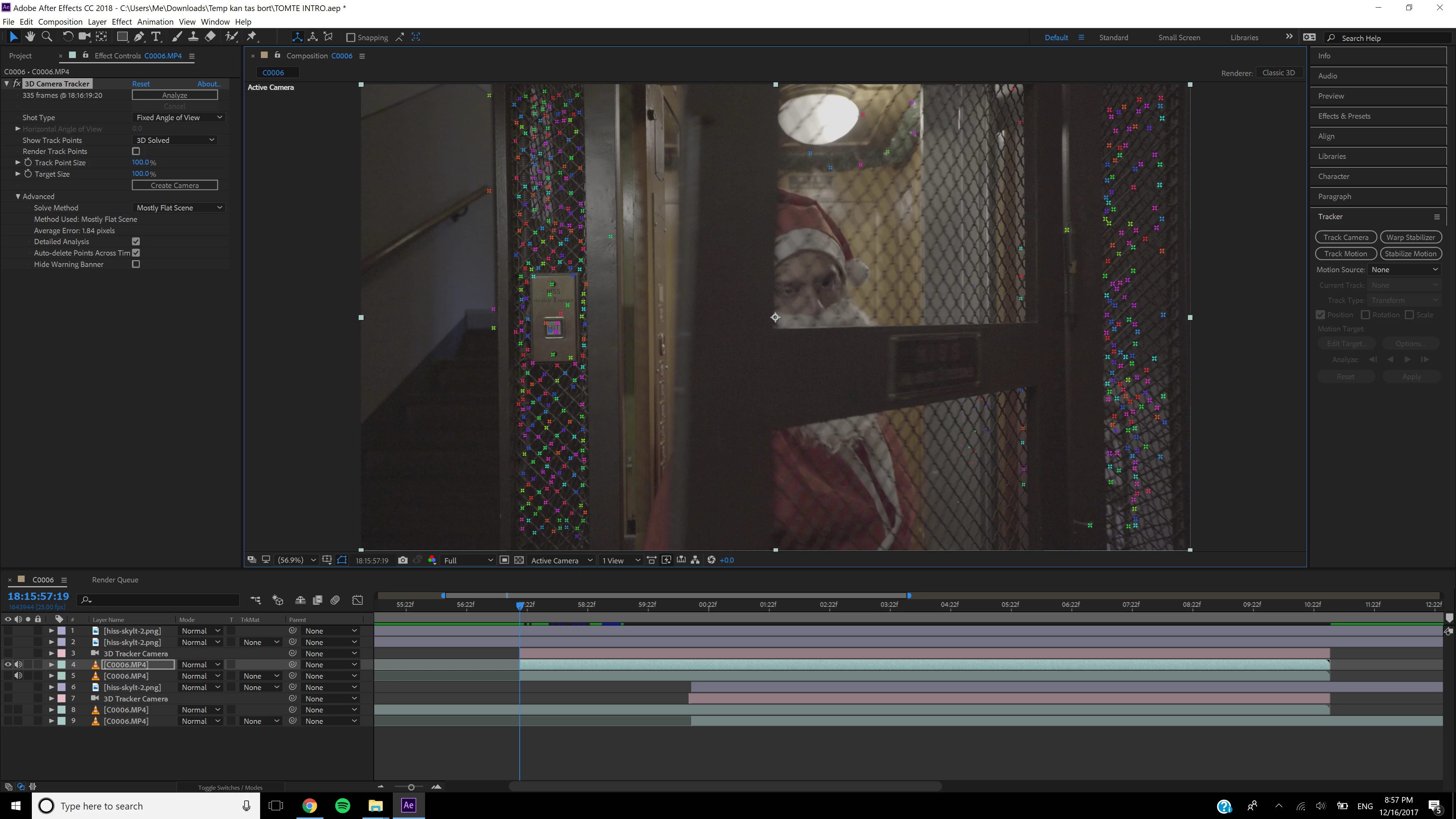
    This topic has been closed for replies.
    Correct answer Rick Gerard

    The Camera Tracker will not track planes that are moving in the scene. It uses fixed geometry and looks for the parallax and perspective changes to recreate a camera move. The door is moving and the frame is not so Camera Tracking is not going to work at all.

    The best solution to your problem is Mocha AE corner pin tracking. You are just using the wrong tools.

    There are lots of tutorials on corner pin tracking in Mocha AE. I would probably use this technique:

    Simple corner pin tracing would probably do it but sometimes it's easier to work with an enlarged view like this.

    Hope this helps.

    2 replies

    RuyRamos
    RuyRamosAuthor
    Participating Frequently
    December 18, 2017

    Thank you Rick!! That did the trick

    Rick GerardCommunity ExpertCorrect answer
    Community Expert
    December 16, 2017

    The Camera Tracker will not track planes that are moving in the scene. It uses fixed geometry and looks for the parallax and perspective changes to recreate a camera move. The door is moving and the frame is not so Camera Tracking is not going to work at all.

    The best solution to your problem is Mocha AE corner pin tracking. You are just using the wrong tools.

    There are lots of tutorials on corner pin tracking in Mocha AE. I would probably use this technique:

    Simple corner pin tracing would probably do it but sometimes it's easier to work with an enlarged view like this.

    Hope this helps.