

Replicate Wiggly Selector on text layers
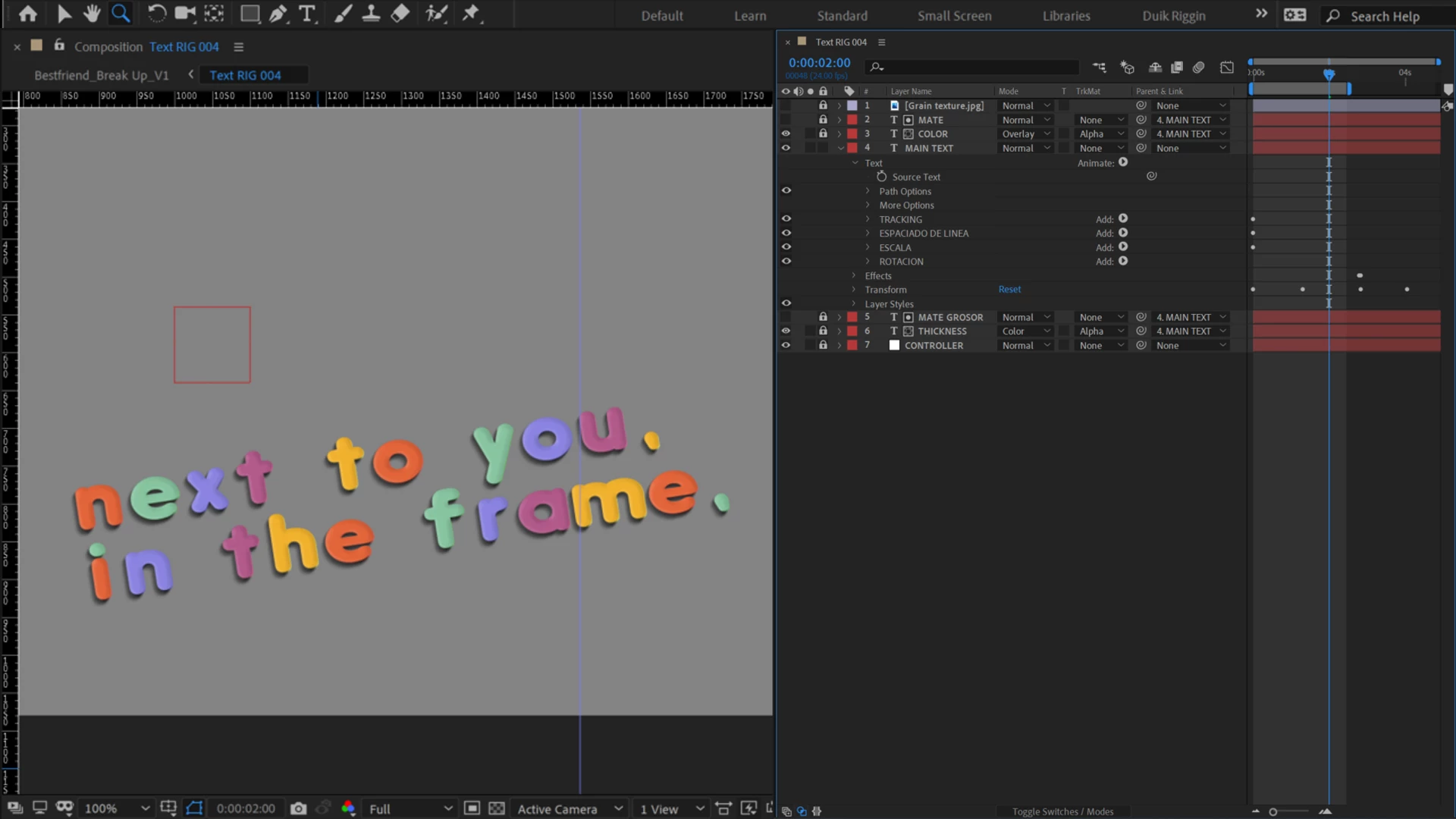
So, I`m working with text animation. I have managed to make this sort of text rig that look just fine, with some duplicated layers and most of properties parented to the "MAIN TEXT" layer witch I use to animate and update the text.
My goal is to give it a Stop motion look, so I am trying to generate a "wiggly" property to the position in the source layer. But due that is a random expression, if I copy and paste the wiggli expression to the COLOUR and THICKNESS layers, every layer gives me a different position, and the rig breaks...
The "wiggly" look its very important, so I am wondering if there is any way that I could replicate the wiggle in two diferent layers. Or else, if I could use some expression like "noise" but it has to affect every character randomly. That would give me the desire look.
Thankyou!
J.
 AdChoices