
Participant
May 16, 2022
Question

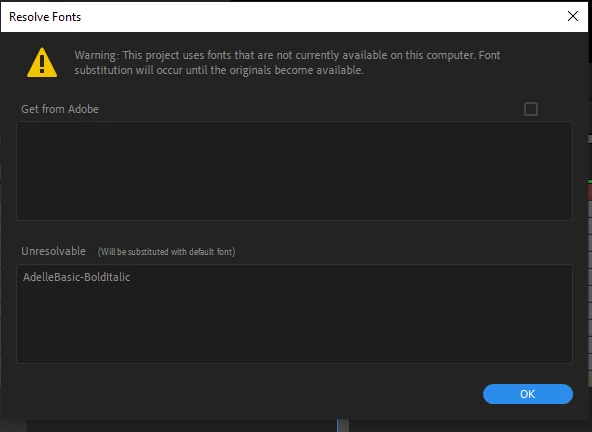
Resolve Fonts "Get from Adobe" is grayed out?

  • May 16, 2022
  • 2 replies
  • 760 views

After Effects and Creative Cloud both up to date. Refreshed Preferences. Restarted. All that jazz. Activated fonts do show up in AE, but I'm not able to do anything with the Resolve Fonts popup. Having to select text and manually change fonts is...you know. It's not a good workflow especially when a supplied working file has individual letters on layers that need replacing. Yikes!


Any suggestions on a solution?  


This topic has been closed for replies.

2 replies

Known Participant
September 21, 2023

How can I completely replace a font in the whole project?

I have a lot of Pre-Comps and can't click on each single text layer.
Ae 23.5.0

nishu_kush
Community Manager
Community Manager
May 17, 2022

Hi Bruceelzebubba,


Welcome to the community.

Font not being listed in the Get from Adobe section would mean that this is an external font and not available in the Adobe Fonts. You may have to find and install the font manually or find a font that looks similar.

Let us know if there are any other questions.


Thanks,

Nishu


Participant
May 17, 2022

Thank you kindly for the reply, Nishu. Very helpful! Indeed, I searched Creative Cloud for the offending font and came up empty. I ought to have put 2 and 2 together, really.