
Participant
December 2, 2020
Answered

Rotate an anchor point

  • December 2, 2020
  • 1 reply
  • 5163 views

Hi there, first you must know it's my first project on AE. 


Im trying to make a new logo rotating. But I can't find any information about how change the angle of the axis. 

I want to make my rotation by the axis in red in my screen here : 
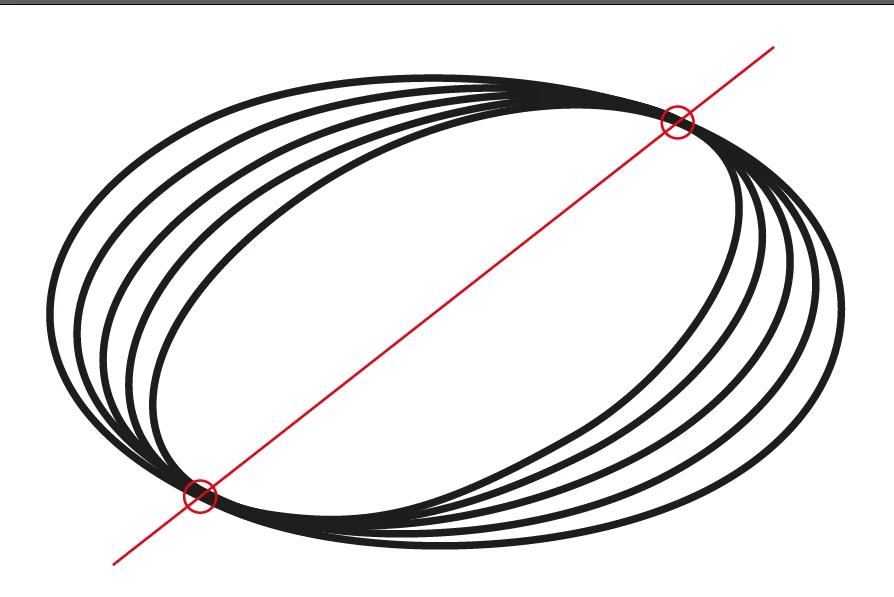
How it is possible ? 


Thank's for your help. 
This topic has been closed for replies.
Correct answer ShiveringCactus

This tutorial https://www.youtube.com/watch?v=Ct3HkdQHDqI&t=232s


Ok, so we're getting closer.  Are the ellispses rotating in 3D around the central axis or is the motion 2D?


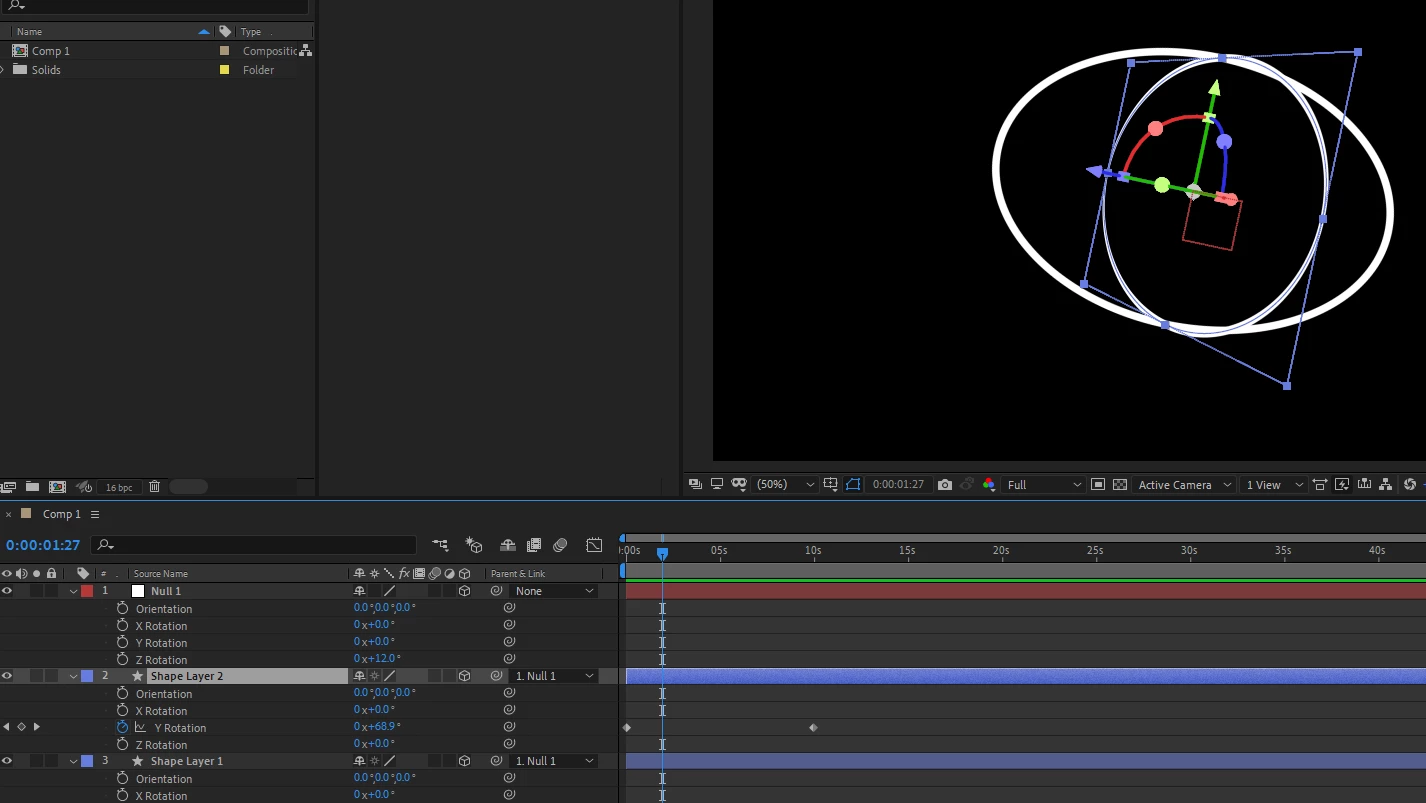
If it's 3D, you can make your ellipse shapes 3D, parent them to a 3D null and keyframe their Y rotations.  And use the 3D null's Y rotation to set the axis angle.


If it's 2D, I'm going to need an example or maybe a couple of sketches, as I can't picture what you're after from your description.

1 reply

ShiveringCactus
Community Expert
Community Expert
December 2, 2020

I think the simplest way to achieve this is through null objects and parenting.


create a null object and key frame it to rotate.  Then add your logo at a distance from the null object and key frame it to move closer.   Then parent it to the null object.  The logo will orbit the centre and the key framed move will give you the elliptical path you're after.

Participant
December 2, 2020

 Hi, 


Thanks for your replie. 


I'm a bit lost, as i said it's my first time with AE.. Sry for my lack of knowledge. 


I got the null object and i key frame it to rotating on Y. 

But i do not uderstand what you mean "your logo at a distance from the null object and key frame it to move closer." 

ShiveringCactus
Community Expert
Community Expert
December 2, 2020

One of the columns in the timeline is the parent column.  You can add your logo to the timeline and then set it to have the null object as its parent.  The logo will then rotate based on the null object's rotation.  If you move the logo away from the null object, it will orbit it.  You can then use keyframes to set the movement on one direction, and this will create an elliptical orbit.