
Jakes_profile
Participant
May 26, 2021
Answered

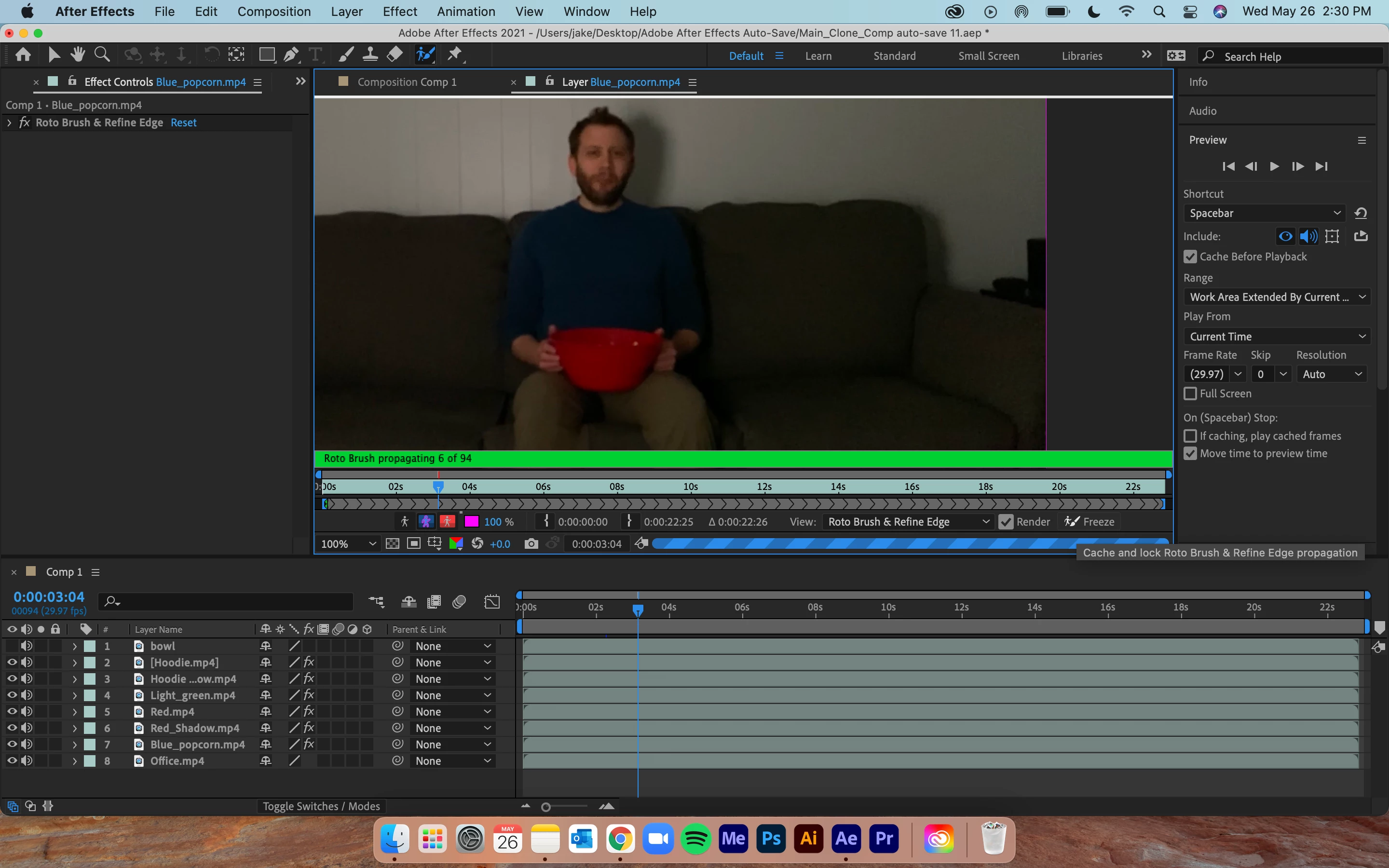
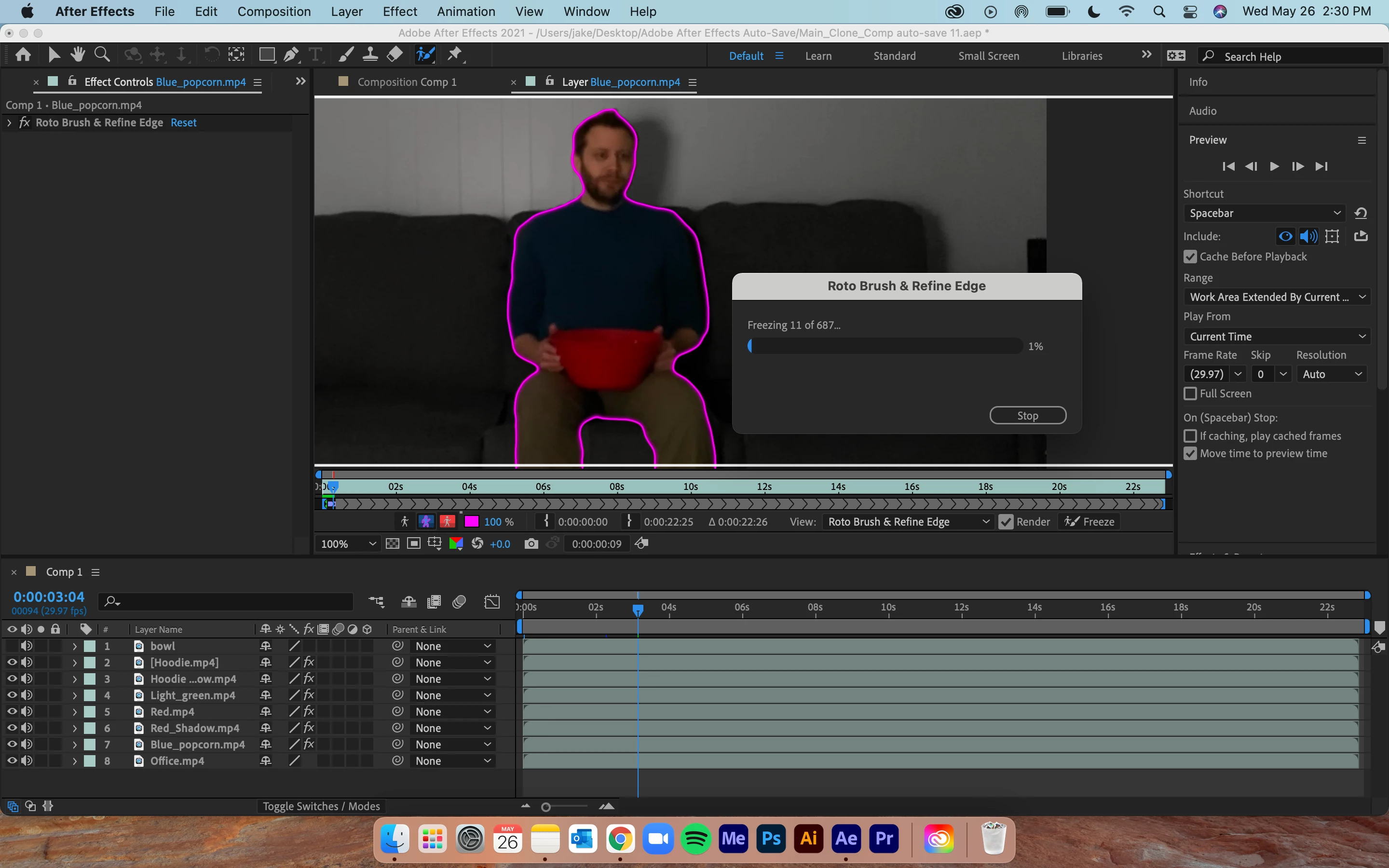
Roto Brush 2.0 takes very long to freeze (several hours for 23 second clip)

  • May 26, 2021
  • 2 replies
  • 11293 views

I'm new to After Effects so I'm just as new to the Roto Brush but my friend who uses Roto and the tutorials I've seen don't take nearly as long to freeze. It starts off quickly but then slows down usually at the 5% to 10% mark then it's very slow. I think the longest it's taken to freeze the roto was approximately 6 hours for a 23-second clip! I let it go the whole time because I wanted to see how long it would really take. I'm not doing anything very complicated either. I've noticed that it takes longer to propagate than what most have described and what I've seen in tutorials. Here are the specs I'm working with:

MacBook Pro (13-inch, M1, 2020)
8 GB Ram
Mac OS: Big Sur 11.2.3
After Effects CC: 18.2.0 (Build 37)
67% used of 8 GB
aep File size: 46 MB
Duration: 23 seconds


Any help would be so grateful.
Thanks!
This topic has been closed for replies.
Correct answer Rick Gerard

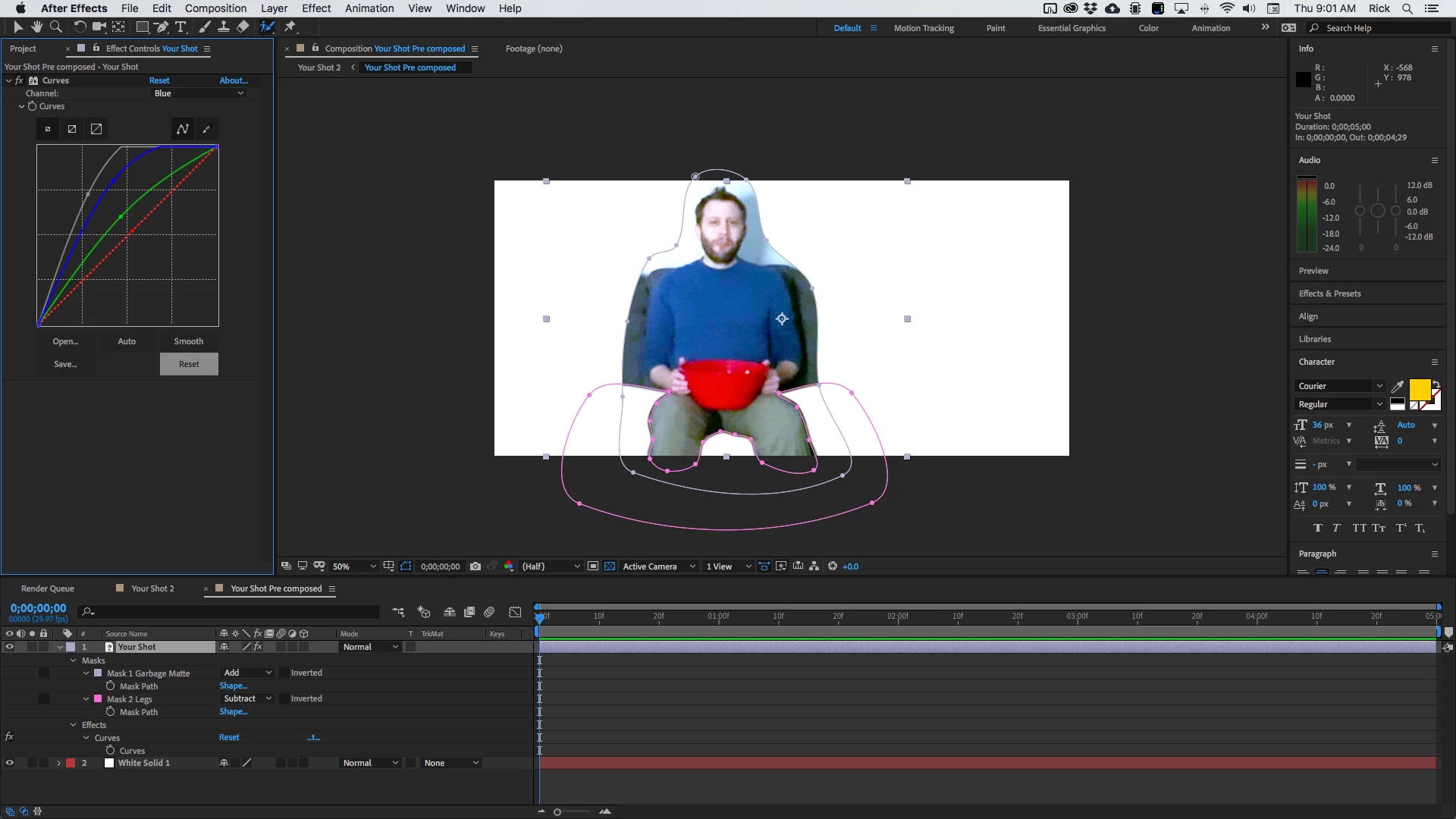
If I was working with that shot the first thing I would do is put that layer in a new comp just for roto. I would then add some serious color correction to separate the edges. You are not going for the final color grade, you are trying to fix the edges so Rotobrush will have something to work with. I would then draw a garbage matte around the actor. I would then draw a second mask, set to subtract, around anything that does not move in the shot. I'm assuming that his legs stay put, but even if they did move just a bit, I'd keyframe the roto. Then I would put a white solid below the layer. The comp would look like this:

Then I would pre-compose the shot and the white layer and run Rotobrush on the remaining image. You'll have better edges to work with, it will take less time to calculate, and you'll get a much better result. Trying to run Rotobrush on that shot is going to require that you babysit it all the time because the edges are so poorly defined. The only way to fix that is with some drastic color correctioin.


Then I would render that comp and use the Composition/Pre render menu and use that rendered shot as a track matte for the original footage. 

2 replies

Rick GerardCommunity ExpertCorrect answer
Community Expert
May 27, 2021

If I was working with that shot the first thing I would do is put that layer in a new comp just for roto. I would then add some serious color correction to separate the edges. You are not going for the final color grade, you are trying to fix the edges so Rotobrush will have something to work with. I would then draw a garbage matte around the actor. I would then draw a second mask, set to subtract, around anything that does not move in the shot. I'm assuming that his legs stay put, but even if they did move just a bit, I'd keyframe the roto. Then I would put a white solid below the layer. The comp would look like this:

Then I would pre-compose the shot and the white layer and run Rotobrush on the remaining image. You'll have better edges to work with, it will take less time to calculate, and you'll get a much better result. Trying to run Rotobrush on that shot is going to require that you babysit it all the time because the edges are so poorly defined. The only way to fix that is with some drastic color correctioin.


Then I would render that comp and use the Composition/Pre render menu and use that rendered shot as a track matte for the original footage. 

klos315
Known Participant
September 18, 2021

This is GOAT advice.

Mylenium
Legend
May 27, 2021

Honest answer: Your footage looks less than ideal for Rotobrush. Not enough contrast, many large, uniform areas that due to the underexposed nature of the shot will look even more uniform. Rotobrush thrives on detecting moving details and when there are none, it simply struggles. Chances are that in your case it probably runs infinite loops to figure out what's simply noise (from the low-light shot) vs. actual details. You probably could have spent that time you waited just as well with some majnual masking and mask tracking and got a better result out of it. Again, this simply seems like an unsuitable shot for RB and other techniques would work better.


Mylenium

Jakes_profile
Participant
May 27, 2021

I'm such a noob at video, I never consider that, in fact, I didn't even know what the roto brush was before recording. I decided to do a reshoot of the last remaining layer that needed work and it made a huge difference. Thank you for your input! 😊