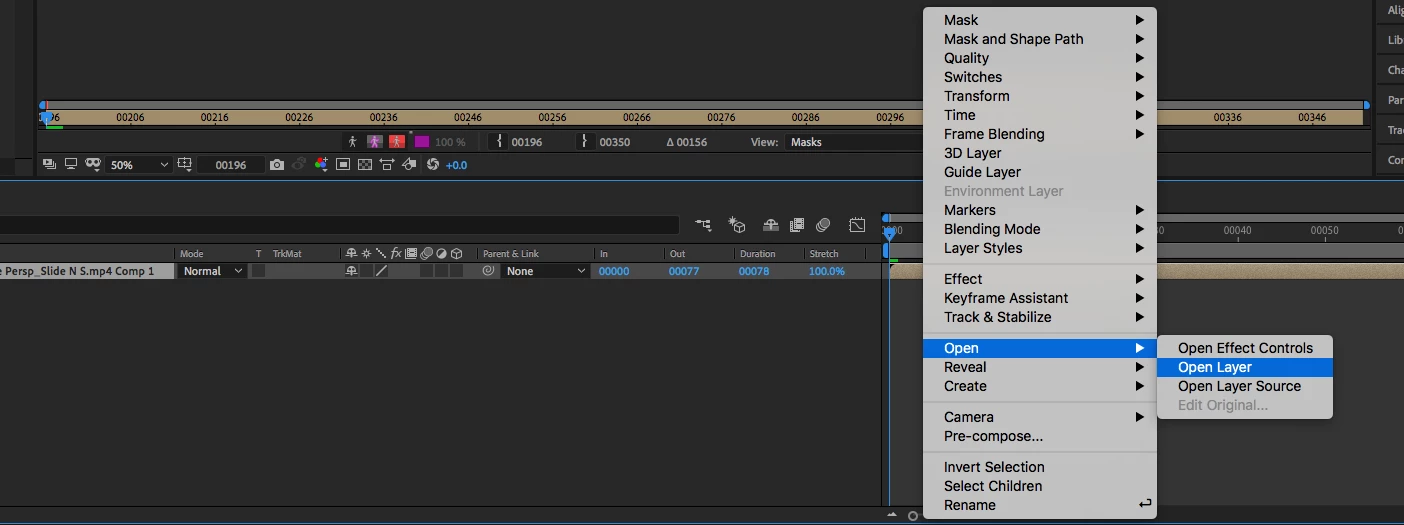
Replace with After Effects Composition should generate a new comp in After Effects and open it. If you selected one shot in Premiere Pro you will have one shot in After Effects. If you want to use Rotobrush on that shot select the layer in the timeline and press the U key twice to reveal all of the modified properties in the shot that moved over from Premiere Pro. You also need to check the In/Out/Duration and Stretch column in the After Effects timeline. If any modified properties show up, any effects added to the shot, or any time changes you have to Pre-compose the shot, moving all attributes to the new comp then right-click on the now nested comp and select Open Layer. This will give you the ability to use Rotobrush on a nested comp so you are only processing the frames that are needed.

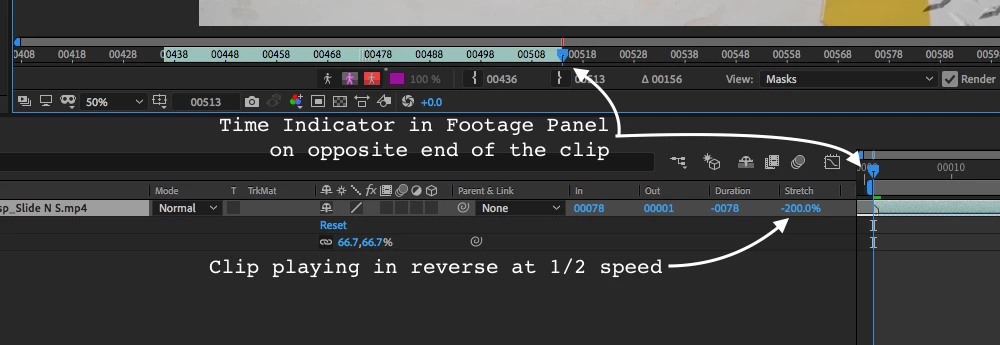
To make Rotobrush work better I often duplicate a footage layer, add a substantial amount of color correction to improve the edge detail. I even add track mattes or masks to the layer to fix problems that Rotobrush is going to run into before I get to that step. If the shot is at all complex I will also add a garbage matte so I am only dealing with the pixels I actually need to clean up. Then the whole thing is pre-composed, the new comp is named "Roto Comp" or something similar, and I use Rotobrush on the nested comp. This saves a bunch of time and can significantly reduce the number of corrections needed to get a good result. The Roto Comp (pre-comp) is then used as a track matte for the original footage. If the shot is long and it took me more than a few minutes to do the Rotoscope I always add the Roto Comp to the Render Queue and the Lossless With Alpha preset and select Render and Replace from the options. If the rotoscope is perfect then you can delete the Roto Comp from the Project to significantly reduce the file size of the AEP. Using a Rotocomp or Rotoscoped layer as a track matte also gives you the option to use more edge refining tools in the final comp.
I hope this helps. Most people I see having problems with their comps are trying to do too much on one layer and not taking advantage of organizing things by pre-composing.

 AdChoices