Participant
May 1, 2018
Answered

Rounded Rectangle: Only two corners round?

  • May 1, 2018
  • 1 reply
  • 23970 views

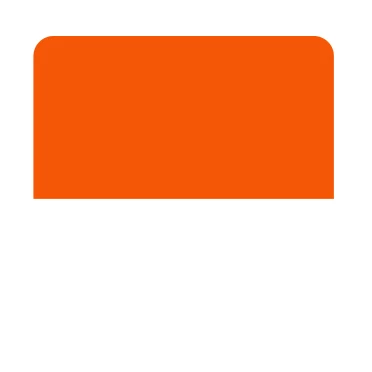
In AE its easy to set the roundness of a rectangle for changing the corner radius. I need to draw a rectangle, which has two rounded corners (the upper ones), and two

"real" 90 degree corners at the bottom (like on my picture). how can i do that in AE? Thanks!
    This topic has been closed for replies.
    Correct answer Rick Gerard

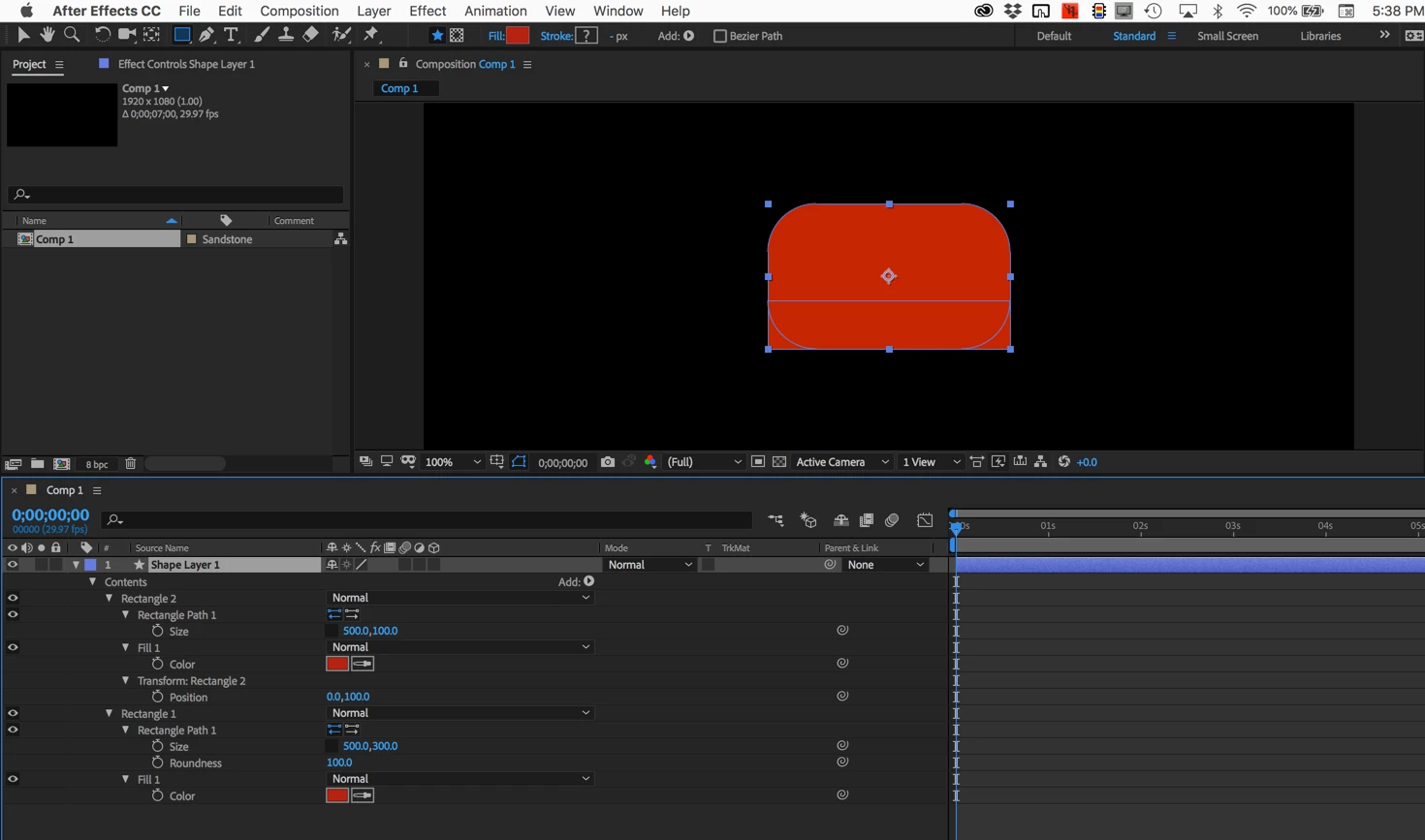
    Use two rectangles on the same shape layer and overlap them.

    A second option would be to convert a rectangle to a bezier path and edit the path. The first option is easier, more accurate, and takes less time to set up.

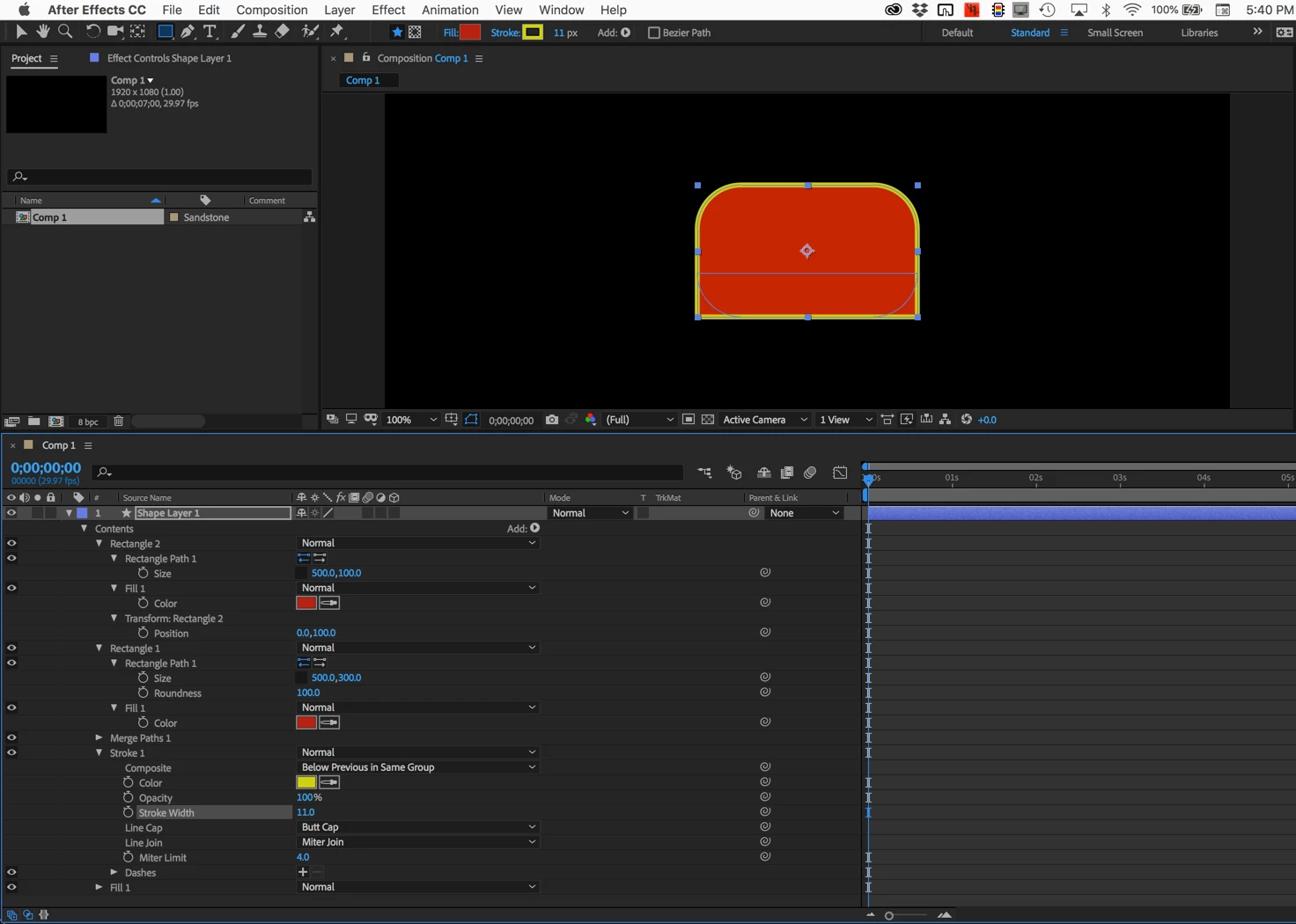
    If you need to put a stroke around the whole thing you can use the little ADD feature on the shape layer to add a Merge Paths. You'll get a stroke option.

    1 reply

    Rick GerardCommunity ExpertCorrect answer
    Community Expert
    May 1, 2018

    Use two rectangles on the same shape layer and overlap them.

    A second option would be to convert a rectangle to a bezier path and edit the path. The first option is easier, more accurate, and takes less time to set up.

    If you need to put a stroke around the whole thing you can use the little ADD feature on the shape layer to add a Merge Paths. You'll get a stroke option.

    Participant
    May 1, 2018

    Thanks, Rick. The first option was the thing i also thought about, but it was hard to handle, because this shape is part of a text-box with animated transformations and transparencies, and the additional rectangle doesn't look nice during transformation.

    Converting into path was the perfect solution in my case, thank you:-)