
Participant
September 11, 2018
Answered

RubberHose2 anchor points get detached from the arm when rotating the body

  • September 11, 2018
  • 3 replies
  • 1876 views

Hi there

I have a problem. Please check screenshots too.

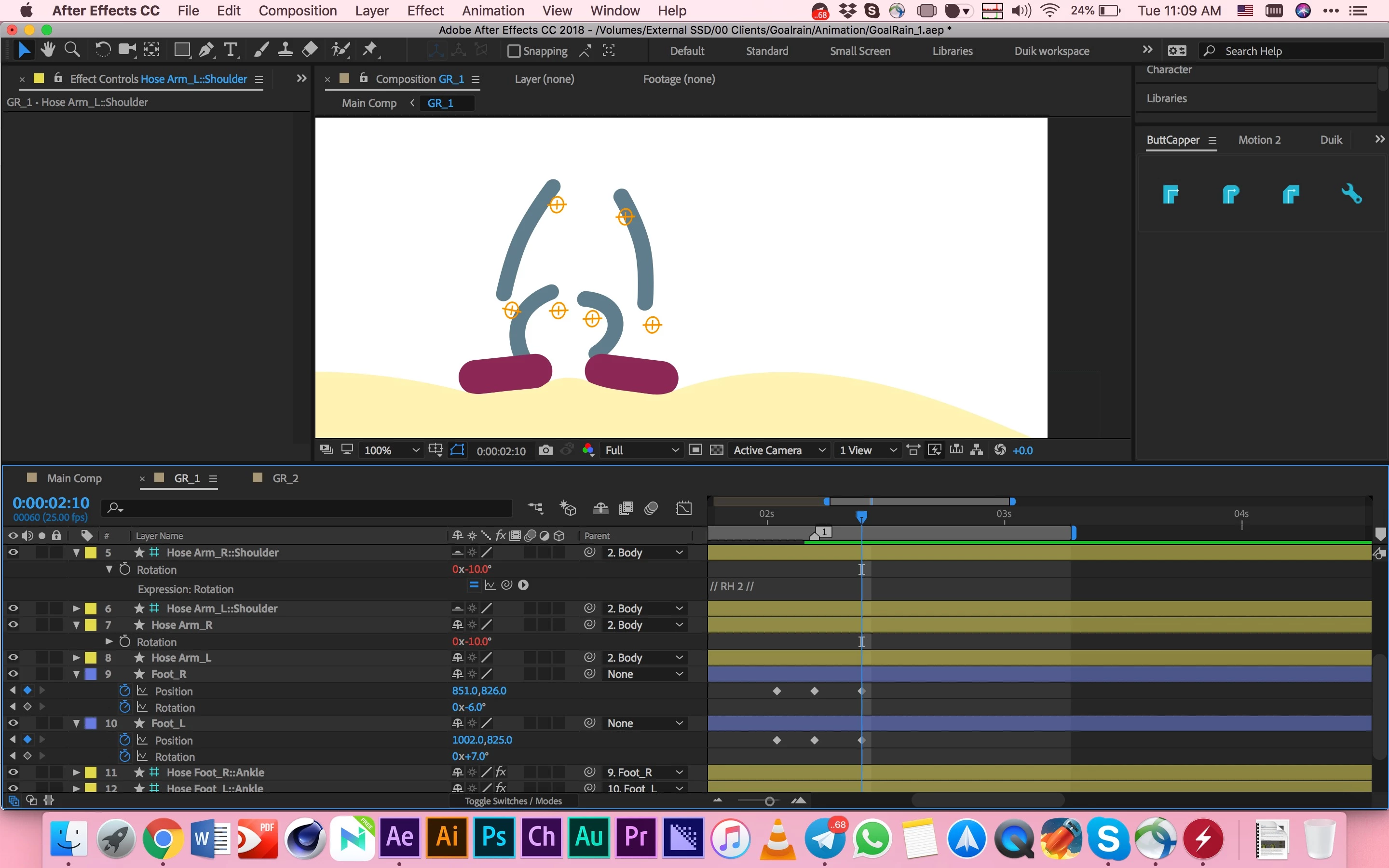
When I'm rotating the character's body, the anchor points of the arms and legs get detached from shoulders and hip. All of the layers are child's of body layer except foot layers and hose-feet-ankle layers which are children of foot layers.

How can I make this stop?

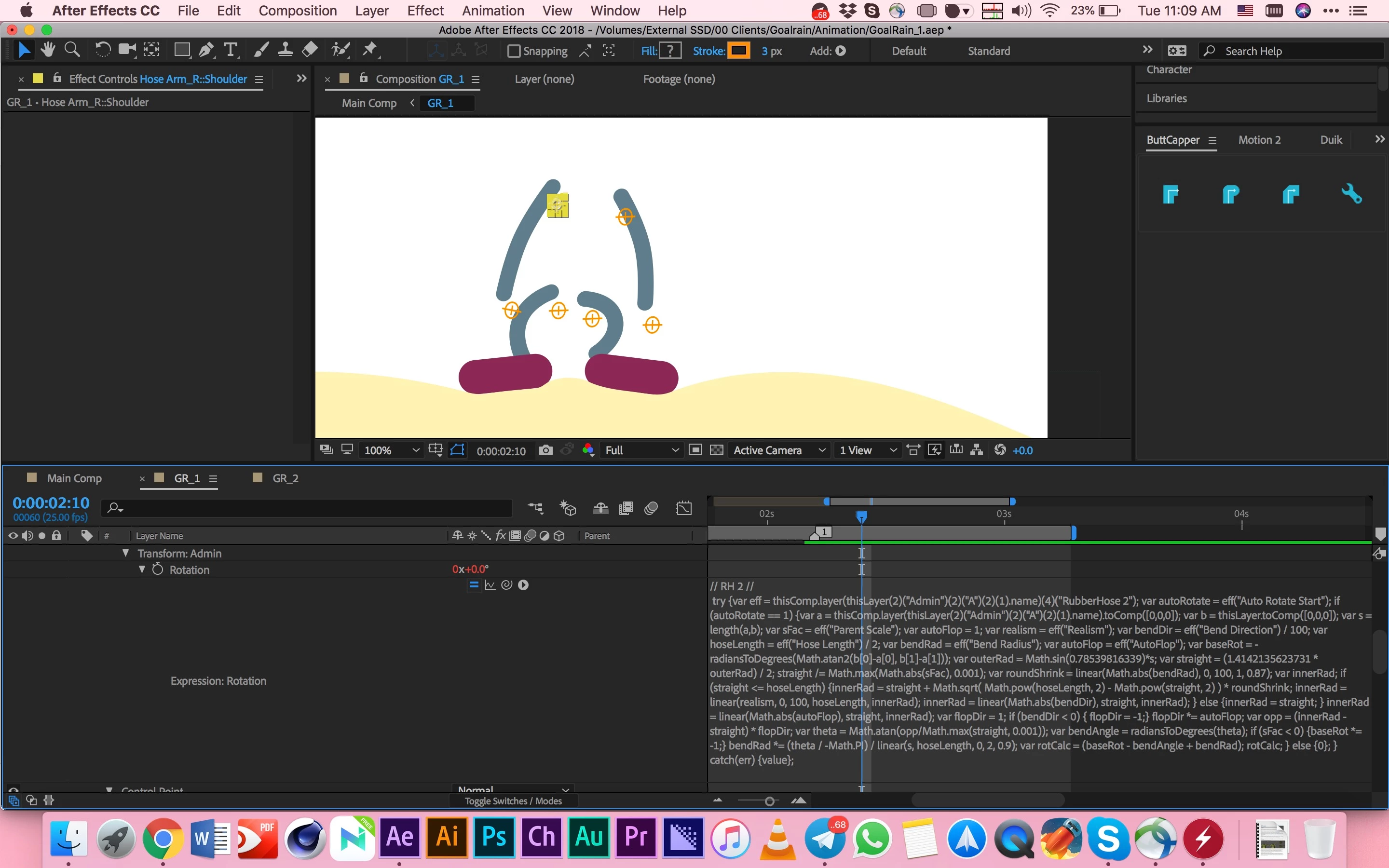
I also added the screenshot of expressions which RubberHose2 have used. I haven't added any expression or edited them on my own.

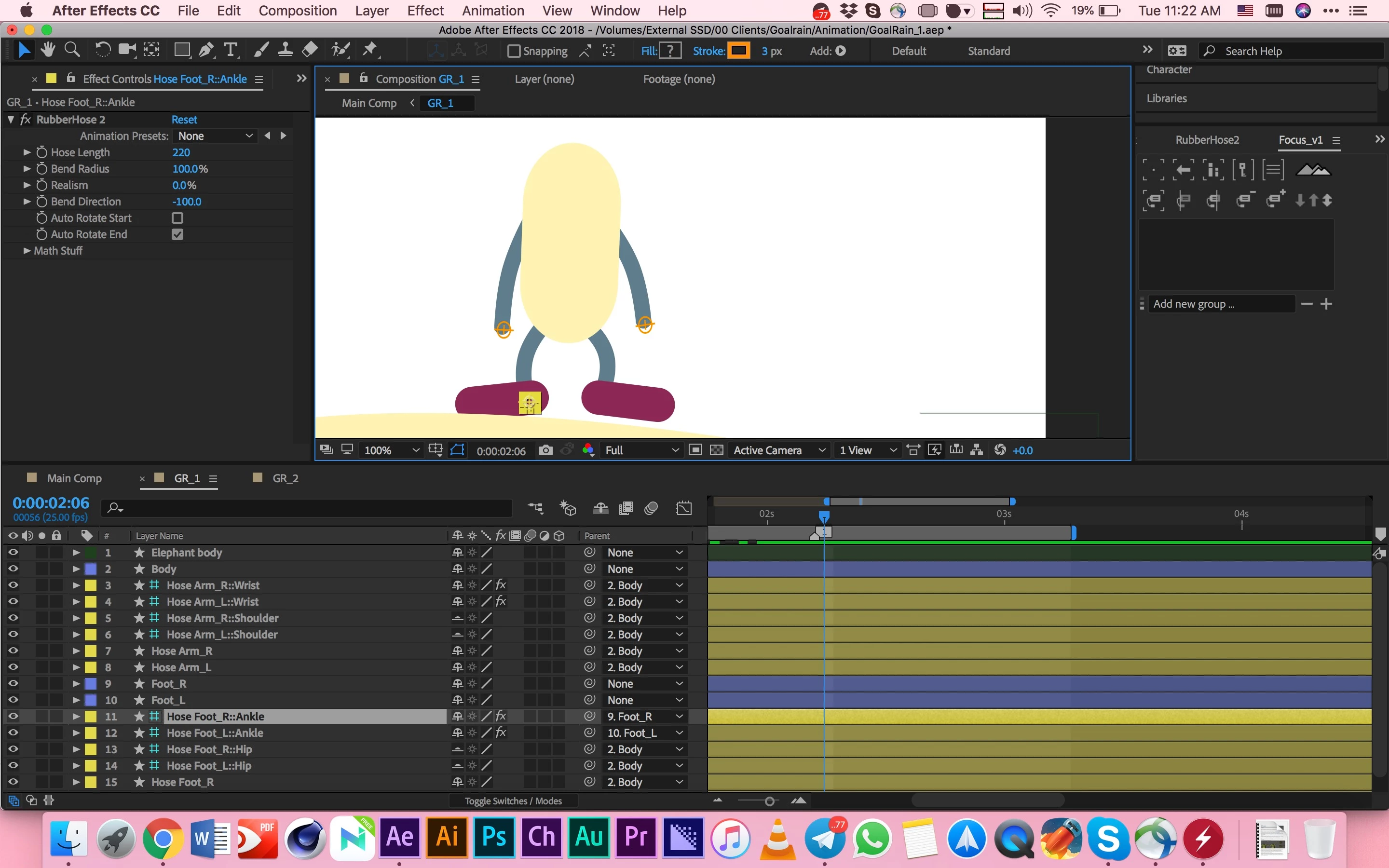
Screenshot 1: The whole Character
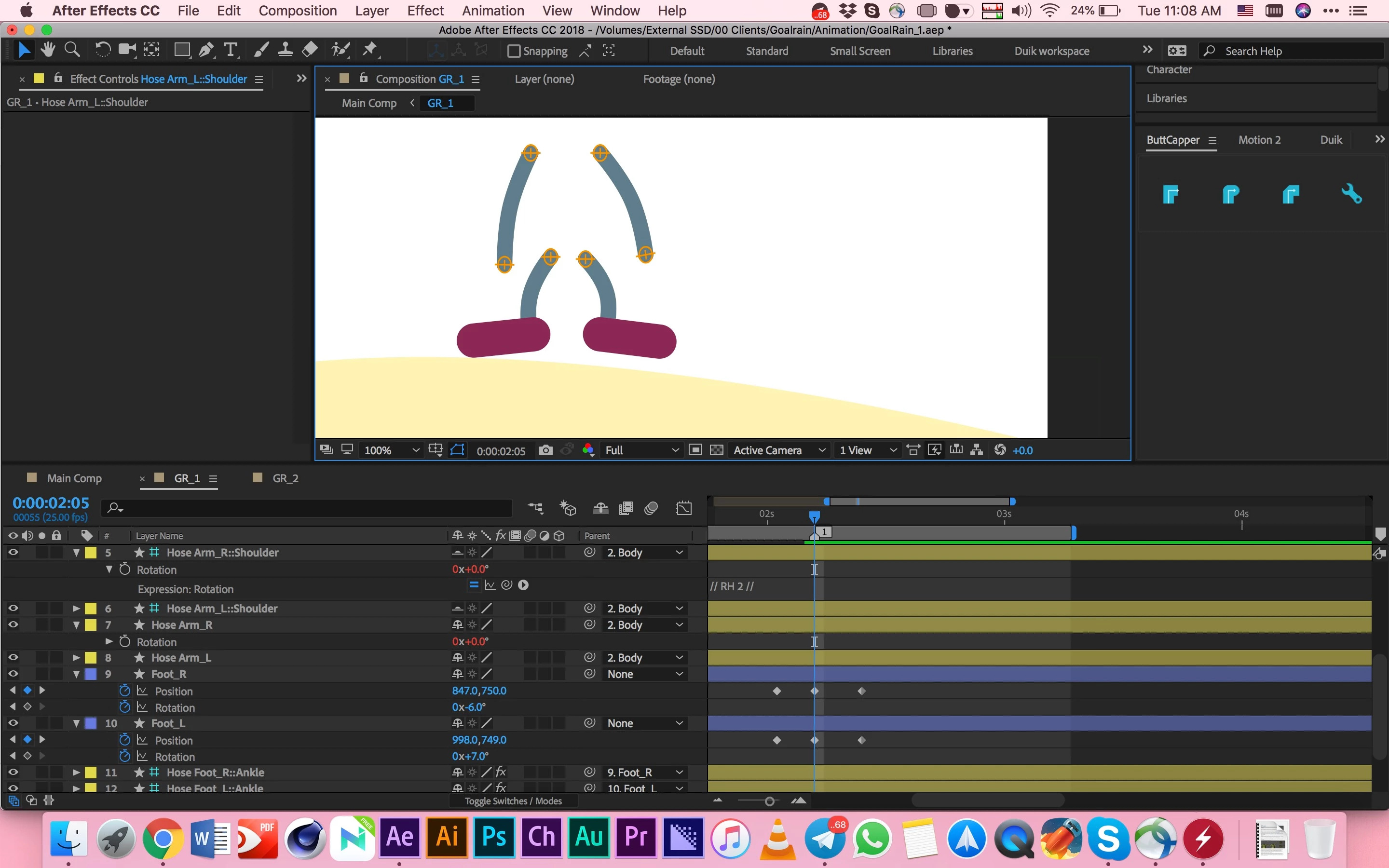
Screenshot 2: When the character's body has not been rotated
Screenshot 3: When the character's body has been rotated
Screenshot 4: Expressions which RubberHose2 used for rotation property
Thanks a billion for your help

This topic has been closed for replies.
Correct answer angie_taylor

The issue is with the parenting. You should not parent all of the controllers to the body, thats why they are moving. Instead you can parent the actual

body parts to the body.

Only parent controllers that should move along with the body, to the body. So for example, the shoulders and hips may follow the body - so should be parented. But the wrists and ankles should move independently from the body - so should not

3 replies

Inspiring
September 12, 2018

This might be helpful: there is a free animation plug in called DUIK that helps you construct animated figures like that, and automatically creates controllers.  It is quite powerful but not complicated, perhaps that might be of use.

angie_taylor
Legend
September 13, 2018

Thanks for your suggestion. DUIK is a good alternative to Rubberhose, yes. It does a very similar job although you could encounter the same issues as you have with Rubberhose.

angie_taylor
angie_taylorCorrect answer
Legend
September 12, 2018

The issue is with the parenting. You should not parent all of the controllers to the body, thats why they are moving. Instead you can parent the actual

body parts to the body.

Only parent controllers that should move along with the body, to the body. So for example, the shoulders and hips may follow the body - so should be parented. But the wrists and ankles should move independently from the body - so should not

pouyaphadAuthor
Participant
September 12, 2018

Thank you so much

You solved my problem

I was demotivated with this for almost two days!

Thanks a billion

angie_taylor
Legend
September 12, 2018

Im

very glad it helped you. Can you please mark my answer as “Correct”

so that other people can easily find the solution. Thanks :-)

Community Expert
September 11, 2018

The first place I would go with your problem is to the developer's website and study the documentation and set up a simple two or three layer project using one of their examples. I don't have this package but if you are just diving in and trying to build something from scratch without some serious study and testing it's highly likely that the problem is simply user error.

For us to help diagnose the problem we need more details. It is nearly impossible to diagnose the expression when it is that complicated and is in a screenshot. Please copy it and paste it so it can be read easily.

Better screenshots would show us the modified properties of one of the shoulder layers and control points. I don't see any anchor points in your screenshots, but I do see guide layers that appear to be the attach points for the arms. Select one of the arms, one of the control points and maybe even the body layer, press the U key twice to reveal all modified properties of those layers and post some screenshots so we can see how the relationships are set up.

Unless someone with RubberHose 2 experience has run into the same problem and worked out a solution it's highly unlikely that we can be of much help without a lot more information about your workflow and comp setup.

pouyaphadAuthor
Participant
September 12, 2018

Hi there

Thanks for your reply

I'm sorry for misusing the word anchor point. What I meant was actually guide layers (controllers) of the arms and legs which the RubberHose2 has created. You can see them as orange circles with plus sign in the middle:

This is the expression of rotation property of wrist controller of Arm layer:

// RH 2 //

try {var parentRot = (hasParent) ? parentTotal() : 0; var rotCalc = thisLayer("ADBE Root Vectors Group")("Admin")("Transform")("Rotation") - parentRot; rotCalc + value; } catch(err) {value; }; function parentTotal() { var parentVal = 0; var layerChain = "thisLayer"; while (eval(layerChain).hasParent) { layerChain += ".parent"; parentVal += eval(layerChain).rotation;}return parentVal; }

This is the expression of rotation property of shoulder controller of Arm layer:

// RH 2 //

try {var parentRot = (hasParent) ? parentTotal() : 0; var rotCalc = thisLayer("ADBE Root Vectors Group")("Admin")("Transform")("Rotation") - parentRot; rotCalc + value; } catch(err) {value; }; function parentTotal() { var parentVal = 0; var layerChain = "thisLayer"; while (eval(layerChain).hasParent) { layerChain += ".parent"; parentVal += eval(layerChain).rotation;}return parentVal; }

And this is the expression of rotation property of the Arm layer itself:

// RH 2 //

var r = 0; if (thisLayer.hasParent) { r = -parentTotal(); } r; function parentTotal() { var parentVal = 0; var layerChain = "thisLayer"; while (eval(layerChain).hasParent) { layerChain += ".parent"; parentVal += eval(layerChain).rotation;}return parentVal; }

I Also have selected body layer, Hose Arm_R layer, Hose Arm_R::Shoulder layer, and, Hose Arm_R::Wrist and pressed U twice as you said. These are the screenshots:

1

2

3

4

5

6

7

Thanks again for your help

Best Regards