
dmiraie
Inspiring
August 1, 2019
Answered

run cycle logistics ..?

  • August 1, 2019
  • 1 reply
  • 562 views

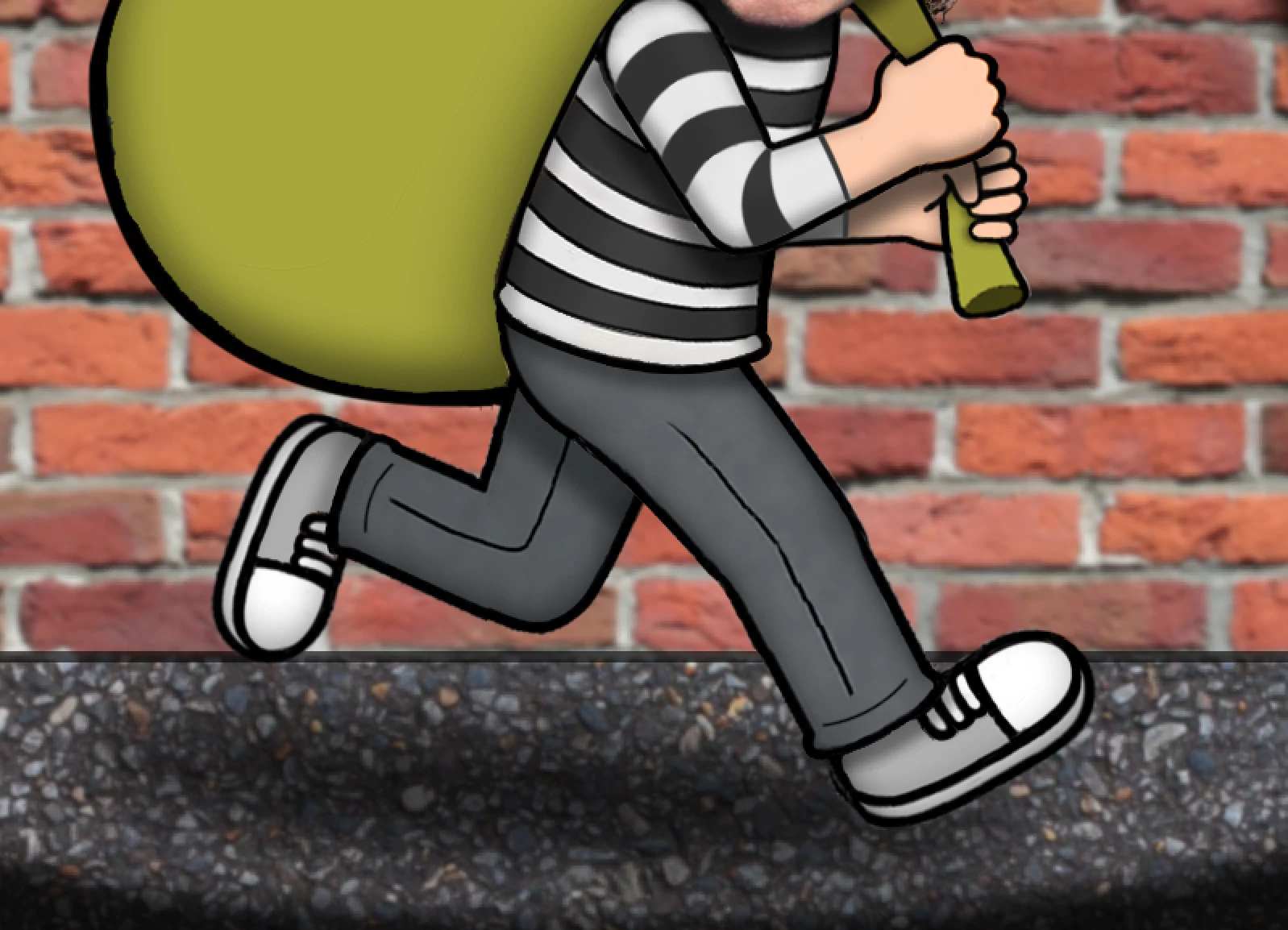
Hi, animation noob here,,

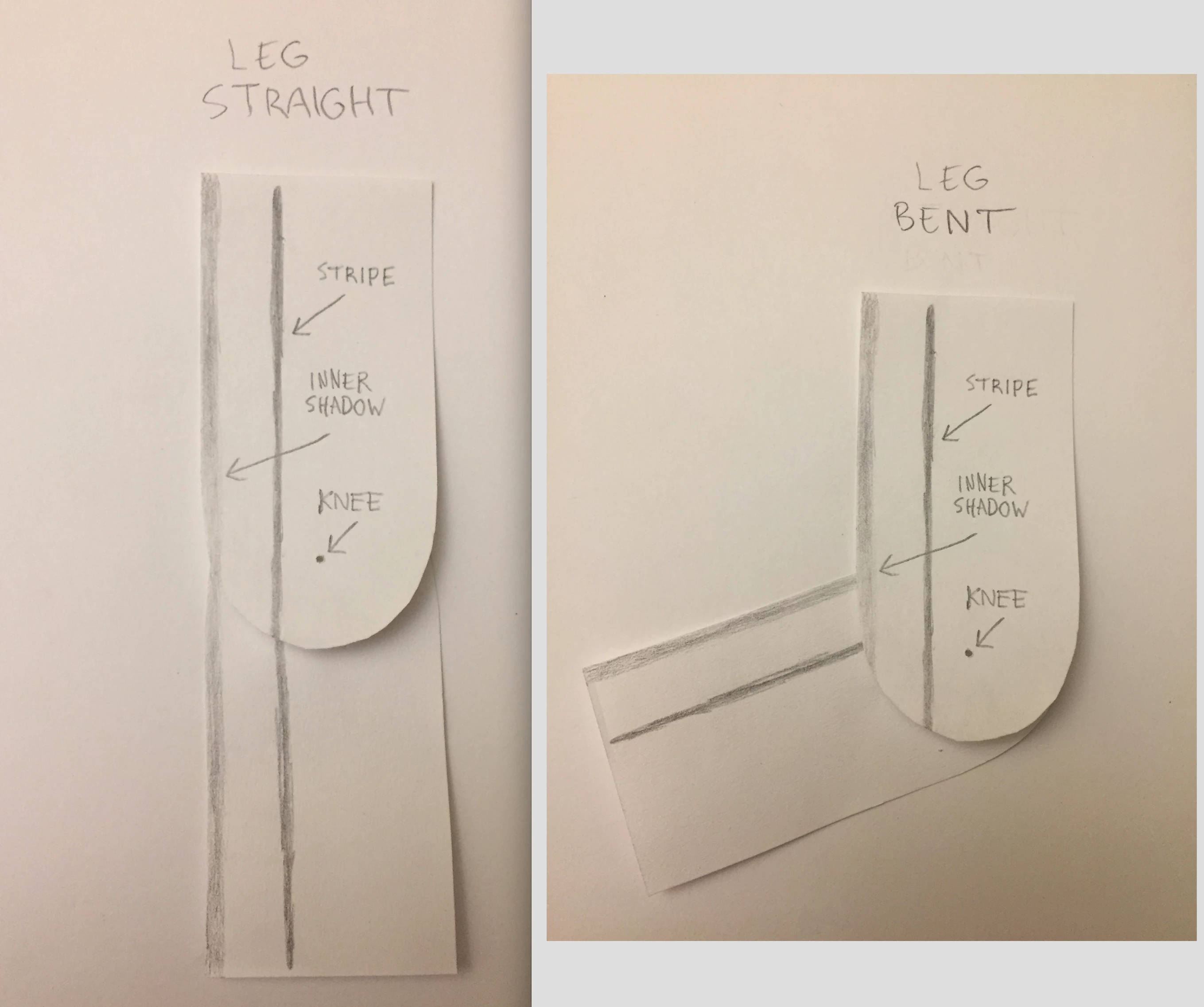
I'm trying to determine what's the best way to create a run cycle for these legs, but all the tutorials I've seen (which divide the leg into 2 overlapping pieces) use legs that are a simple single color, and don't have things like texture/shadows/stripes to consider..
As you can see in the 2nd image, this approach would cause some wonky discontinuities that I'd hopefully like to avoid..

If you have any suggestions on how to go about this, please let me know, thanks!
    This topic has been closed for replies.
    Correct answer Rick Gerard

    If you go to the User Guide by typing Puppet Pin in the Search Help field at the top right corner of AE you'll find some good info. There are a couple of pretty decent tutorials in the links: Slippery Rock NYC website, shows how to pre-compose a couple of layers and apply the Puppet Pin tool and then use nulls to move animate in much the same way you would using Inverse Kinematics. That part of the tutorial is about 1/4 of the way in. CG Swot website has a technique for looping that will help you create walk cycles, and Dan Gies has a pretty extensive set of tutorials on the Puppet Pin tool. Here is his Series Overview:

    That's why I use the Search Help field in AE about twice a month. There is a lot of stuff you can find there that you would never find using any of the standard search engines.

    1 reply

    Community Expert
    August 1, 2019

    I would use Puppet Pin instead of Inverse Kinematics for that style of artwork.  Get the leg to bend, Pre-comp the bending and straightening leg, then put the anchor point over the hip and animate rotation to get the legs to move.

    If none of that makes sense let me know and I'll try and throw together a workflow sample.

    dmiraie
    dmiraieAuthor
    Inspiring
    August 1, 2019

    Thnx for the reply,, How does Puppet Pin differ from Inverse Kinematics?  Would Puppet Pin allow for a rounded kneecap?

    Rick GerardCommunity ExpertCorrect answer
    Community Expert
    August 1, 2019

    If you go to the User Guide by typing Puppet Pin in the Search Help field at the top right corner of AE you'll find some good info. There are a couple of pretty decent tutorials in the links: Slippery Rock NYC website, shows how to pre-compose a couple of layers and apply the Puppet Pin tool and then use nulls to move animate in much the same way you would using Inverse Kinematics. That part of the tutorial is about 1/4 of the way in. CG Swot website has a technique for looping that will help you create walk cycles, and Dan Gies has a pretty extensive set of tutorials on the Puppet Pin tool. Here is his Series Overview:

    That's why I use the Search Help field in AE about twice a month. There is a lot of stuff you can find there that you would never find using any of the standard search engines.