
NYC90
Participant
January 13, 2023
Question

Same Blending mode, same everything, but different appearance?

  • January 13, 2023
  • 2 replies
  • 425 views

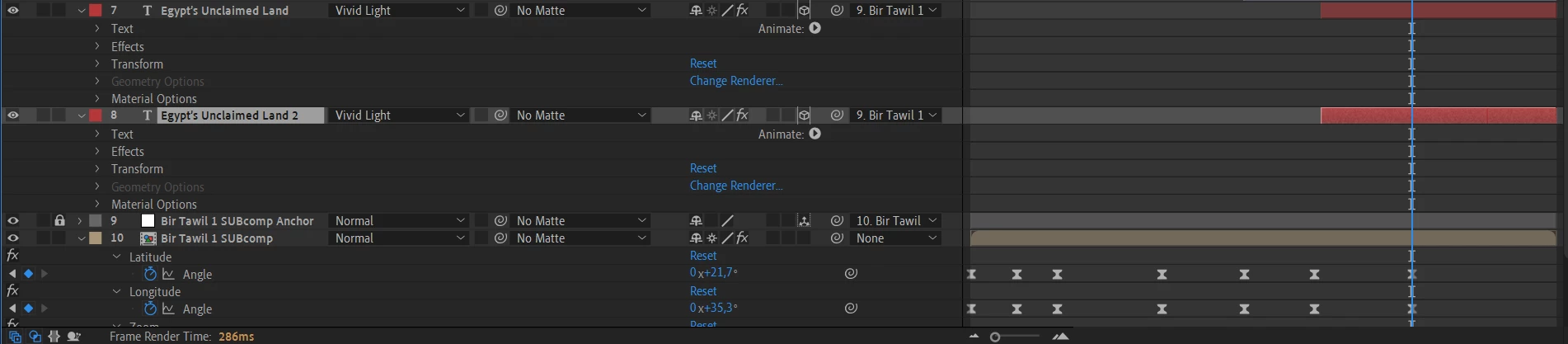
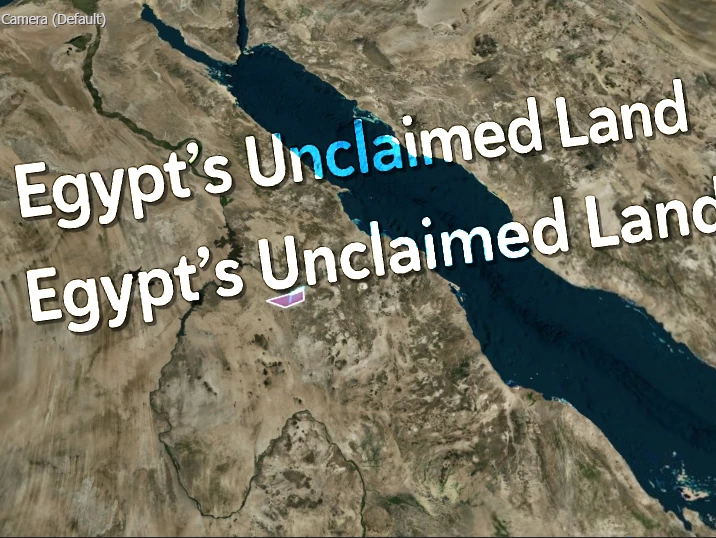
I attached an image showing my preview. The upper "Egypt's unclaimed land" text has the appearance that I want. The lower one doesn't let the map below shine though the way the upper text does. 
I made sure to replicate all settings on the lower text layer.
How is it possible that two different text layers can have a different appearence despite using the same blending mode, same font, same size, same drop shadow, same everything?
This topic has been closed for replies.

2 replies

Mylenium
Legend
January 13, 2023

The "Material" and "Geometry"option appearing suggests you are using the Cinema 4D renderer and then blending modes won't work/ won't work correctly, anyway. You need to switch to the Standard 3D renderer then. Otherwise revealing all the modified properties with the UU shortcut might emlighten us and help to resolve this issue.


Mylenium

Mohammad.Harb
Community Expert
Community Expert
January 13, 2023

Try Precompose the text layer before applying the blending mode