

ckomninos
Participant
July 15, 2025
Answered

Scale / Anchor Point adjustment

  • July 15, 2025
  • 1 reply
  • 257 views

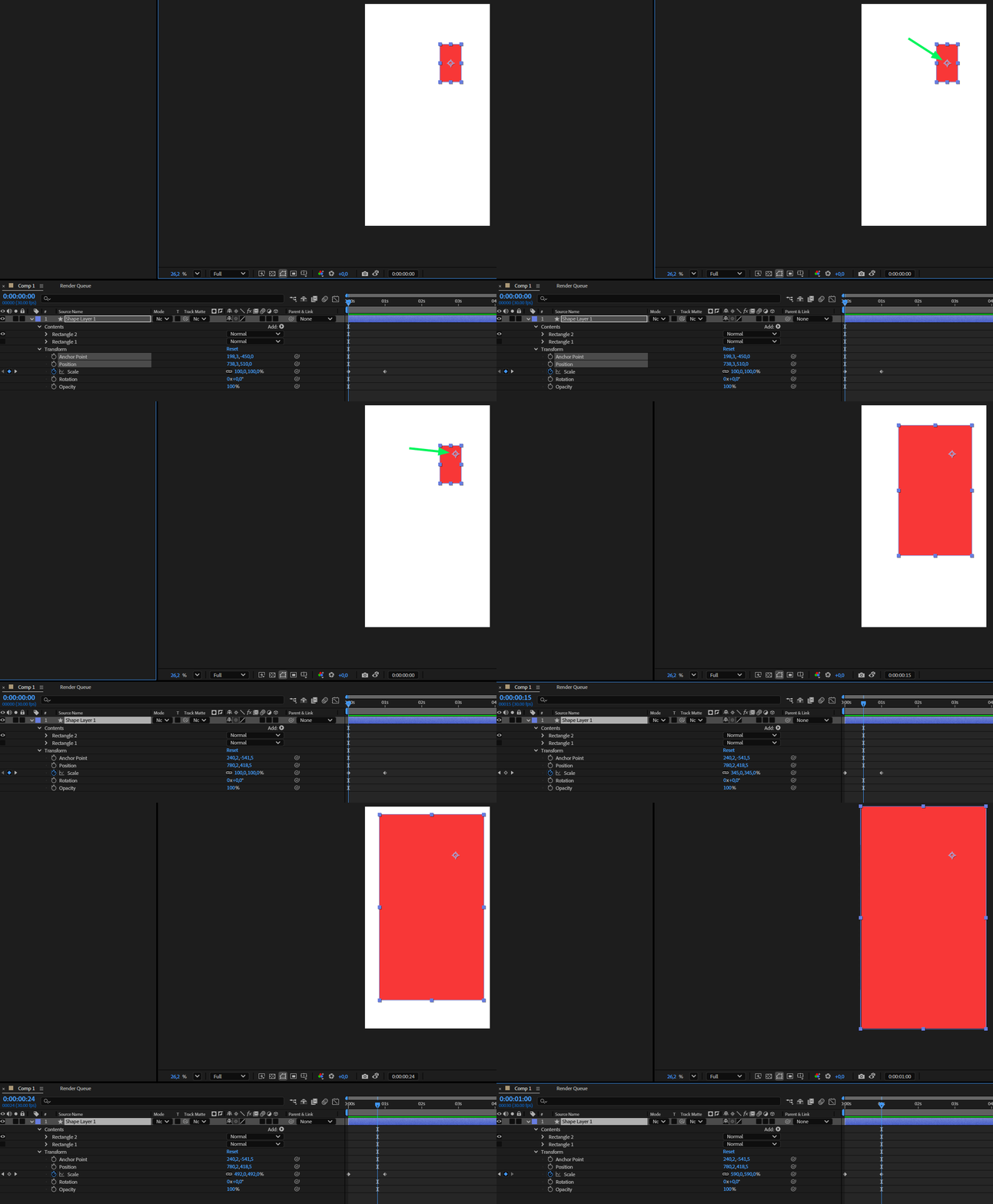
Is there a smart way (script?) to be able to find the exact position of anchor point of a layer in order to zoom it in full frame from a specific point of interest using keyframes for scale property only without altering the initial position property?
Correct answer Ishan Y

In that case, you can apply the Transform effect.

Expand layer properties.

Expand Effects > Transform.

Parent the position parameter to the anchor point (this is within the transform effect; the layer position and anchor point controls will be unaffected).

Uncheck uniform scale and individually adjust the anchor point, scale height, and scale width parameters. 


1 reply

Ishan Y
Community Manager
Community Manager
July 15, 2025

Hi christos_2128,

Please check these steps and let me know if they work for you.

Create a new rectangle shape layer and expand the layer properties.

Right-click on "Rectangle 1" and select "Convert to Bezier Path."

Expand Path 1 and add a keyframe to Path.

Move the timeline forward and left-click on "Path 1."

Move the edges of the rectangle to the corners of the composition.


Thanks,

Ishan

Please tag me (@) in your replies so that it notifies me and helps me respond promptly.
ckomninos
ckomninosAuthor
Participant
July 15, 2025

Hi  Ishan, thank you for your time to reply and offer a solution. In fact what I'm looking for is a solution using only scale keyframes, not path.

Thanks 

Chris

Ishan Y
Community Manager
Ishan YCommunity ManagerCorrect answer
Community Manager
July 15, 2025

In that case, you can apply the Transform effect.

Expand layer properties.

Expand Effects > Transform.

Parent the position parameter to the anchor point (this is within the transform effect; the layer position and anchor point controls will be unaffected).

Uncheck uniform scale and individually adjust the anchor point, scale height, and scale width parameters.