

LW0121
Inspiring
January 16, 2019
Beantwortet

Scale Expression Problem in After Effects
  • January 16, 2019
  • 1 Antwort
  • 3742 Ansichten

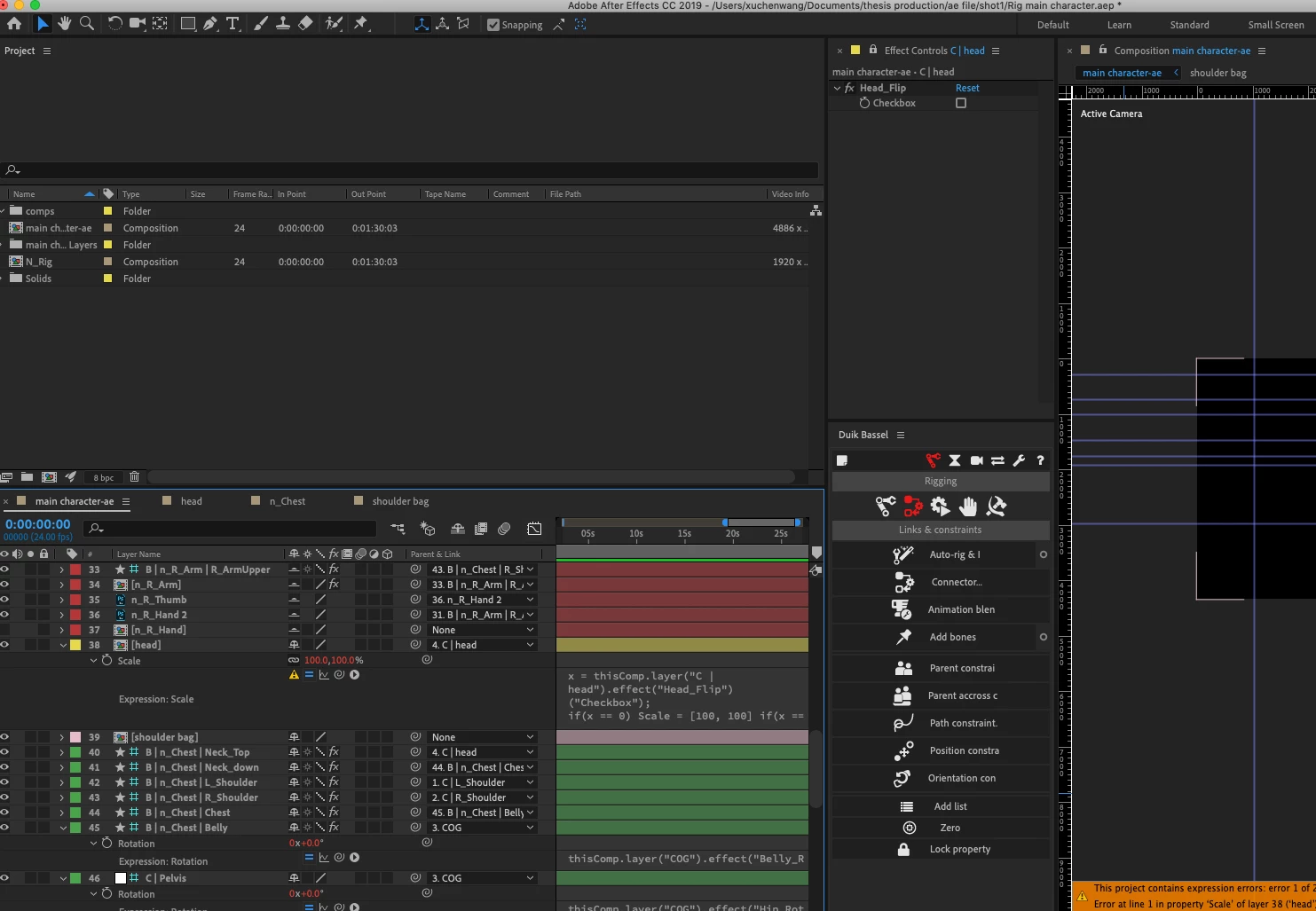
Hi, I wrote an expression to flip my character's head. I think I have the 2 value of the scale, but it still shows that expression result should be of dimension 2, not1.

Here is my expression:

x = thisComp.layer("C | head").effect("Head_Flip")("Checkbox");

if(x == 0) Scale = [100, 100] if(x == 1) Scale = [-100, 100]

What's the problem?

Dieses Thema wurde für Antworten geschlossen.
Beste Antwort von Rick Gerard

Over complicating and poor formatting. Try this:

if (effect("Checkbox Control")("Checkbox") == 0 ) {value} else [-100, 100]

1 Antwort

Community Expert
January 16, 2019

Over complicating and poor formatting. Try this:

if (effect("Checkbox Control")("Checkbox") == 0 ) {value} else [-100, 100]

LW0121
LW0121Autor
Inspiring
January 16, 2019

Awesome! Even though I still don't know where is the problem, but your expression works great. Thanks a lot~

Community Expert
January 16, 2019

Don't need Scale - That alone would generate an error. The operator after the if statement needs to be in brackets, just stringing together if statements is sloppy and you are missing the brackets again. Multiple if statements work sometimes but are easy to foul up.

if (condition == something) {do this} else do this

or

if (condition == something) {do this} else if (condition == something else) {do this}

If there is nothing in brackets there is nothing for the if statement to do.

You should spend a little time with the expression language guide in the User Manual. The new engine is even more picky about proper formatting.