
Copy link to clipboard
Copied
Hello.
In creating a Logo Animation, I put Wave Wrap effect on the left side of a Face Mask, to make it seem Wavy/Firey
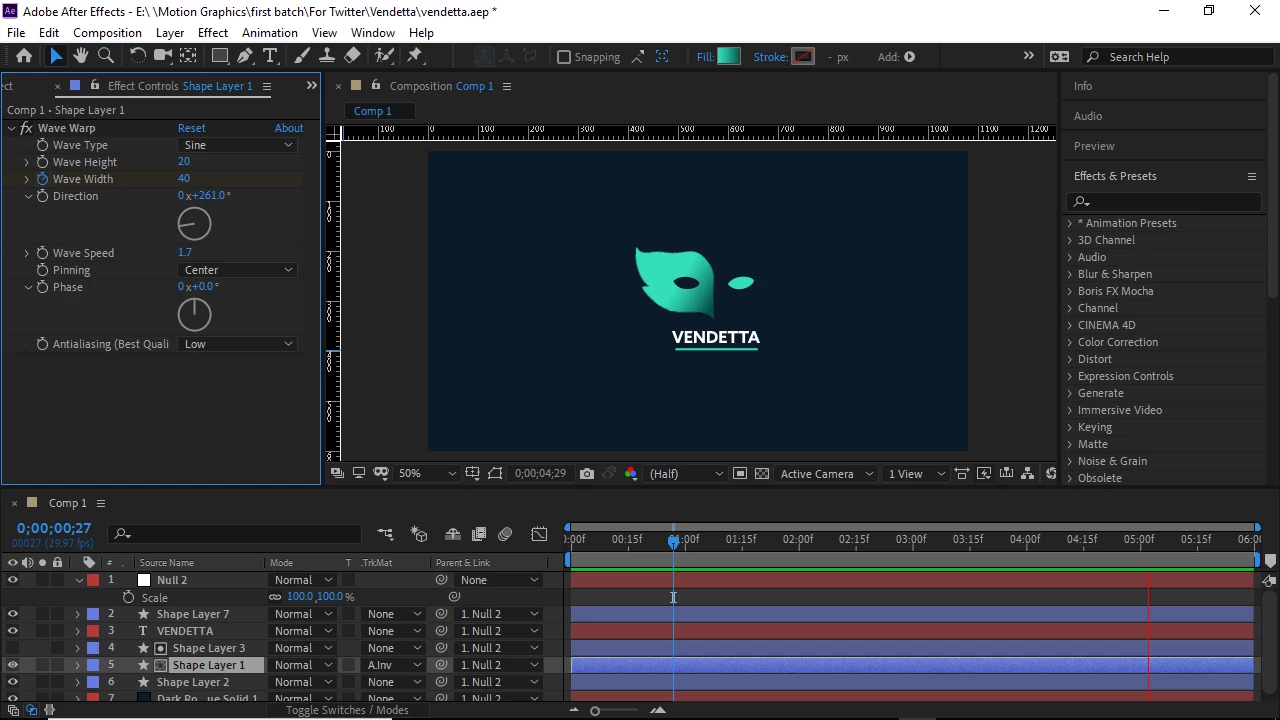
The proportion of the Logo looks quite small compared to the size of the composition.
I added a Null object, and parented all layers to the Null. In increase the scale of the Null object so the Logo can fit the frame size, you can see in the image below, that the effect becomes distorted.
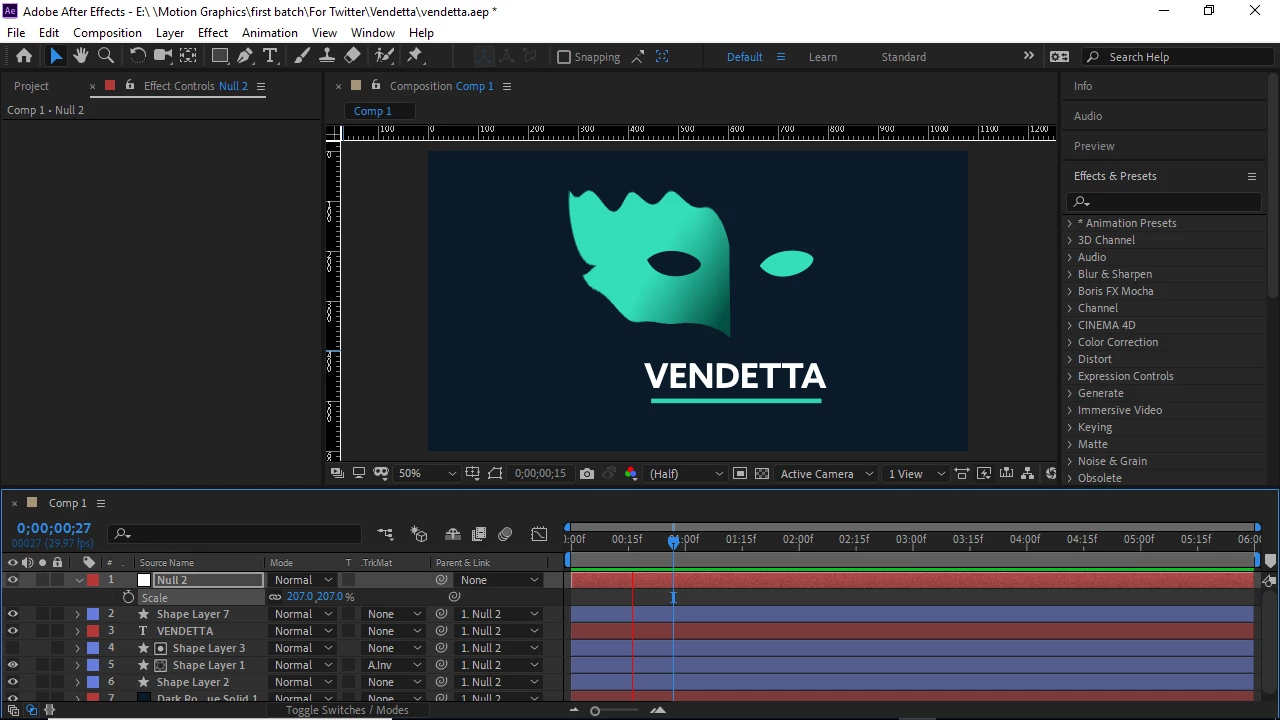
I suppose the problem revolves around the Wave width or Wave length.
I thought to pre-compose all layers together and then increase the scale.
It worked, but the quality dropped badly. Is there a way I can go about increasing the Logo without having the Wave wrap distorted?
Copy link to clipboard
Copied
Get rid of the null and reset all scale properties to 100%.
Spin down the contents of the shape layers (pressing 'uu' will speed things up), look for the Content/Shape/Shape Transform property, and use that Scale value to increase the size and adjust the position of the shape layer elements. Keep all shape layers at 100% scale. Adjust the size of the text by changing the font size in the Character Panel.
Scaling a layer with Wave Warp applied will always change the look of the warping. There's nothing you can do about that.
When you get everything looking the way you want it, you can pre-compose everything, Collapse transformations to preserve the vector paths and text layers, and scale or move to your heart's content without any problems.
Copy link to clipboard
Copied
Thank you.
Get ready! An upgraded Adobe Community experience is coming in January.
Learn more