
Copy link to clipboard
Copied
Hello
I want to achieve some sort of whiteboard animation. First I draw the lines with trim paths and then later I fill the areas with different colors.
The "filling" with colors should look like as someone is coloring them with a digital pencil.
Its a line that is "drawn" by the trim path function and I use a mask to make the edges look sharp.
(see attached file.)
Is there a possibility to change the colors of the whole shape into different areas?
For example from this:

to this:
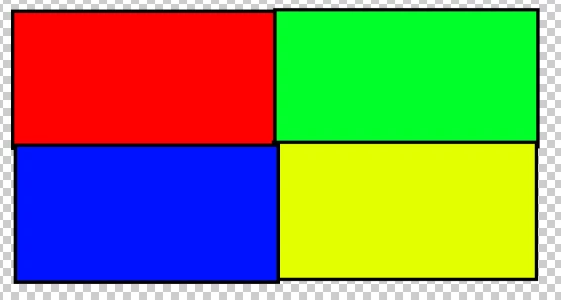
The idea is that all the different colors are drawn at the same time. But each field or shape gets colored differently. Is this possible with masks somehow?
I didnt find anything on google or youtube.
Thanks for any help.
I would not try and use masks. If you just want different colored strokes, apply multiple copies of Trim Paths just below each stroke path and set the fills to the colors you want. You could use a fractal noise layer as a luma track matte to give the strokes a little texture. You could also apply any one of several distortion effects to the single shape layer to make the characters look more organic.
If you want to use some kind of textured color layer as the fill color for the stroke so it lo
...Copy link to clipboard
Copied
I would not try and use masks. If you just want different colored strokes, apply multiple copies of Trim Paths just below each stroke path and set the fills to the colors you want. You could use a fractal noise layer as a luma track matte to give the strokes a little texture. You could also apply any one of several distortion effects to the single shape layer to make the characters look more organic.
If you want to use some kind of textured color layer as the fill color for the stroke so it looks more like a whiteboard or chalk board, then you need a separate shape layer with a trim path stroke for each color, then you set the shape layer as an alpha track matte for the colored texture background.
Do you need more help than that? Are you new to After Effects?
Copy link to clipboard
Copied
Yes, I'm new to after effects.
Your response was very helpful. Thank you very much.
I was able to achieve what I had in mind with luma track matte. (see attachement.)
Instead of shape I took a background image which is revealed with the luma track matte as you suggested.
Super usefull and simple.
I'm playing around a bit to try and achieve the whiteboard or chalk board effect with textured color layer. 🙂
Find more inspiration, events, and resources on the new Adobe Community
Explore Now