Shape layer paths have direction switches.
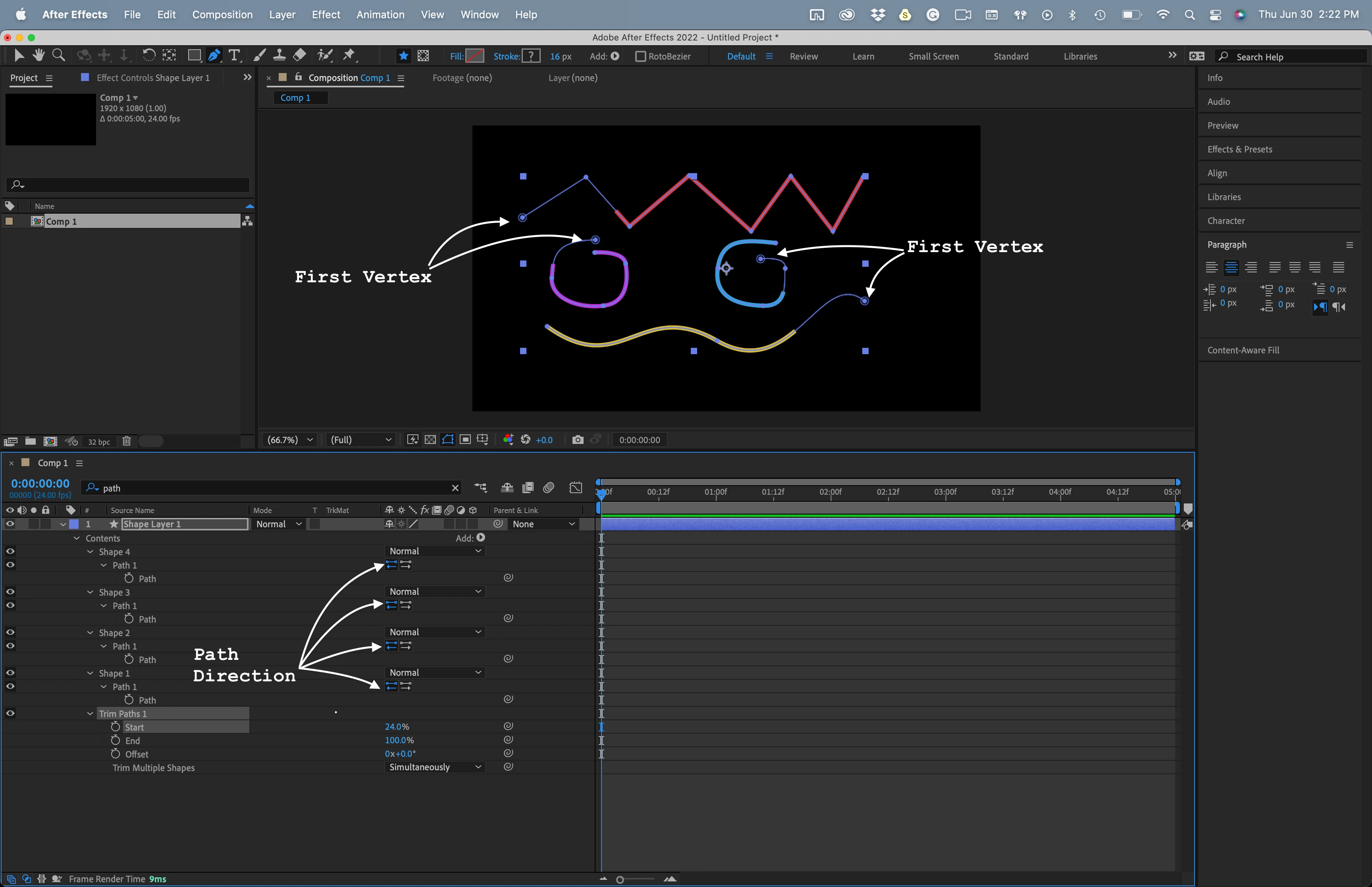
Changing the direction changes the way trim paths and copy to a motion path responds to an open path.
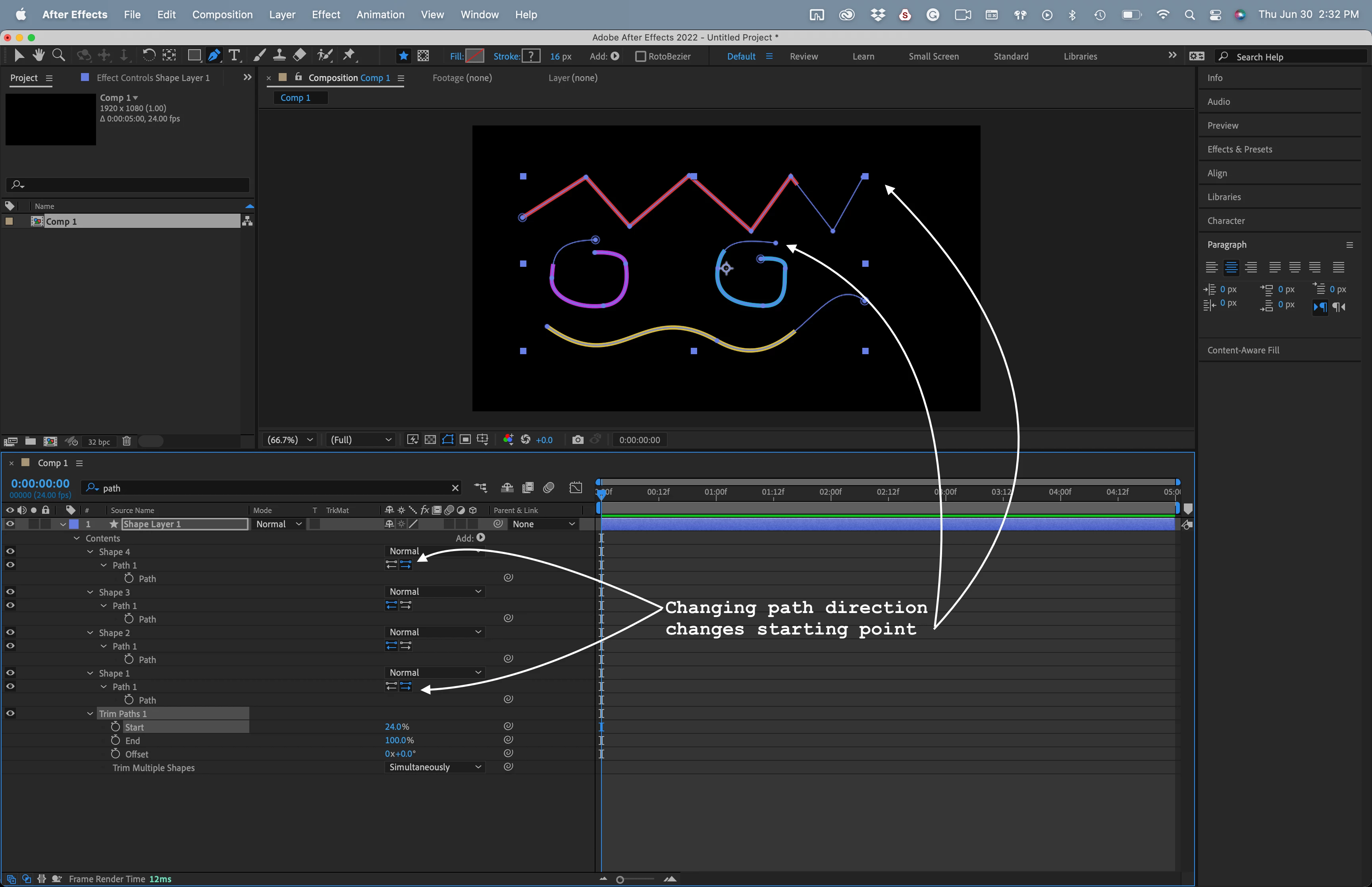
You can also change the direction of trim paths by setting changing the starting values for Start and End in Trim Paths. Set both to 100% then animate Start from 100% to zero and the line draws on from the First vertex. Set both Start and End to zero and animate End from Zero to 100% and the line draws on from the last vertex.
You should have no problems at all controlling the direction of trim paths. Setting the First Vertex is not only unnecessary, if you do so on an open path you created, the path will drastically change unless it only has two points and there are no bezier handles because AE records the order that the points were added to the path. It works the same way with open mask paths. Change the first vertex, and unless the path has only two points and no bezier handles, the shape of the path will change.

 AdChoices