

MyerPj
Community Expert
Community Expert
August 18, 2020
Answered

Simply Join Two Masks

  • August 18, 2020
  • 1 reply
  • 321 views

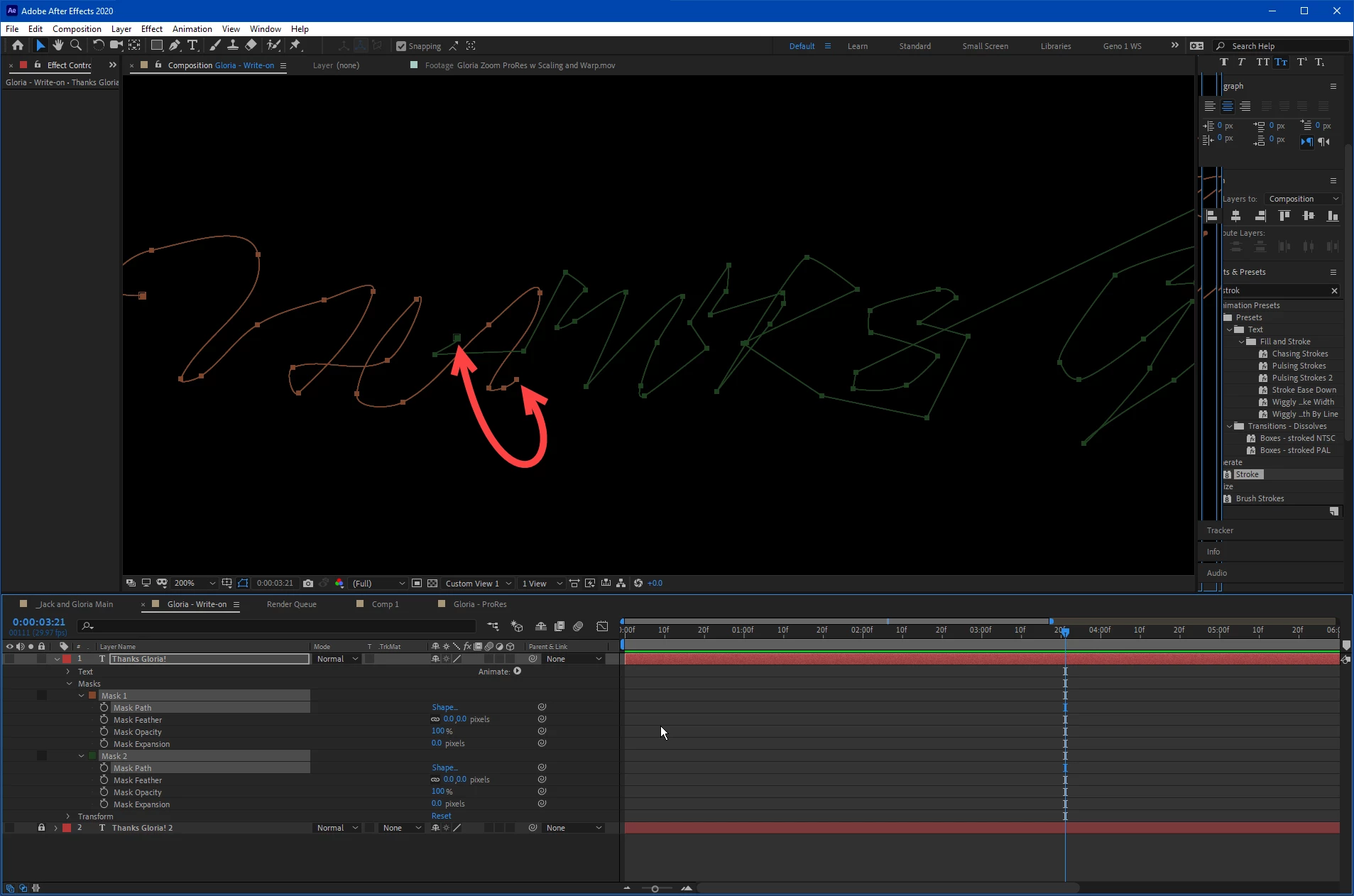
I give up! I've found references to merge paths, join paths, I've looked around. I was doing a write-on effect, tracing a path inside a font, and at some point I must have clicked off it, and it started a second path. I figured I might need to do this again in the future, so I should find out how easy it is to join the two into one at the arrow points below. I'm sure I would have been done 1.5 hours ago had I simply started over!
 

This topic has been closed for replies.
Correct answer Warren Heaton

Yeah, this one is a weak point in AE.  


Select both Mask paths in After Effects and copy and paste them to an Illustrator file (make the AI file the same dimensions as your Comp).  Join the paths there and then copy and paste the new, single Mask path back.


-Warren


Oh... in AI, select the last point of one path an the first point of the path you want to join it to and then press command J, Mac or control J windows to join the points.


1 reply

Warren Heaton
Community Expert
Warren HeatonCommunity ExpertCorrect answer
Community Expert
August 18, 2020

Yeah, this one is a weak point in AE.  


Select both Mask paths in After Effects and copy and paste them to an Illustrator file (make the AI file the same dimensions as your Comp).  Join the paths there and then copy and paste the new, single Mask path back.


-Warren


Oh... in AI, select the last point of one path an the first point of the path you want to join it to and then press command J, Mac or control J windows to join the points.