
Participant
March 24, 2022
Answered

Slow preview even when it's cached

  • March 24, 2022
  • 1 reply
  • 2299 views

Hello, I have an annoying problem with my AE 2022. 


The preview of my composition seems to be cached, but when I hit the spacebar, it goes well for the first 2 seconds, and suddenly the fps drop suddenly to 6-15. 


I have experienced a similar problem before - it turned out that my resolution is "too high" (2560x1440 - is it really?), and when I changed it to smaller, it started to run smoothly. Now it doesn't work, so the problem is somewhere else.


Here: I have a green bar on the timeline, however the preview chokes and drops to frustrating 6 fps
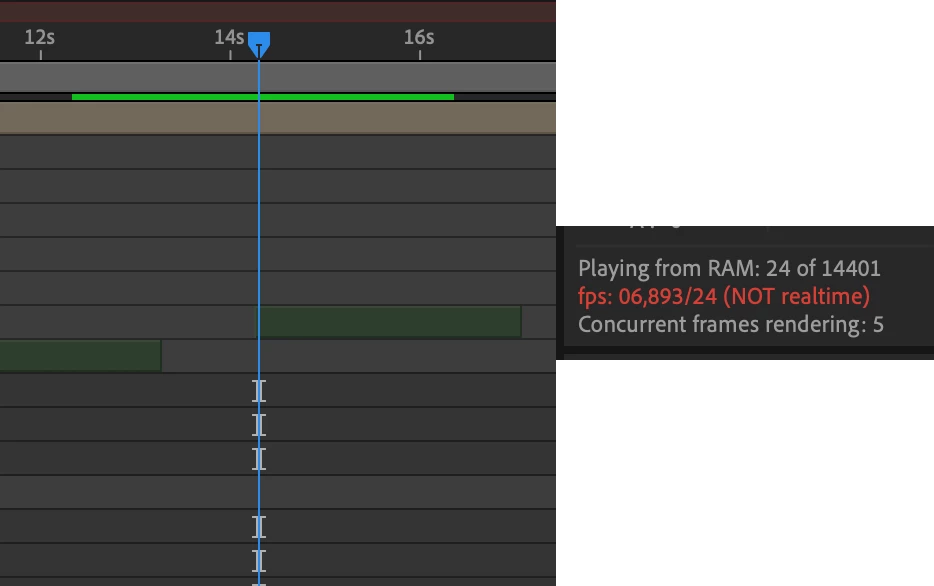
 

The composition is quite simple - the only thing that might be considered as "heavy" are 3d layers - however I used them almost every time so far - and yes they've always needed a lot of time to cache/render but when they did, it always went smoothly. But not today.


I worked at much more complicated projects, and I never experienced such problem. 


Mac specs:


iMac (Retina 5K, 27-inch, 2020)

3,6 GHz  Intel Core i9 (10 cores)

72 GB 2667 MHz DDR4

AMD Radeon Pro 5500 XT 8 GB
This topic has been closed for replies.
Correct answer Piotr5E0D

Hello, I have found a solution. 


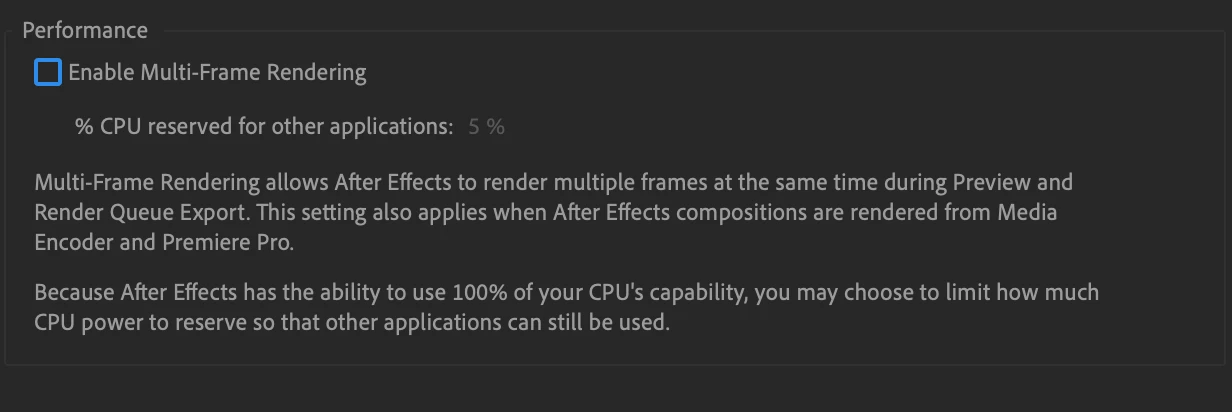
I just unchecked the option with Multi-Frame rendering - it goes smoothly now, as it should. 


However, I think it's a big shame that I have to disable this option because I considered a MultiFrame feature as a big gamechanger in the AE workflow.


I think it should be solved as soon as it is possible. And I hope it will.


1 reply

Piotr5E0DAuthorCorrect answer
Participant
March 24, 2022

Hello, I have found a solution. 


I just unchecked the option with Multi-Frame rendering - it goes smoothly now, as it should. 


However, I think it's a big shame that I have to disable this option because I considered a MultiFrame feature as a big gamechanger in the AE workflow.


I think it should be solved as soon as it is possible. And I hope it will.


Participant
June 8, 2022

I'm getting very similar issues. RAM preview slows dramatically while caching. RAM playback not realtime.


1) RAM preview bar goes green, then it "should" playback that section in realtime, but often it's far from realtime.

It's like it's doing a second pass.

2) I'll RAM preview a section, if it's playing back normally I'll stop it for a moment, do nothing, then preview that green section again. and it seems to be caching again, is very slow.

3) Simple animation will RAM preview fairly quickly as expected, for a period, then in the same section the green bar/red playhead will slow right down to about 1/4 of the speed. As though it's hit a more complex area. But it's the same thing, sometimes there's nothing there, or the actual animation has ended. It's never the same area each time it occurs, sporadic.


Emptying caches etc doesn't make a difference.

Restarting AE sometimes makes a difference, then it returns soon after.


Didn't think of, and have not tried turning off Multi-Processor rendering yet (still in denial that this should be the issue, damnit!). I thought it's more a RAM or Cache speed issue. Or even GPU. Or all?!?!?!

Yet it slows down more than if it were a single processor running. 


Other possible related issues in PS, Acrobat, less often Illustrator, Premiere and InDesign:

Sticking graphics, work area not refreshing (ie external window and palettes all fine).  Getting repeating areas as I scroll. Clears up when I move whole window, click elsewhere, change zoom.


Highly furious, especially because it rarely happens when I'm looking for solutions, only when under pressure of work!


iMac 2019, 3.8GHz 8 core i7

Big Sur / 11.6.5

64 GB RAM

AMD Radeon Pro 5700 XT 16GB

Caches on external T3 connected, RAID-ed SSD drives with SATA connection.

Community Manager
June 9, 2022

Hello @Paul Bekarian and @Piotr5E0D,


Thank you for posting about this preview issue. See this post for a fix that just went into beta: Fix for Cached Frames being Re-Rendered during Preview 


This may address the issue you are encountering. Please let us know.


Cheers,

Jason