
VPCEdit6
Participating Frequently
February 7, 2017
Answered

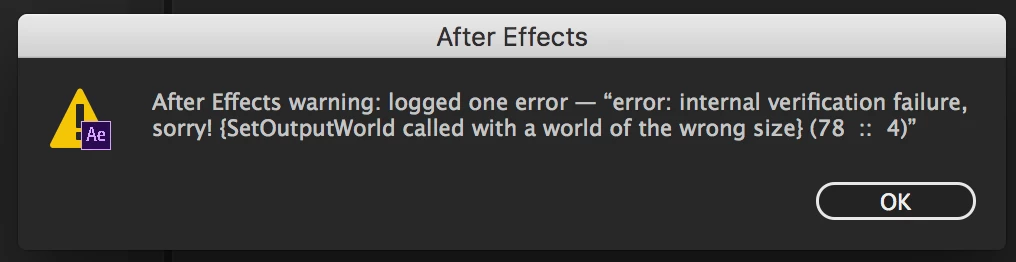
sorry! SetOutputWorld called with a world of the wrong size
  • February 7, 2017
  • 2 replies
  • 15170 views

Adobe AE CC2017.1 & 2015.3

OS X El Capitan 10.11.6

iMac (Retina 5K, 27-inch, Late 2015)

4GHz Intel Core i7

Memory: 40GB

I am getting a random error when rendering out of AE 2017 and 2015. "Error - internal verification failure, sorry! {SetOutputWorld called with a world of the wrong size} (78 :: 4)".  It causes the render to crash.  I am using some effects like CC Repetile and Motion Tile, some color corrected photos (no video in project) and multiple scale nulls.  It's essentially a slide-show type project with scale nulls creating drifts and transitions.  The errors are not happening in the same place each time.  I am able to render about 30 seconds of the 4 minute timeline, crash, and render the next section, repeat, and piece it all back together.  I have disabled the cache, tried a render with all instances of CC Repetile turned off (still crashed) and saved back to CC 2015 and tried rendering on another MacPro workstation.  No solve.  I was able to get it to render in full using Adobe Media Encoder instead of the AE Render Queue.  I would still like to figure out what is causing that error!  I also tried rendering out an image sequence instead of Quicktime movie, but still crashed.  I've been using AE every day for 17 years now and may have seen this error in the past but am reaching out for some possible insight.  Thanks!

    This topic has been closed for replies.
    Correct answer Szalam

    Lumetri sounds like a likely culprit - especially with that error message and further info about your project!

    2 replies

    maryhawkins
    Participating Frequently
    September 22, 2021

    I got this same error today when I was laying out boards that were photoshop layers. The only plugin I was using was Simple Choker. I was able to click though dozens of the same error message and eventually get back to working on my project.

    Participating Frequently
    December 15, 2021

    I'm curious, did you literally just keep clicking "okay" again and again until it didn't appear? I encountered this just now and have been troubleshooting it all to hell. 

    VPCEdit6
    VPCEdit6Author
    Participating Frequently
    February 7, 2017

    Effects used in project: Color Balance, Levels, Fill, Gaussian Blur, Transform, Hue/Saturation, Invert, Lumetri Color, Gradient Ramp, Sharpen, Stroke, Motion Tile, Vibrance, CC Repetile, Knoll UnMult, Magic Bullet Looks, Gen Arts Sapphire S_Vignette.  Also of note, the project was imported from Adobe Premiere using Adobe Dynamic Link. 

    Participant
    February 7, 2017

    Thanks, Szalam.  I will try your suggestion.  Another thing I tried was resizing the images that were being used.  The client provided all sorts of formats and resolutions (mostly 300dpi .TIF files) so I saved them out as 72dpi targa files (all in RGB color space).  I replaced each image in AE and tried to re-render.  I immediately got this error message.  It could be the new Lumetri color correction effect being used as an adjustment layer over the large images and trying to use the Metal GPU rendering out of AE.  I switched it to "Mercury Software Only" and am rendering it out now... It is almost halfway finished without crashing...

    Participant
    February 7, 2017

    Hmm.  Spoke too soon.  I re-rendered the project and got the original "sorry, world of the wrong size" error again.  Even with Mercury Software Only.  I can't figure out WTF.  Next, I will try turning off all instances of Lumetri Color and try to re-render.


    Maybe it isn't Lumetri Color at all.  I have pre-rendered some of the nested precomps and am getting no errors, for what it's worth.