Known Participant
November 11, 2017
Answered

Stabilizing Ocean horizon

  • November 11, 2017
  • 3 replies
  • 4334 views

Hi,

I am trying to stabilize some kayak shots out in the ocean. There are no real "reference points" except the straight ocean horizon. I usually use "stabilize motion" tracker to stabilize my shots. However this does not work very well as the horizon looks all the same. Any tutorials or tips as to how I can stabilize it?

Thanks!

This topic has been closed for replies.
Correct answer Roei Tzoref

I have tried and tried, and the tracking don't work on my clips

I uploaded the source material here: Dropbox - After effects

Would love to see a screencast if you have the oppertunity.

I would bee very grateful


I am at work so can't do a video capture right now. I see it works fine just make sure your track points (feature region and search region) are nice and large
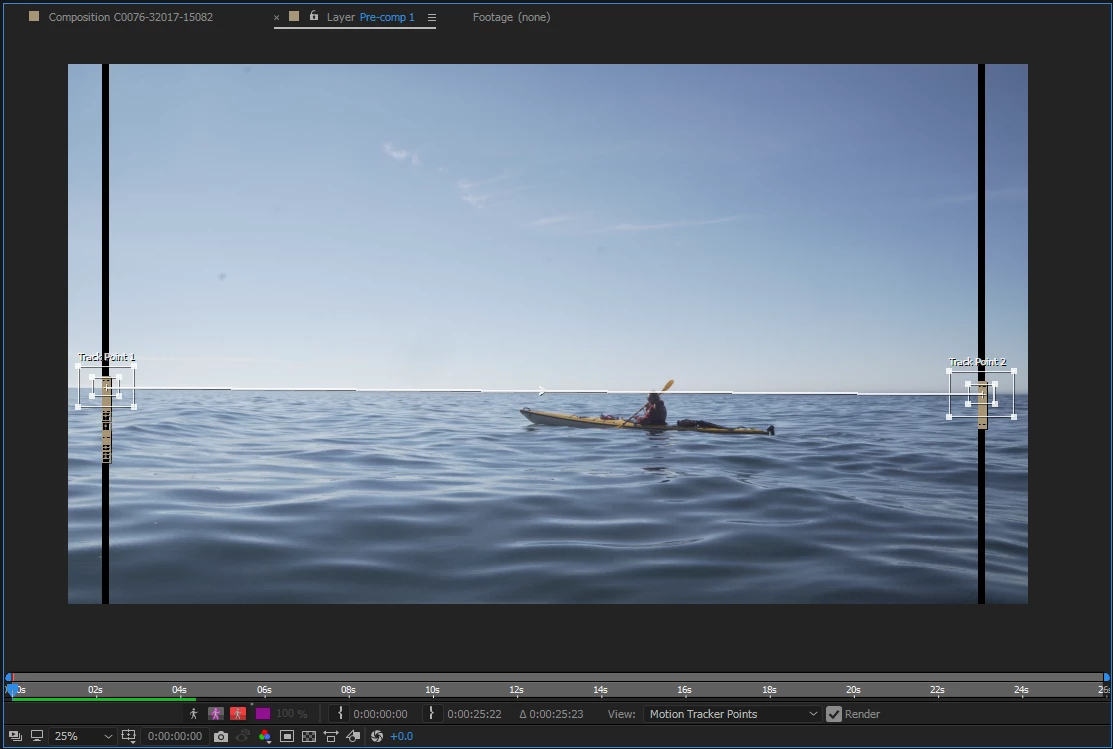
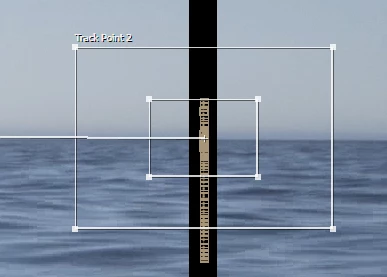
no special settings here and nothing special in the options
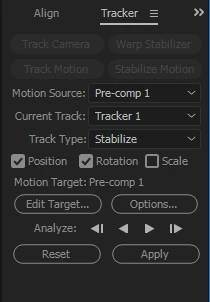
of course you do have a lot of shaking going on there, not just the horizon. the camera is moving a lot and if you want to focus on the  and you need to trim the shot to just the part you need to track. this needs work, no easy stuff.

so you can precomp that stabilized horizon, and now you can track just the boat so it will be centered in frame. you can stabilize just the X so the camera won't shift so much.
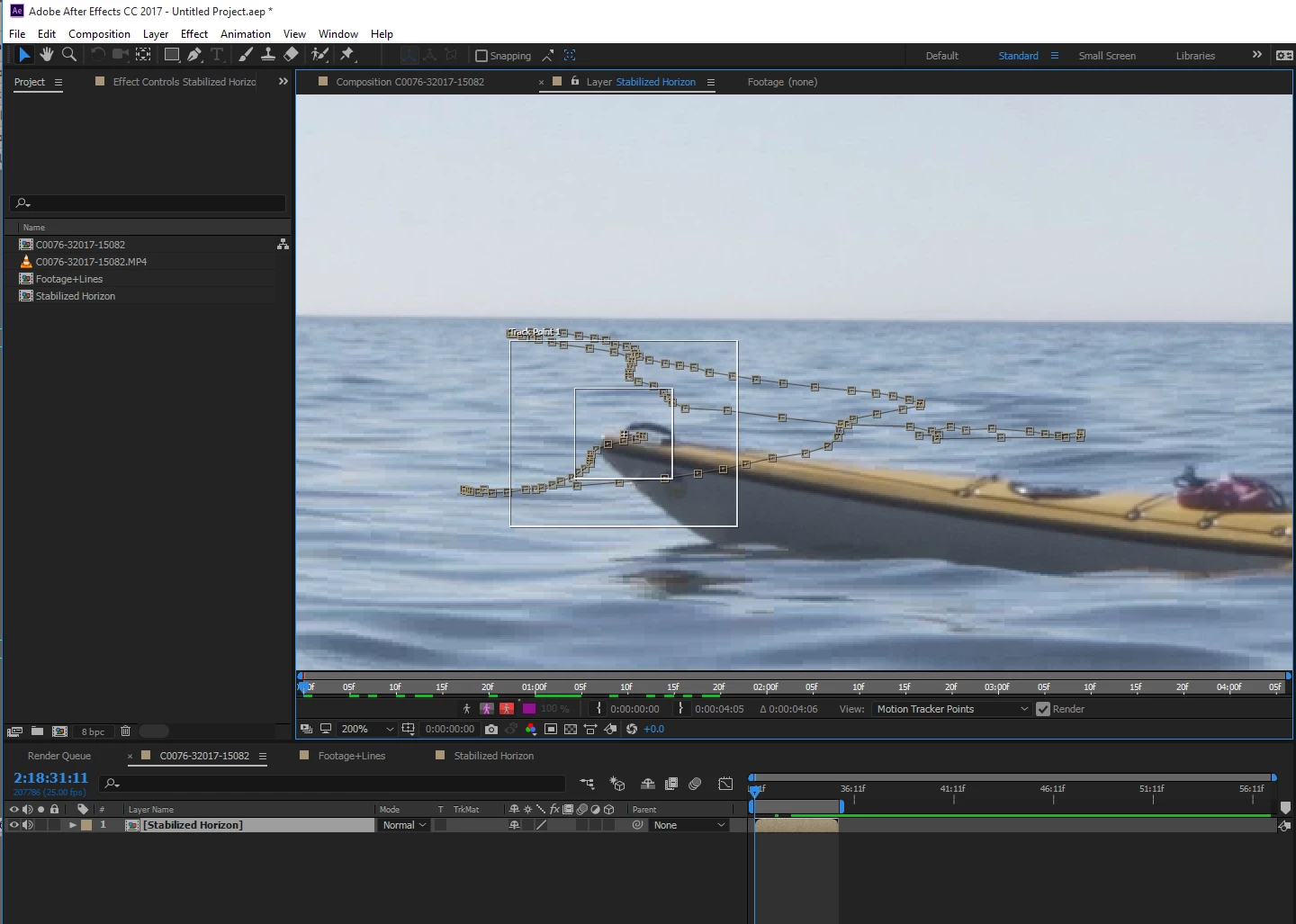
here's a a little of that setup, a few seconds in a project to get you going:

HorizonTrack.aep - Google Drive

compositing in after effects is a matter of practice and learning, you can't expect to pick this stuff up right away with no prior knowledge in tracking or experience in composition with just a few questions on a forum board. hopefully the help you got here will encourage you to keep learning this stuff on your own. there's sometime the question on volunteer user platforms when does helping actually goes to far as doing the work for someone? I am speaking out of personal experience of both sides. some set the bar low, some set it high - whatever they feel comfortable of doing, but there is a line...

good luck, ask if you have any specific questions, but consider that this does not replace training or learning in the proper resources which are more than available for Ae.

3 replies

paland89Author
Known Participant
November 11, 2017

speaking of the motion tracker options:

When would you use: "Enhance before match", "Track fields", "Subpixel positioning" and "adapt feature on every frame"`?

Thanks!

Roei Tzoref
Legend
November 11, 2017

speaking of the motion tracker options:

When would you use: "Enhance before match", "Track fields", "Subpixel positioning" and "adapt feature on every frame"`?

whenever there's a topic you want to learn, just type the name in the upper right search field in the Ae interface and you will go to the help files database.

all the information is here: Tracking and stabilization motion workflows in After Effects

paland89Author
Known Participant
November 11, 2017

I have tried and tried, and the tracking don't work on my clips

I uploaded the source material here: Dropbox - After effects

Would love to see a screencast if you have the oppertunity.

I would bee very grateful

Roei Tzoref
Legend
November 11, 2017

a neat trick to solve horizontal horizon track shots is to create two static features at each of the sides.

something like this:

now precompose and stabilize this:

here's the technique using lines in fusion. not sure lines are better but test for yourself

https://www.youtube.com/watch?v=1ACKLf_Nk0E

Mike_Abbott
Legend
November 11, 2017

Yes - good idea from Roei.

My guess is that the outer 'search area' box on your track points aren't tall enough to cover your movement - you can resize them.

Mike_Abbott
Legend
November 11, 2017

If you could post a 'typical frame' from your footage that would help us advise. You can add an image directly into a forum post using the buttons above the editing area.

paland89Author
Known Participant
November 11, 2017

Mike_Abbott
Legend
November 11, 2017

OK - the horizon is nice and clear, I was thinking it might be hazy / invisible. You should be fine tracking this with the point tracker.

Motion tracking window

Select your footage layer, put playhead at the start

Stabilize motion button

tick the rotation checkbox only

drag track box 1 centered to the horizon on the far left, track box 2 centered to the horizon on the far right.

click the 'analyse forward' button.

click apply.

Does that work?

You will need scale up you footage to compensate for the stabilization.