
BenSCR
Inspiring
January 11, 2018
Answered

Strobe Effect?

  • January 11, 2018
  • 2 replies
  • 3368 views

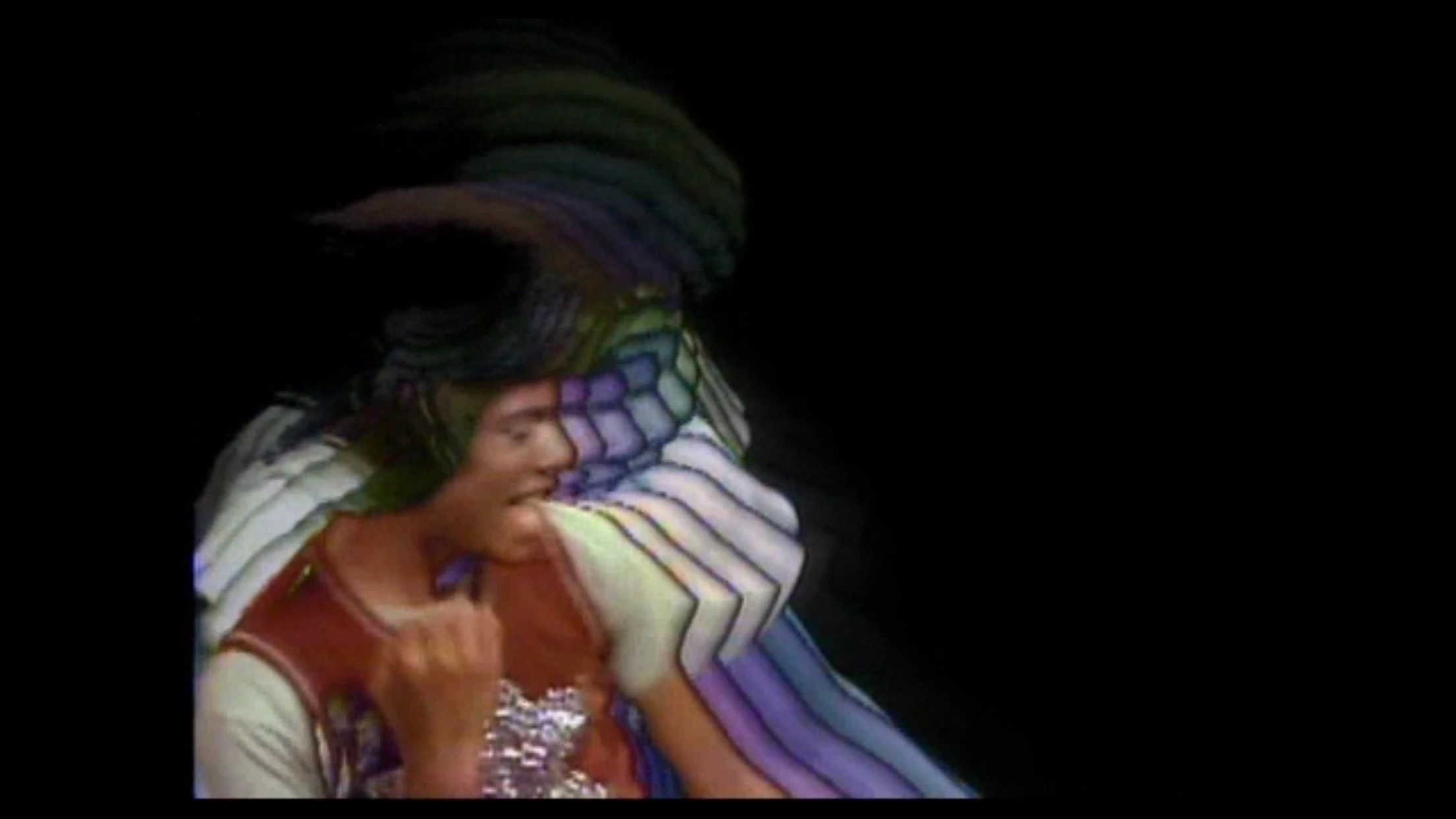
How can I create a late 1970s ‘Strobe’ effect like this video still from the Michael Jackson/The Jacksons song ‘Blame It On The Boogie’.

    This topic has been closed for replies.
    Correct answer Mylenium

    The Echo effect is your friend and if you need soemthing more advanced, then most third-party plug-in suites like Boris FX or Sapphire have video feedback/ trail effects. With a little work and multiple duplicates this can of course also be created traditionally by just staggering layers with slight offsets or using Timewarp/ time-remapping.

    Mylenium

    2 replies

    BenSCR
    BenSCRAuthor
    Inspiring
    January 11, 2018

    Sure, thanks for this information.

    Mylenium
    MyleniumCorrect answer
    Legend
    January 11, 2018

    The Echo effect is your friend and if you need soemthing more advanced, then most third-party plug-in suites like Boris FX or Sapphire have video feedback/ trail effects. With a little work and multiple duplicates this can of course also be created traditionally by just staggering layers with slight offsets or using Timewarp/ time-remapping.

    Mylenium

    BenSCR
    BenSCRAuthor
    Inspiring
    January 11, 2018

    Thanks for this information, I will give your advice a tr.

    Dave_LaRonde
    Inspiring
    January 11, 2018

    I’m a real novice in ‘After Effects’. But what do I use to put a black line around the image. I presume it would be the ‘Pen Tool’.


    BenSCR  wrote

    I presume it would be the ‘Pen Tool’.

    Nope.  Key the subject over a black solid.  Precomp the 2 layers.  In the precomp, duplicate the keyed layer.  On the bottom keyed layer, apply Simple Choker, expand the choke a bit, and use this layer as a track matte for the black solid.