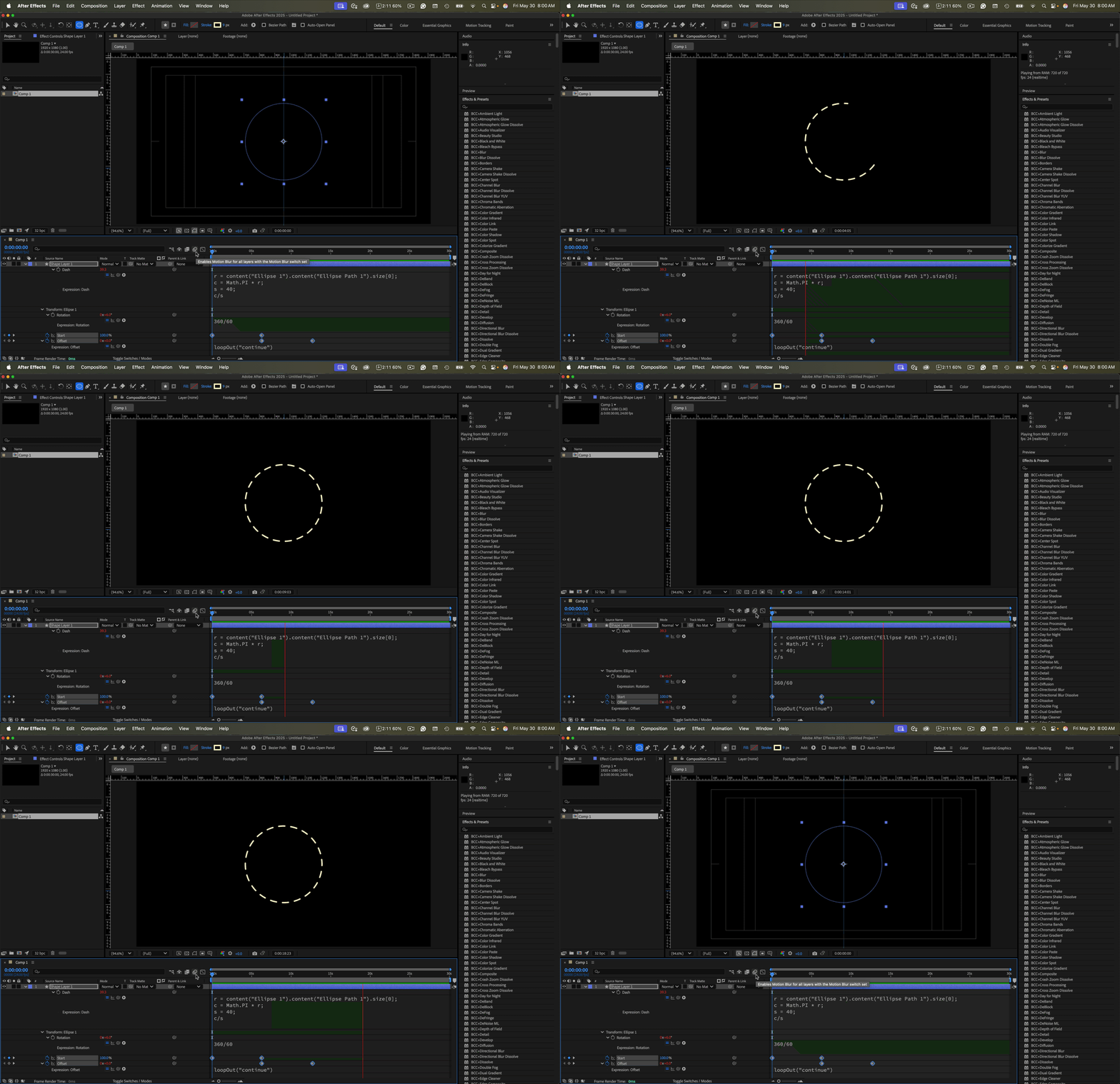
If you want to have a symmetrical dashed line around a circle, decide how many dashes you want and divide the circle's circumference by the number of dashes. This is very easy to do if you calculate the circumference and divide that by the number of dashes you want. This expression added to the Ellipse/Stroke/Dashes/Dash property will give you 40 segments and fix the overlap problem:
r = content("Ellipse 1").content("Ellipse Path 1").size[0];
c = Math.PI * r;
s = 40;
c/s
Offset the Ellipse/Transform/Rotation by -1.5 times (-60) the number of dashes and animate the Trim Paths/Start from 100 to 0, and you'll then get a dashed line that grows counter-clockwise with the top dash centered. You can then set a keyframe for offset at zero, then move down the timeline the same number of frames, set a second keyframe at -1 for the number of rotations, and add a loopOut("continue") expression to the offset to keep the dashed line rotating smoothly.
You will get something like this:
If you want to add gaps, you'll need to use the circumference formula again (C=2πr or C=πd) for the gap, then combine the values.
This should get you started. I have uploaded a project file.


 AdChoices