
user82573258
Inspiring
September 28, 2020
Answered

Stroke effects not showing on path

  • September 28, 2020
  • 3 replies
  • 12217 views

I've drawn a path and am trying to apply a stroke effect like so:
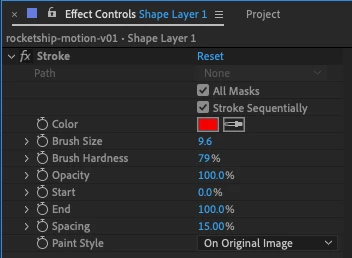
 

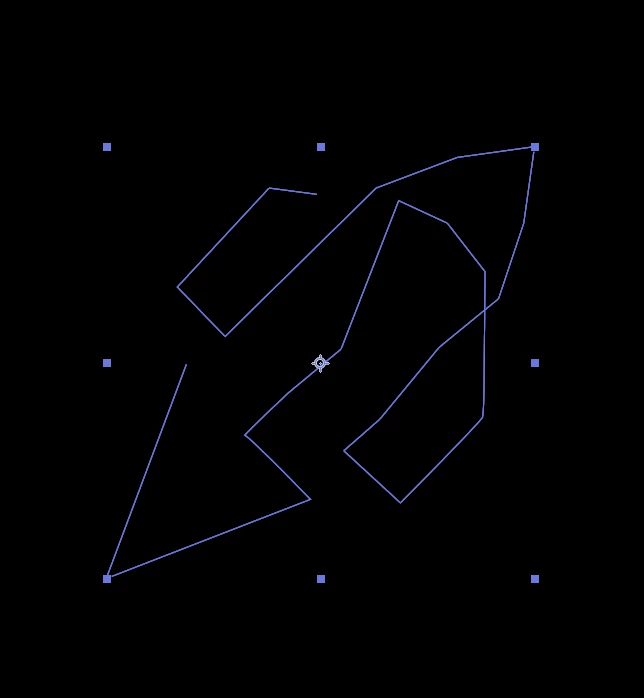
But the effect doesn't seem to be showing in my document, see the screengrab of the path itself... notice the red stroke is not visible:

This topic has been closed for replies.
Correct answer OussK

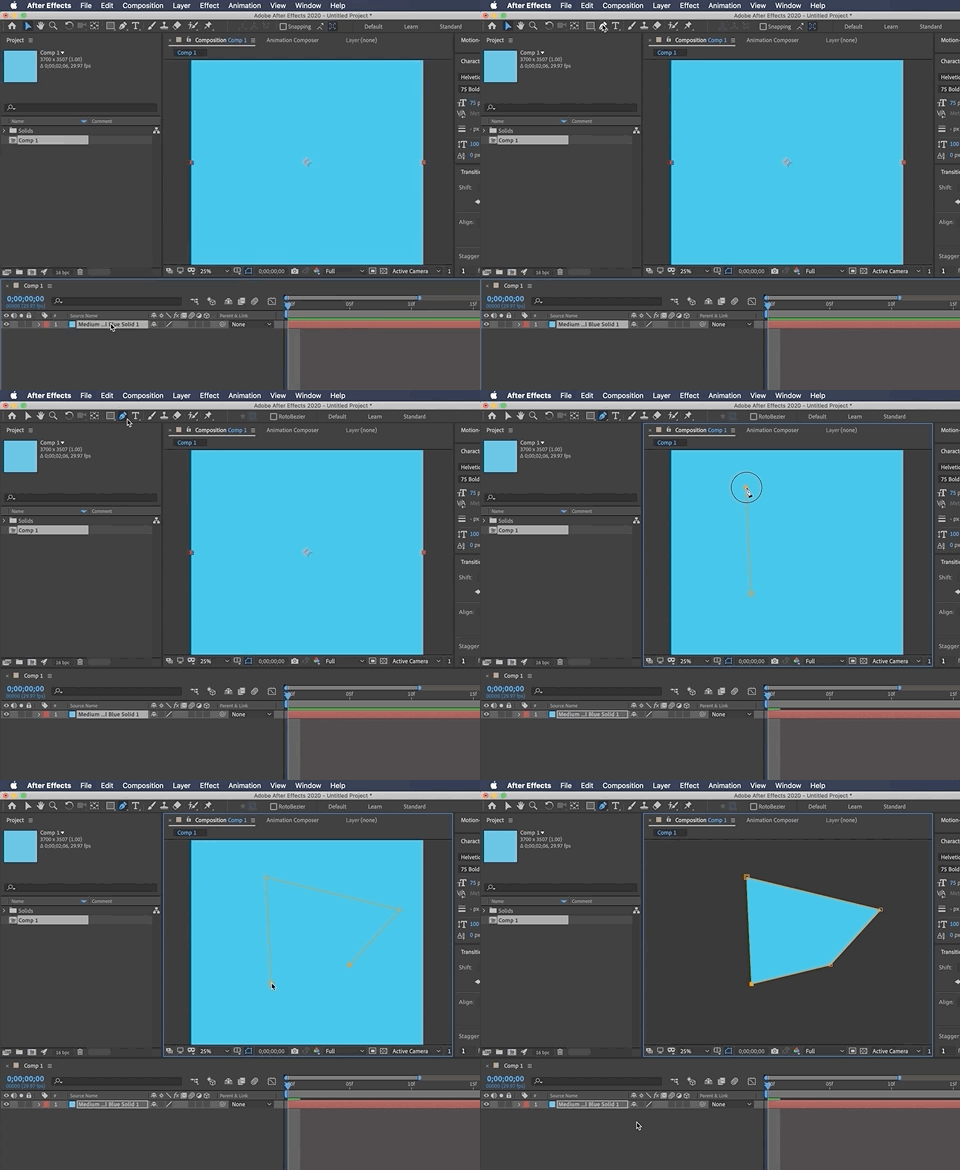
To Draw a mask on a solid, you must be sure you're solid layer is selected first
 

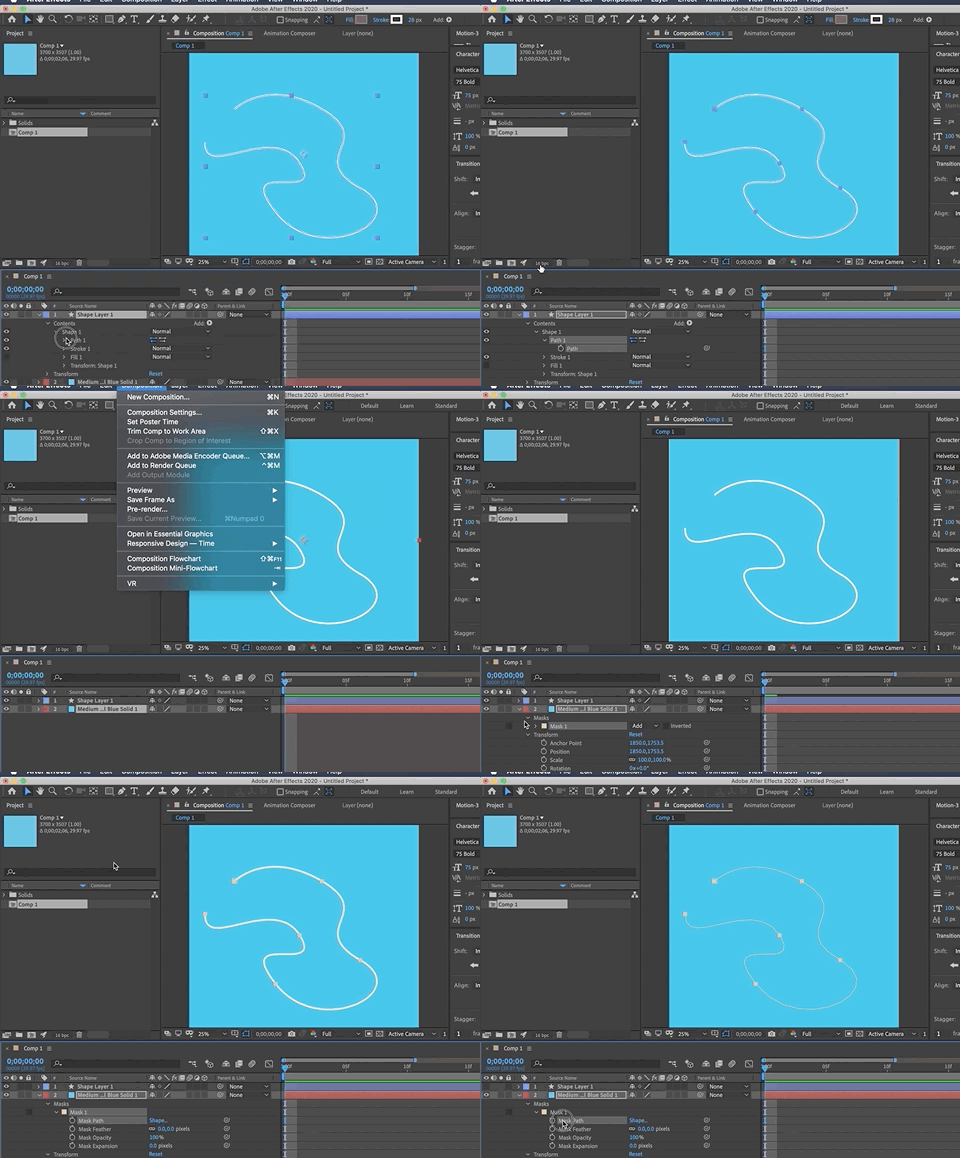
Also, you can anytime use your existing shape path as a mask
3 replies

Community Expert
September 28, 2020

You can create a mask on a shape layer but you have to pay close attention to the Tool Bar and make sure Mask and not Path is selected. If you want a stroked path, a shape layer is going to be more efficient in almost every way than adding the Stroke effect to a mask. The only time I ever use the Stroke effect is when I need a soft or feathered stroke and throwing a blur on a shape layer is more trouble than it's worth.  


When you are having problems with a layer select the layer, press 'uu' to reveal all modified properties on the layer, then post a screenshot of the entire UI. Cropped screenshots are almost completely useless. The only clue to the user error you made by creating a path on a shape layer was the layer name in the Effects Control Panel. 

user82573258
Inspiring
September 30, 2020

Thanks, please see screengrab below:


Also if it helps, I'm trying to create a logo reveal animation and part of the tutorial I'm following involves drawing a path and applying a stroke effect to it

Mylenium
Legend
September 28, 2020

The blue color and cropped boundaries are a dead giveaway - you created a shape layer path, not a mask path. Effects can only use masks, not shape paths. You need to draw your path on a conventional solid, not a shape layer.


Mylenium

user82573258
Inspiring
September 30, 2020

Thank you, how would I go about drawing a path on a solid? As each time I use the pen tool, it appears to create a shape layer automatically

OussK
Community Expert
OussKCommunity ExpertCorrect answer
Community Expert
September 30, 2020

To Draw a mask on a solid, you must be sure you're solid layer is selected first


Also, you can anytime use your existing shape path as a mask

P.M.B
Legend
September 28, 2020

Is the effect applied to a mask?  Do you have any blending modes applied?  It's important to show your layer stack and any modified properties.  You're showing us images based on an assumption that YOU know where the problem is.   The problem may be (most likely is) something you didn't think of so that's why you should'nt post cropped pics.  

~Gutterfish