
Inspiring
July 31, 2024
Answered

System update required to install After Effects

  • July 31, 2024
  • 1 reply
  • 4414 views

Hello ladies and gentlemen,


Please advise how can I bypass this restriction?
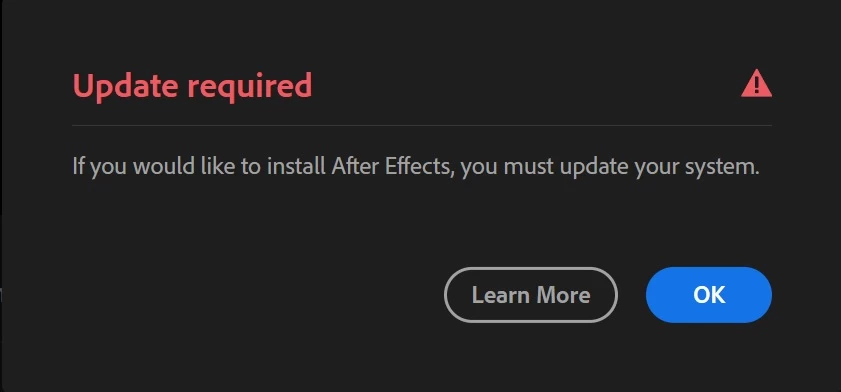
 

In the last couple of months I have upgraded my hardware so I used the After Effects before on an older equipment and it worked fine. Now I have this error and I am unable to even install the software which I am paying for since months already. I checked the link multiple times but it didn't help me much:


https://helpx.adobe.com/after-effects/system-requirements.html?x-product=CCHome&x-product-location=Apps&guid=a08e7949-6caa-4f03-b2e3-8ba47500441c&promoid=QGMZPG6T&mv=other&mv2=ahome


My specs are:


CPU: Intel Core i7 9700F

GPU: Nvidia GeForce RTX 4070 Ti

RAM: 48GB DDR4 [G.Skill F4-4000C18-8GTZRB and Kingstone KF3600C16D4/16GX]

OS: Windows 10 Pro 22H2 (OS Build 19045.4651)


Kind regards.


Correct answer Porecki

This is a personal PC , where there is only one account and I am the admin. Will check the link, thanks.


Looks solved now. Connected to an agent via chat, who provided me installation files for the AE and it worked; installed successfully and running. 

1 reply

nishu_kush
Community Manager
Community Manager
July 31, 2024

That's strange! Looks like your computer meets the system requirements for After Effects. My guess, your CPU doesn't have an integrated GPU. So, if After Effects is not able to find your Nvidia GPU, you may see the warning. I'd suggest installing the latest version of the Nvidia GPU driver from the manufacturer's website. If you're already using the latest version, try clean installing it. Also, check for Windows updates.

Let us know how it goes. Moving this thread from Bugs to Discussions for troubleshooting.


Thanks,
Nishu

PoreckiAuthor
Inspiring
July 31, 2024

Hello,

thank you for your answer. So I performed a clean installation of the latest GPU manufacturer's driver which didn't help. Still the same. As for the Windows updates there is still this one problematic update ( KB5034441 ); which I (and many other users) am unable to execute since months.


I googled something about it before; even found and applied this solution:

https://answers.microsoft.com/en-us/windows/forum/all/windows-10-update-error0x80070643/e6473fa4-f2d4-42c3-b4be-266b43454306

but to no avail.


Kind regards.

PoreckiAuthor
Inspiring
August 1, 2024

UPDATE: I even managed to get rid of this update error and still no change. Still "If you would like to install AE , you must update your system" prompt. Highly annoying.