
Participant
January 7, 2022
Answered

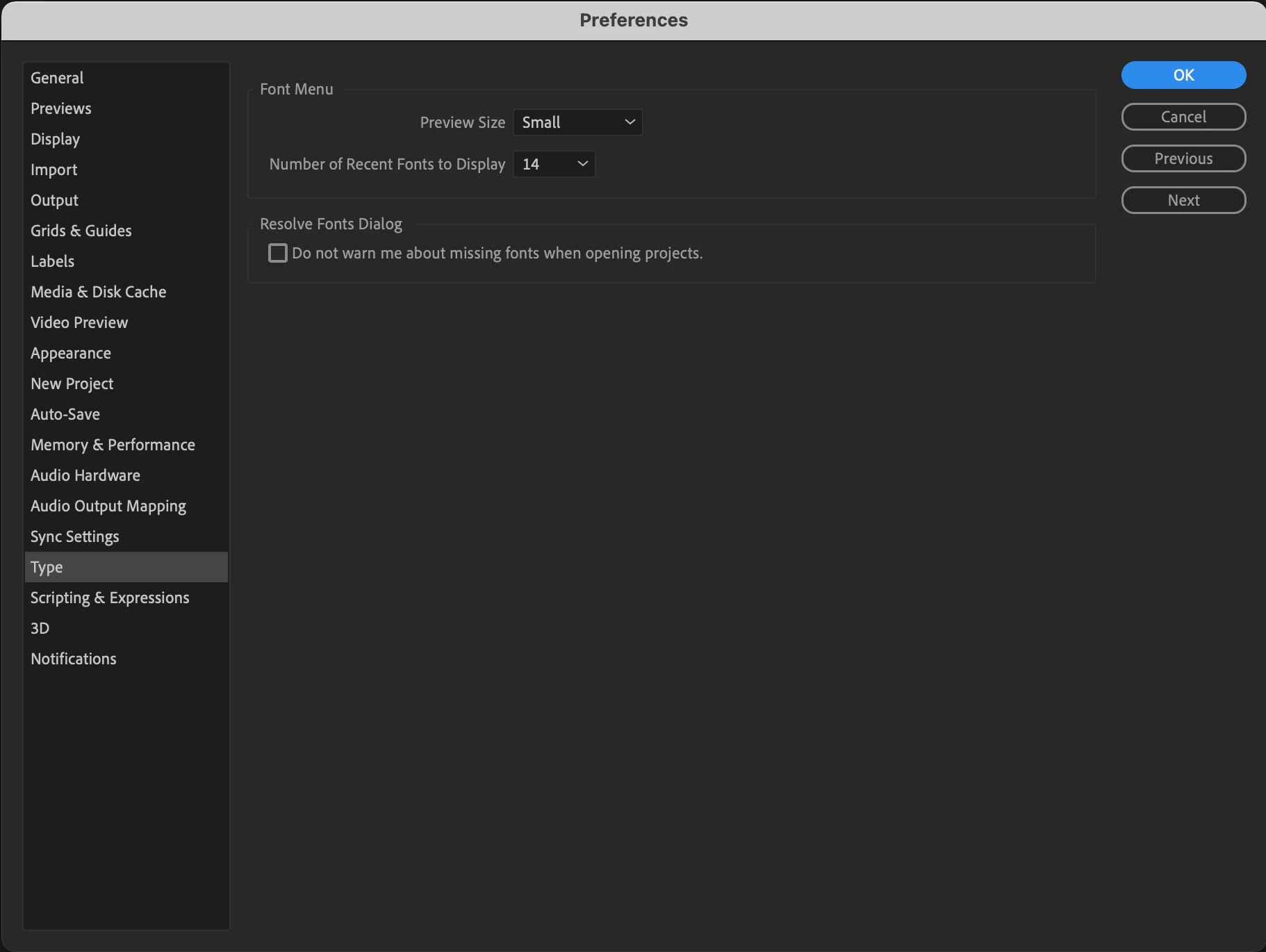
'Text Engine' missing from my After Effects Type Preferences

  • January 7, 2022
  • 12 replies
  • 27594 views

I need to use some animated Arabic text in an After Effects file that I'm working on, but I don't have the
'Text Engine' option in my menu to change it to ‘South Asian and Middle Eastern’:
    Correct answer Parul Gupta グプタ パルル

    Hey,

    It was a deliberate move to remove that from Preferences because you no longer have to choose either /ơr between Latin and South-Asian scripts.

    The new Adobe Text Engine is equipped to support both intelligently.

    Are you facing any trouble typing in?

    12 replies

    crazer26756768
    Participant
    November 14, 2025

    THIS is the way. go to paragraph and select this icon. it represents right to left.

    Participant
    February 16, 2025

    I facing This Problem Sanskri Or Hindi no writing properly 


    Participant
    January 28, 2025

    I'm trying to use Hindi in After Effects 2025 but the half alphabets of hindi aren't available or shown. The characters are shown with 'halanth' 

    Parul Gupta グプタ パルル
    Adobe Employee
    Adobe Employee
    January 28, 2025

    Sorry to hear about your experience. Can you share more. What keyboard are you using, does adding an "a" with the consonant solve, or you think the "vyanjan" is not compositing with vowels at all?


    Participant
    April 19, 2024

    reset the paragraph and it will solve your problem 

    Participant
    April 28, 2024

    This works for me. Thanks man you savedmy day!

    Parul Gupta グプタ パルル
    Adobe Employee
    Adobe Employee
    November 8, 2022

    Hey,

    It was a deliberate move to remove that from Preferences because you no longer have to choose either /ơr between Latin and South-Asian scripts.

    The new Adobe Text Engine is equipped to support both intelligently.

    Are you facing any trouble typing in?

    Participant
    January 31, 2023

    The same problem for the Arabic language
    I tried all previous solutions but it didn't work

    Participant
    October 17, 2022

    I just upgraded my After Effects from 2020 to 2022 and I face the same issue when using Asian Languages. Then I found the working method. Select your text then go to "Character Panel", click on more options and check on "Ligatures". Hope this can help.

    Participant
    January 18, 2023

    the best brother i try search many time still can't thank you for your help ❤️️

    Mention266203697x9t
    Participant
    October 16, 2022
    Mention266203697x9t
    Participant
    October 16, 2022


    Participant
    October 9, 2022

    Can anyone help us with this issue

    Mention266203697x9t
    Participant
    October 16, 2022
    amnaa28954270
    Participant
    November 23, 2022

    Thanks you saved my dat

    robertog12061881
    Participant
    September 20, 2022

    I'm facing same problem, it was available on the previous AE but now is gone and iy seems nobody can help us anymore 😞

    bad move removing this option


    avrumib8672517
    Participant
    August 8, 2022

    For those who cannot find the text engine in your type settings, don't get frustrated, the solution is simpler than you'd think.

    in the paragraph panel you'll find two buttons with an "arrow and a P" on them, switch between them to flip the typing order.


    Participant
    September 12, 2022

    Does this P right to left works for type settings. I want to change font to Asian. will that work with this ?