
Text is suddenly pixelated when placed over a solid
Recently, when I create a text layer above a solid layer, the text is very pixelated. If I hide or remove the solid layer underneath or replace it with a shape or bitmap image, the text displays fine. It is only an issue when I wish to have text on top of a solid. I have checked all quality settings, resolution, continuously rasterize etc. all is fine. AE is updated to the latest version, running on Windows 10. PC spec is more than sufficient, 3950X CPU, RTX 3090 GPU and 128GB RAM.
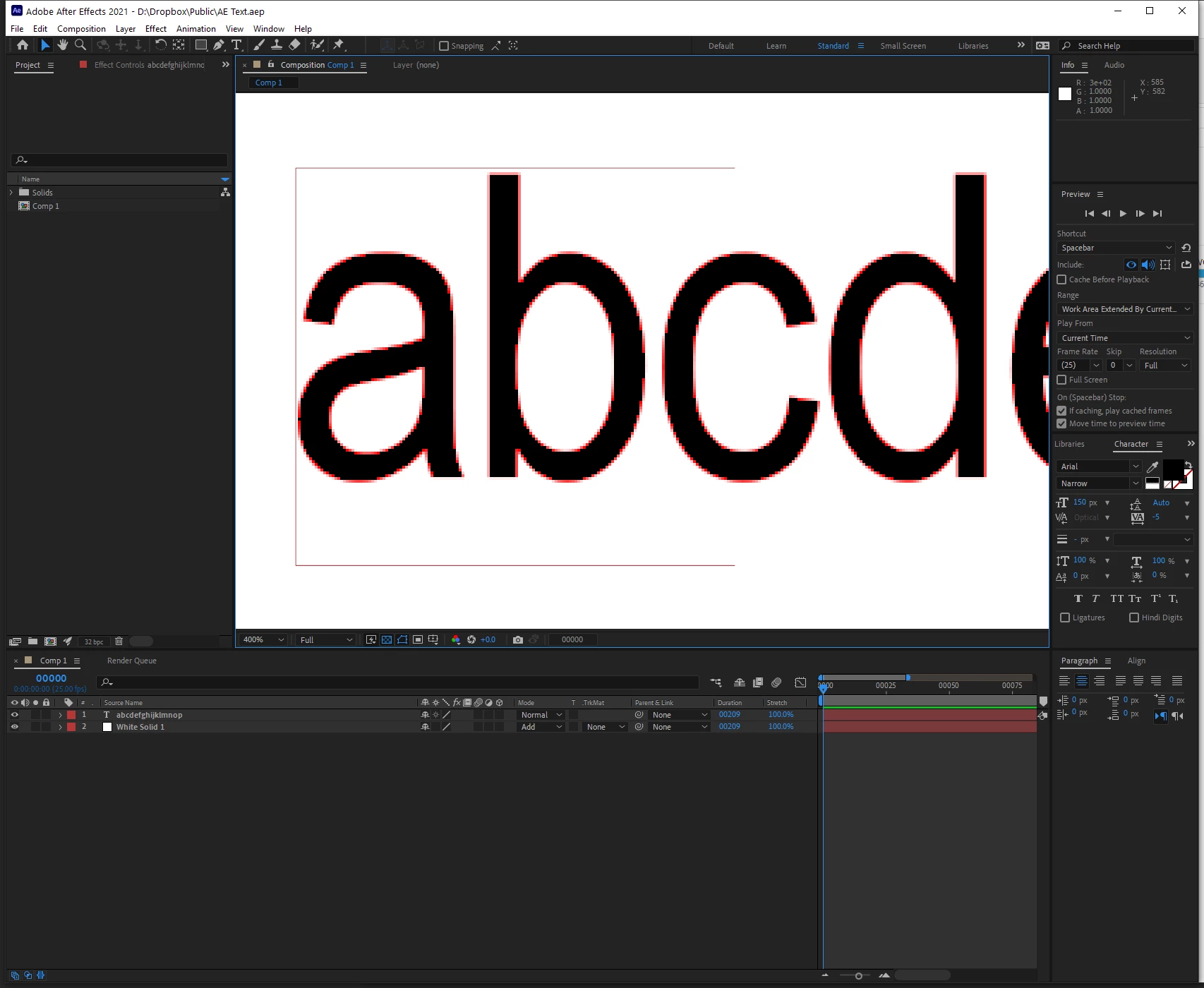
What is even more strange is if I give this exact file to someone else, and they open it. It shows the same issue. But if they replicate my file an send it back to me, when I open it, the text is fine.
Download link to file here if anyone wishes to open it up and take a look. https://www.dropbox.com/s/nho4ac8y96wdqlz/AE%20Text.aep?dl=0
Any ideas what might be the issue here? It has literally only started happening these past few days and has me stumped. Up until now it has been fine 😞 I can try reinstalling AE and see if that works but only as a last resort as I'd rather not loose all my plugins and preferences.
Thanks,
 AdChoices