
Text Layer disappears from active camera when turned into 3D
Hi folks,
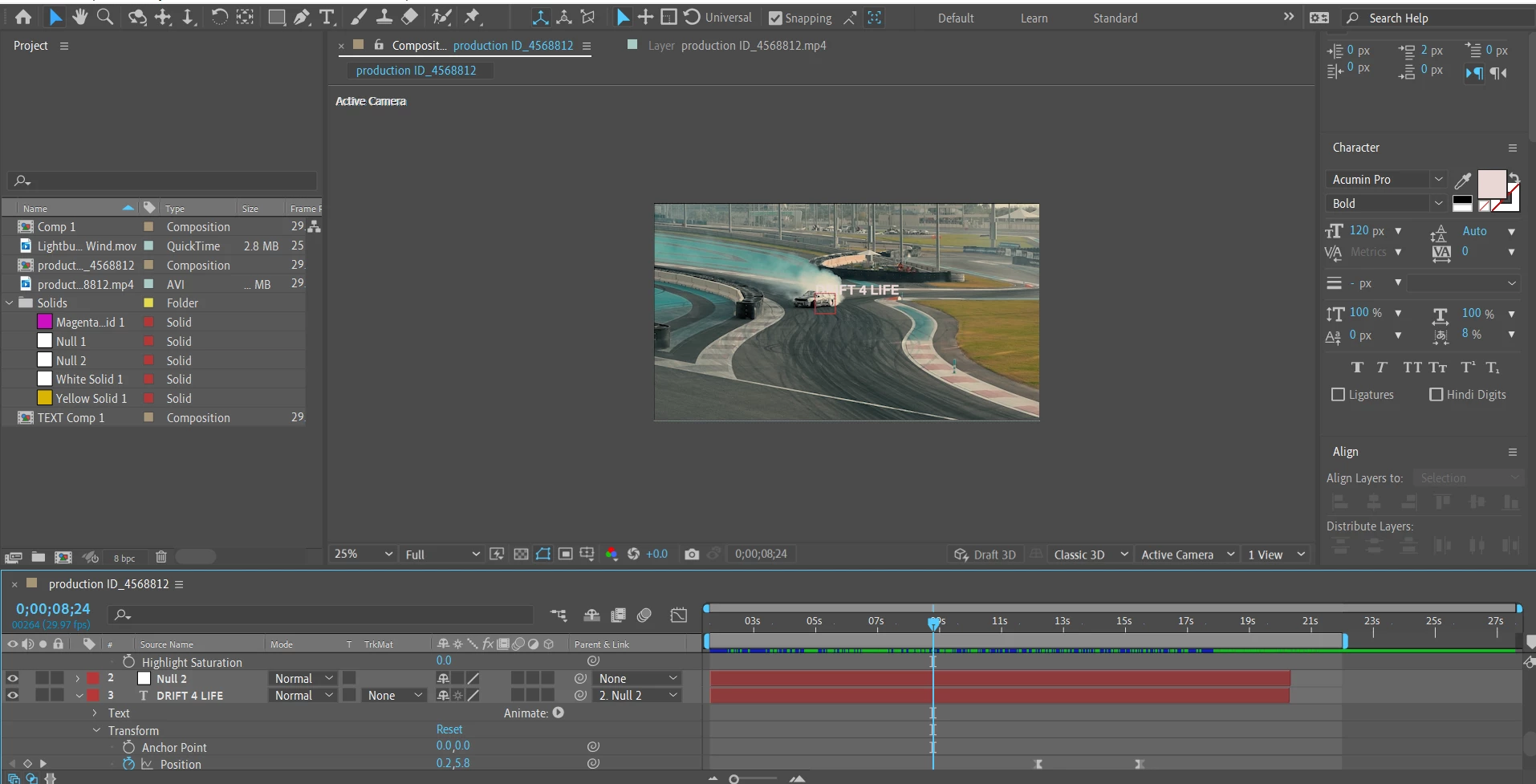
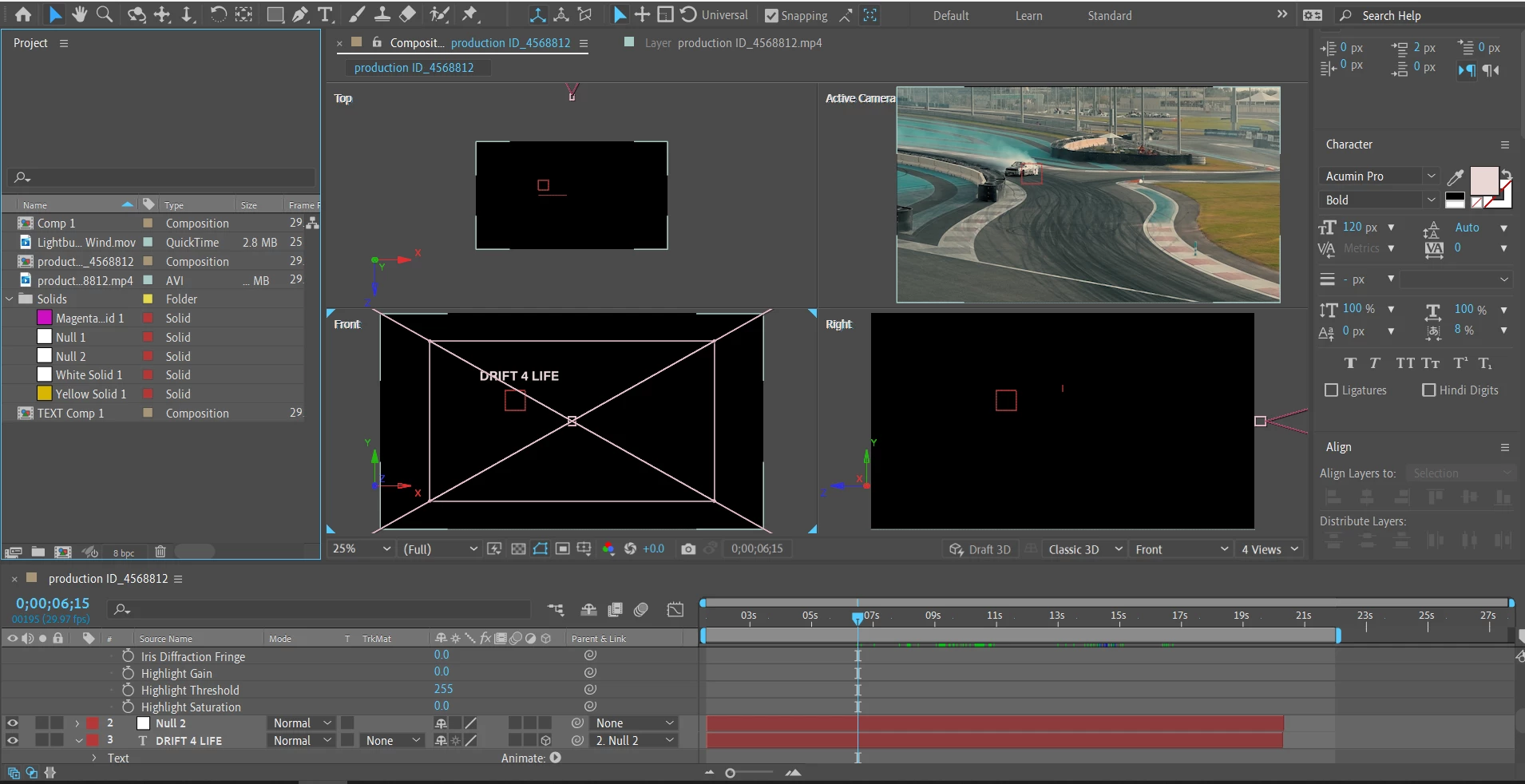
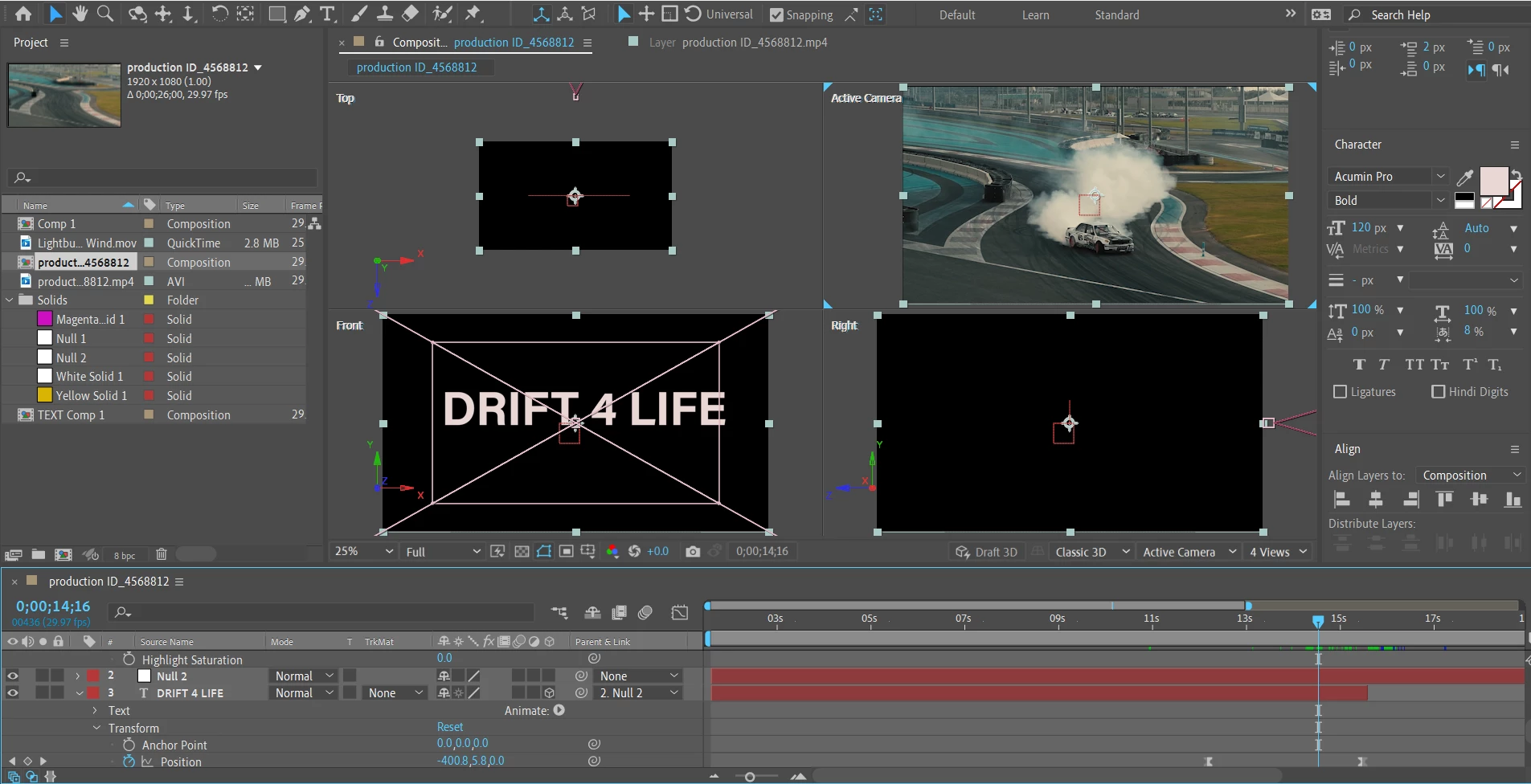
Since I'm still new to AE and I'm testing different stuff, I came to a problem with the disappearance of a text layer when I decide to turn it into a 3D one. I saw a few threads about such a problem where people say the solution is to switch to the 4 views layout where you'll be able to see the text and I do see it on the front view, but that doesn't resolve the problem, because it's as it's still not part of the video itself.
My idea here - to track the movement of the car, tie it to a Null Object, then tie the text to the Null as well and when the text reaches a certain point of the screen, the camera starts shortening the distance to the text by tinkering with the position via the dolly towards tool, until the text passes through the camera view.
I also see that changing the Camera Options doesn't have any effect on the text on the Front view.
Could someone please give me an advice how I'm supposed to resolve the text layer problem and then execute the described above?
I'm Attaching a few screenshots for reference.
Thanks,
Nik
 AdChoices