Rendering is happening in the order you see it in the timeline.
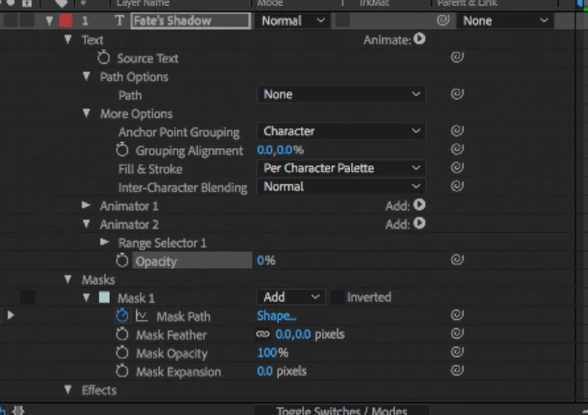
First, the source text is created, then the grouping is set, then fill and stroke are applied then Animator 1 is added, but we don't know what is going on there, then Animator 2 is added and it looks like it is controlling opacity, then the mask is applied, then some kind of effect has been added. I'm not sure what is going on but if you select the text layer and press the U key twice to reveal all modified properties on the layer you should see something that is causing the text to fade in. You can find it by turning things off or resetting values.
If you simply add a text layer, then add a text animator for opacity, then add a mask the text should be hidden behind the mask. I don't have time to experiment with a bunch of animators or effects to discover what may have caused your problem but I think you are making it much too complicated if all you want to do is reveal the text layer behind the red dress.
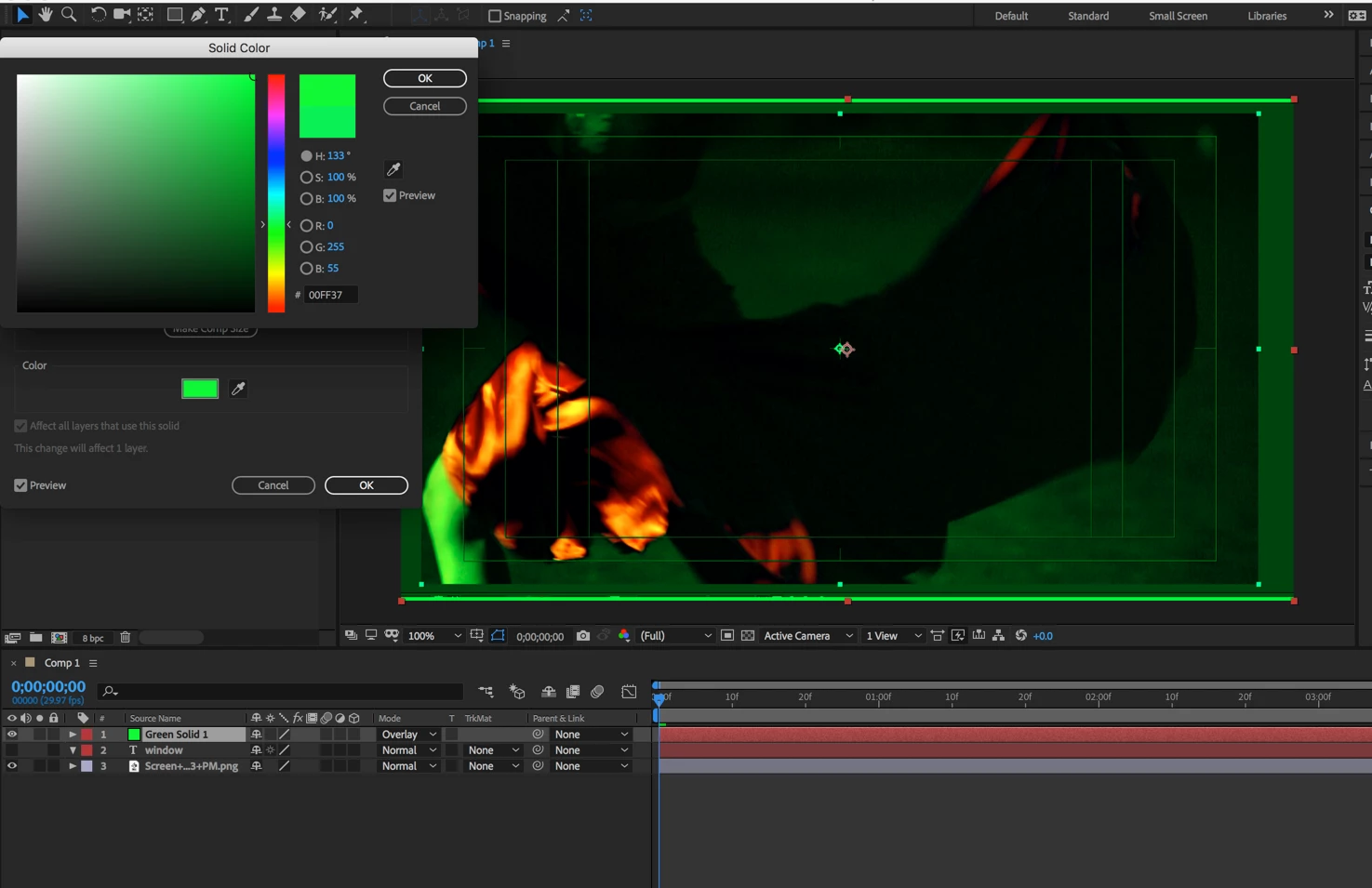
I probably would have placed a solid layer above the footage, set the blend mode to overlay and adjusted the color to give me a really good look at the edges of the red dress like this.
Then I would have animated my masks and used them for a track matte for the text layer like this:
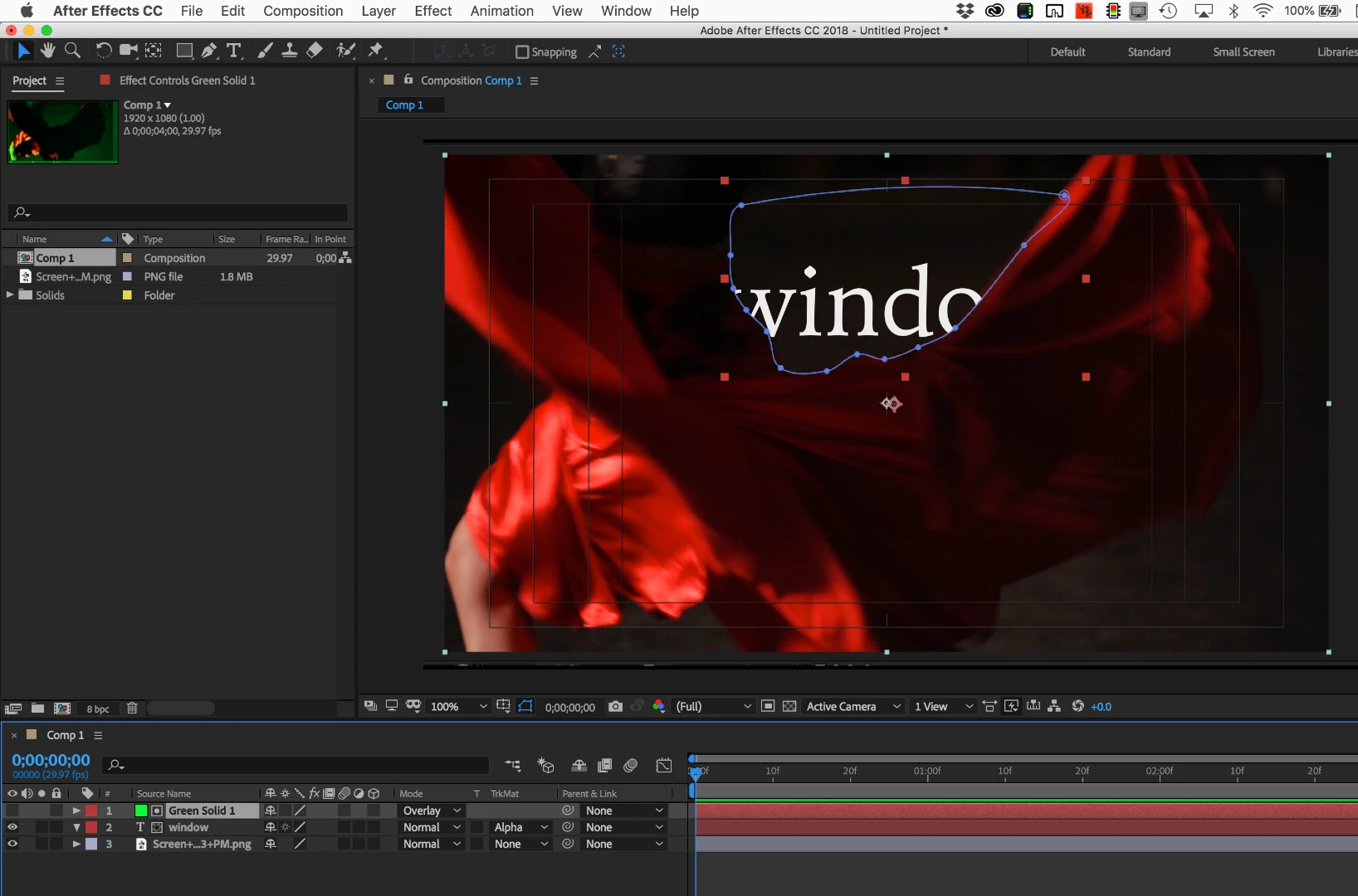
I find it a lot easier to do roto by hand if you use colored solids with blend modes because you can very easily see the edges you need to work on and make adjustments with greater accuracy then you can any other way. The track matte can then be applied either to the text layer or used on a copy of the footage placed above the text layer. The best composite can and any light wrap or other enhancement can be handled in a more efficient way than trying to do the masking on the text layer. This also allows you to position the text layer or move it around without worrying about how the mask is going to have to be adjusted.

 AdChoices