

Thai character accent marks misplaced
Hello! Been working to see if I can find a workaround for my misaligned Thai accent mark characters. I am using a previously working font Arial MS Unicode for Thai in After Effects. I am using lastest version 23.6 on Windows 11.
I've been scouring the Adobe forums/web for a solution. I used to be able to fix this issue in years past with the "Text Engine" option set to ‘South Asian and Middle Eastern’ as noted here:
And I saw there that there is a new Univeral Text Engine feature that automatically detects your language:
https://helpx.adobe.com/after-effects/using/whats-new/2022-1.html
Which is great but for some reason, when I add in new text for Thai from another program like Word, the accent characters I compare with an overlayed MP4 video to a past video are much lower. The Word Doc opened in this screenshot is correct on the right.
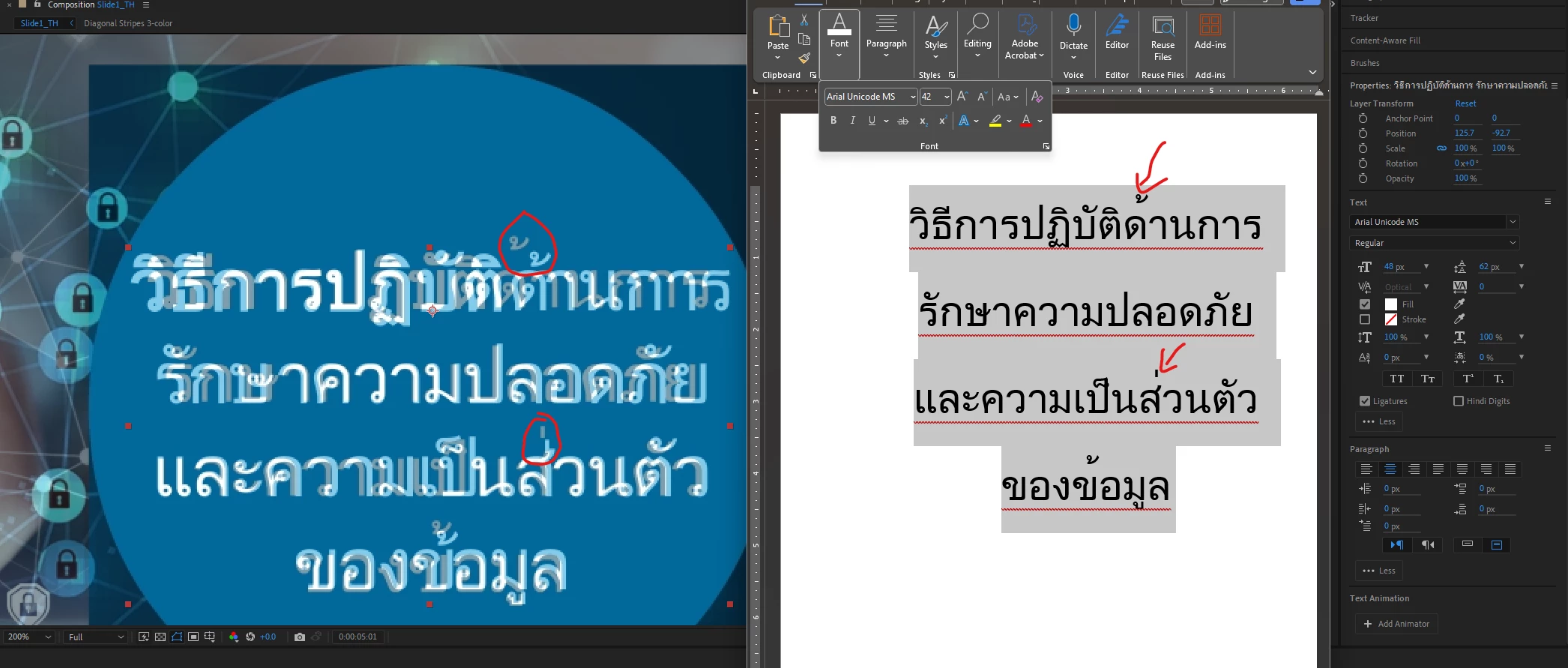
I have some AE files made in years past that do NOT have new text being added. And they strangely seem to be ok as well? Not sure what is difference is between the none-working version above and working verison in AE as seen below: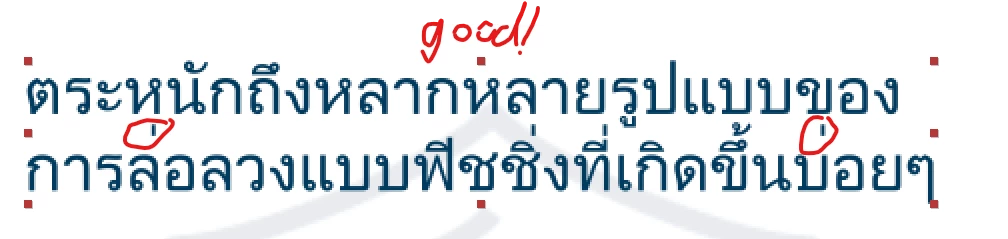
Here are its font settings: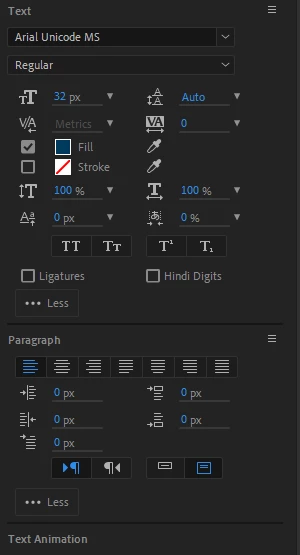
However, not sure if they matter. I have no idea what's going on as nothing like reseting the Paragraph or Characters menus, changing Optics to Metrics, nor adding/removing Ligatures seems to help.
Any suggestions would me much appreciated!
 AdChoices