



nilleg57851248
Inspiring
December 4, 2019
Answered

The ae will not show

  • December 4, 2019
  • 1 reply
  • 518 views

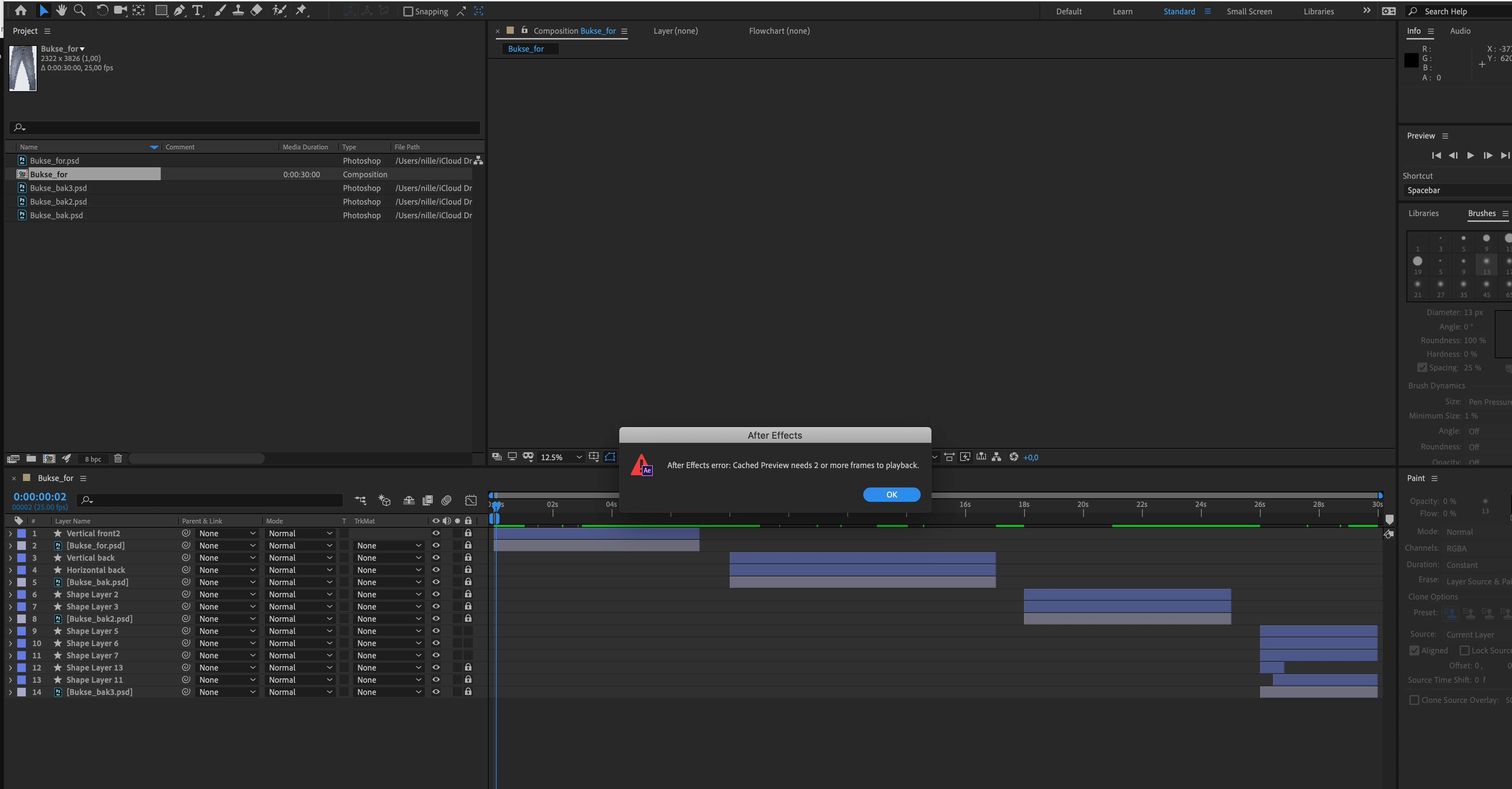
I have made a trim path on a photo. It worked fine, but now when I open it again it do not show. Why? 
I get a message saying:" Cached prewieu needs 2 or more frame to playback" , but what do I do wrong?
And when I try to encode in Media Encode the mp4 is 0 sec, but the comp is 30 sec.?
This topic has been closed for replies.
Correct answer Mike_Abbott

It's because you have accidently set a minimum 'work area' - the thicker lighter gray bar at the top of the timeline.

To fix it:

1. Put your playhead at the start of the timeline - hit the B key on the keyboard.

2. Put your playhead at the end of the timeline - hit the N key on the keyboard.


B = shortcut for beginning of work area. N = shortcut for end of work area.


The reason you got a 0 second render from Media Encoder is that it defaults to rendering out the 'work area' (time) - and you had a 0 second work area : )


1 reply

Mike_Abbott
Mike_AbbottCorrect answer
Legend
December 4, 2019

It's because you have accidently set a minimum 'work area' - the thicker lighter gray bar at the top of the timeline.

To fix it:

1. Put your playhead at the start of the timeline - hit the B key on the keyboard.

2. Put your playhead at the end of the timeline - hit the N key on the keyboard.


B = shortcut for beginning of work area. N = shortcut for end of work area.


The reason you got a 0 second render from Media Encoder is that it defaults to rendering out the 'work area' (time) - and you had a 0 second work area : )


nilleg57851248
Inspiring
December 4, 2019

OMG!! Thank you soo super much 😄