
Participant
September 7, 2021
Question

The audio plays, but the video doesn't
  • September 7, 2021
  • 2 replies
  • 147 views

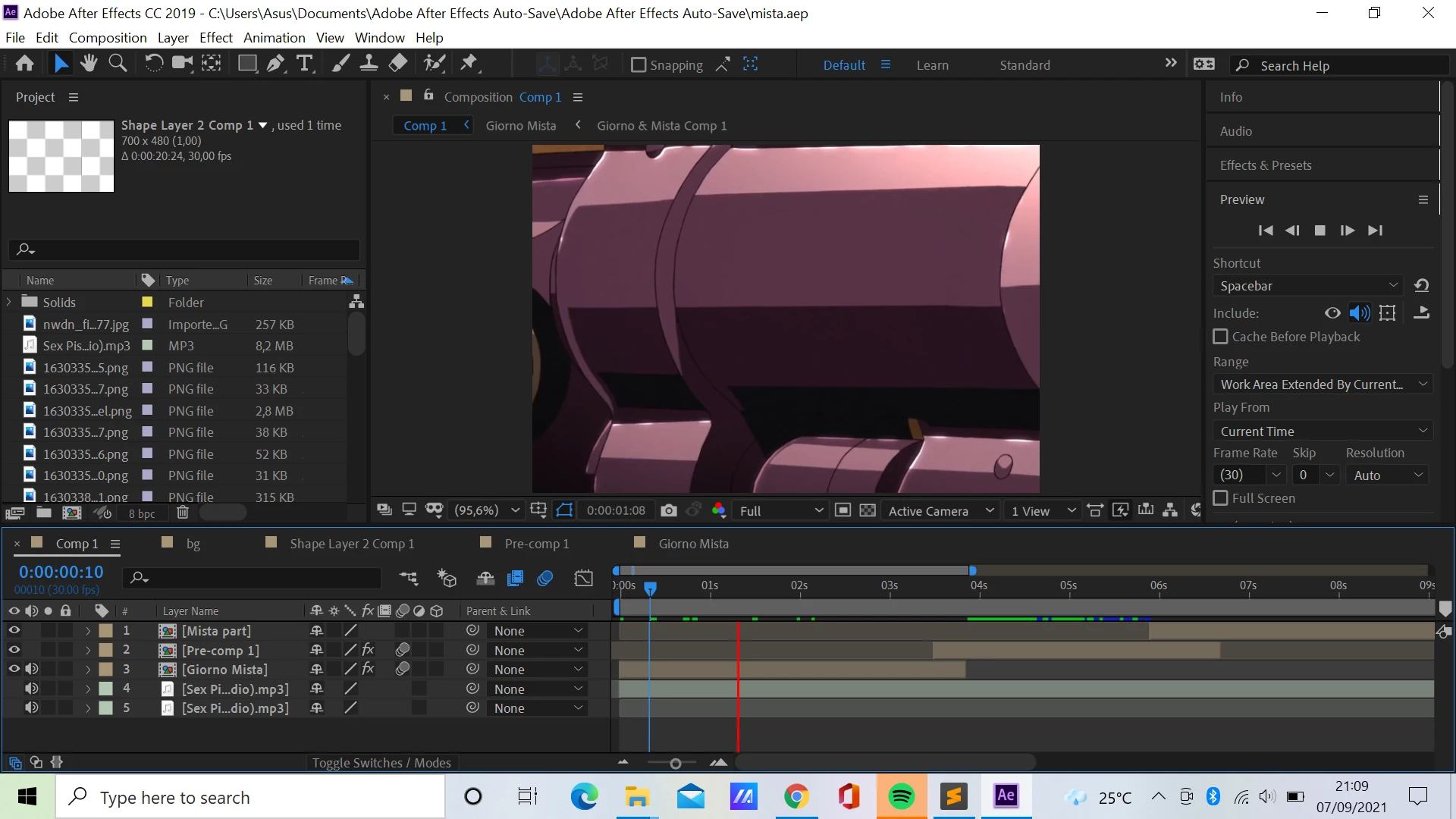
Hello, i have an issue here. so, when i try to play the preview, the audio played smoothly and the red line move smoothly too through the layer, but the preview video doesn't play at all. what should i do??


This topic has been closed for replies.

2 replies

nishu_kush
Community Manager
Community Manager
September 8, 2021

Hi Soft.Diamond,


Welcome to the community.

Does it happen with all the projects? What are your system specifications (CPU, GPU, RAM, OS)?

Here's what you could try:

  1. Clear the media cache: https://community.adobe.com/t5/after-effects-discussions/faq-how-to-clean-delete-or-trash-media-cache-files-in-after-effects/td-p/10634312
  2. Disable "Hardware Accelerated Composition, Layer, and Footage Panels" under After Effects Preferences > Display.

Let us know how it goes.


Thanks,

Nishu

Community Expert
September 7, 2021

Try lowering the resolution factor from Full to Quarter. Try lowering the resolution factor from Full to Quarter. And disable Motion Blur while you are working on compositing (the three balls that in your screenshot are in blue on the timeline). Also, remember that After Effects first makes a reading of everything that is happening in your timeline and stores it in RAM (green line), after that you will be able to see everything in real time as far as the green line or your RAM has reached.

Byron.