Participant
July 16, 2021
Answered
the Text does not work
- July 16, 2021
- 2 replies
- 306 views
Hi! The Text tool in Adobe After Effects doesn't work. You can see what I'm writing on the layers but there is no text on the composition. Help me please

Mylenium's got it.
Either manually change your text width to a higher number, or you can fully reset your character settings, as he suggested, by looking in the little 3-bar menu for the Character panel and choosing Reset Character.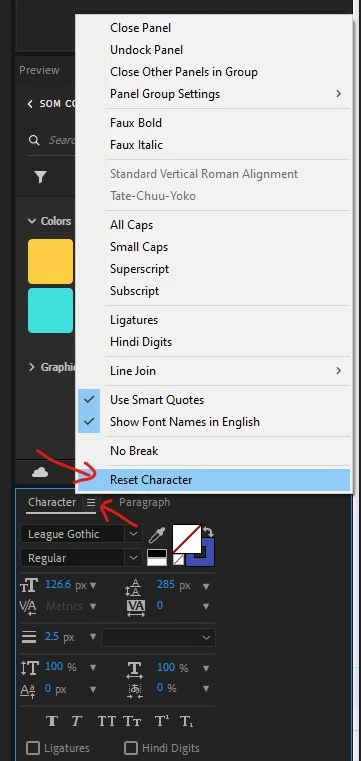
Already have an account? Login
Enter your E-mail address. We'll send you an e-mail with instructions to reset your password.
 AdChoices