Participant
December 15, 2023
Answered

Tight Rope Animation

  • December 15, 2023
  • 1 reply
  • 809 views

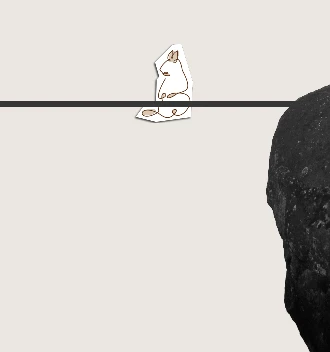
I'm trying to animate an object as if it's bouncing along a tight rope between two cliffs. The rope would bend each time the object steps on it. The camera would follow the tight rope walker as they progress (the entire tight rope wouldn't be shown at once. How would I achieve this?


As a bonus, if you could offer suggestions on how to have the object fall off the tightrope, that would be great too! The object limbs won't be animated themselves. Just the object as a whole.


I've attached screenshots of what the video would look like when zoomed in in portrait mode, and how the entire tight rope is structured. 

This topic has been closed for replies.
Correct answer Airweb_AE

Maybe using Newton4 script or if you are familiar with expressions take a look at Bounce Expressions created by Dan Ebberts.

I made this simple walking rope animation using 3 expressions and 2 sliders. However, if you need to make the object fall, you'll likely have to edit all the expressions. It might be better to create your animation using keyframes and use a bounce expression to animate the rope while the object is falling.


BALL Layer

- anchor point expression:

// anchorPoint bottom center
a = sourceRectAtTime();
height = a.height;
width = a.width;
top = a.top;
left = a.left;
x = left + width/2;
y = top + height;
[x,y];


- Position expression:

// pathFollow
duration = thisComp.layer("LINE").effect("DURATION")(1);
linePath = thisComp.layer("LINE").content("Path 1").path;
linePath.pointOnPath (linear(time,0,duration,0,1), t=time)


LINE Layer

- Path expression:

// path
duration = effect("DURATION")(1);
lineWidth = 1000;
start = [thisComp.width/2 - lineWidth/2, thisComp.height/2];
end = [thisComp.width/2 + lineWidth/2, thisComp.height/2];
ball = thisComp.layer("BALL").position;
weight = effect("WEIGHT")(1);
middle= linear(time,0,duration,start,end);
middleY = time<duration?middle[1] + Math.sin(time/Math.PI) * weight:thisComp.height/2;
createPath([start,[middle[0],middleY],end],[[0,0],[-middleY + thisComp.height/2,0],[0,0]],[[0,0],[middleY - thisComp.height/2,0],[0,0]],false)


And 2 sliders control (WEIGHT and DURATION on LINE Layer.

1 reply

Airweb_AECorrect answer
Legend
December 16, 2023

Maybe using Newton4 script or if you are familiar with expressions take a look at Bounce Expressions created by Dan Ebberts.

I made this simple walking rope animation using 3 expressions and 2 sliders. However, if you need to make the object fall, you'll likely have to edit all the expressions. It might be better to create your animation using keyframes and use a bounce expression to animate the rope while the object is falling.


BALL Layer

- anchor point expression:

// anchorPoint bottom center
a = sourceRectAtTime();
height = a.height;
width = a.width;
top = a.top;
left = a.left;
x = left + width/2;
y = top + height;
[x,y];


- Position expression:

// pathFollow
duration = thisComp.layer("LINE").effect("DURATION")(1);
linePath = thisComp.layer("LINE").content("Path 1").path;
linePath.pointOnPath (linear(time,0,duration,0,1), t=time)


LINE Layer

- Path expression:

// path
duration = effect("DURATION")(1);
lineWidth = 1000;
start = [thisComp.width/2 - lineWidth/2, thisComp.height/2];
end = [thisComp.width/2 + lineWidth/2, thisComp.height/2];
ball = thisComp.layer("BALL").position;
weight = effect("WEIGHT")(1);
middle= linear(time,0,duration,start,end);
middleY = time<duration?middle[1] + Math.sin(time/Math.PI) * weight:thisComp.height/2;
createPath([start,[middle[0],middleY],end],[[0,0],[-middleY + thisComp.height/2,0],[0,0]],[[0,0],[middleY - thisComp.height/2,0],[0,0]],false)


And 2 sliders control (WEIGHT and DURATION on LINE Layer.
Participant
December 18, 2023

Thanks for the detailed response! I am looking for the object to bounce forward along the rope as opposed to sliding. Maybe the solution to that is within your expressions but I'm very unfamiliar with how expressions work. I usually just copy and paste them as needed, but I am unfamiliar with the process of altering them and creating them from scratch.
