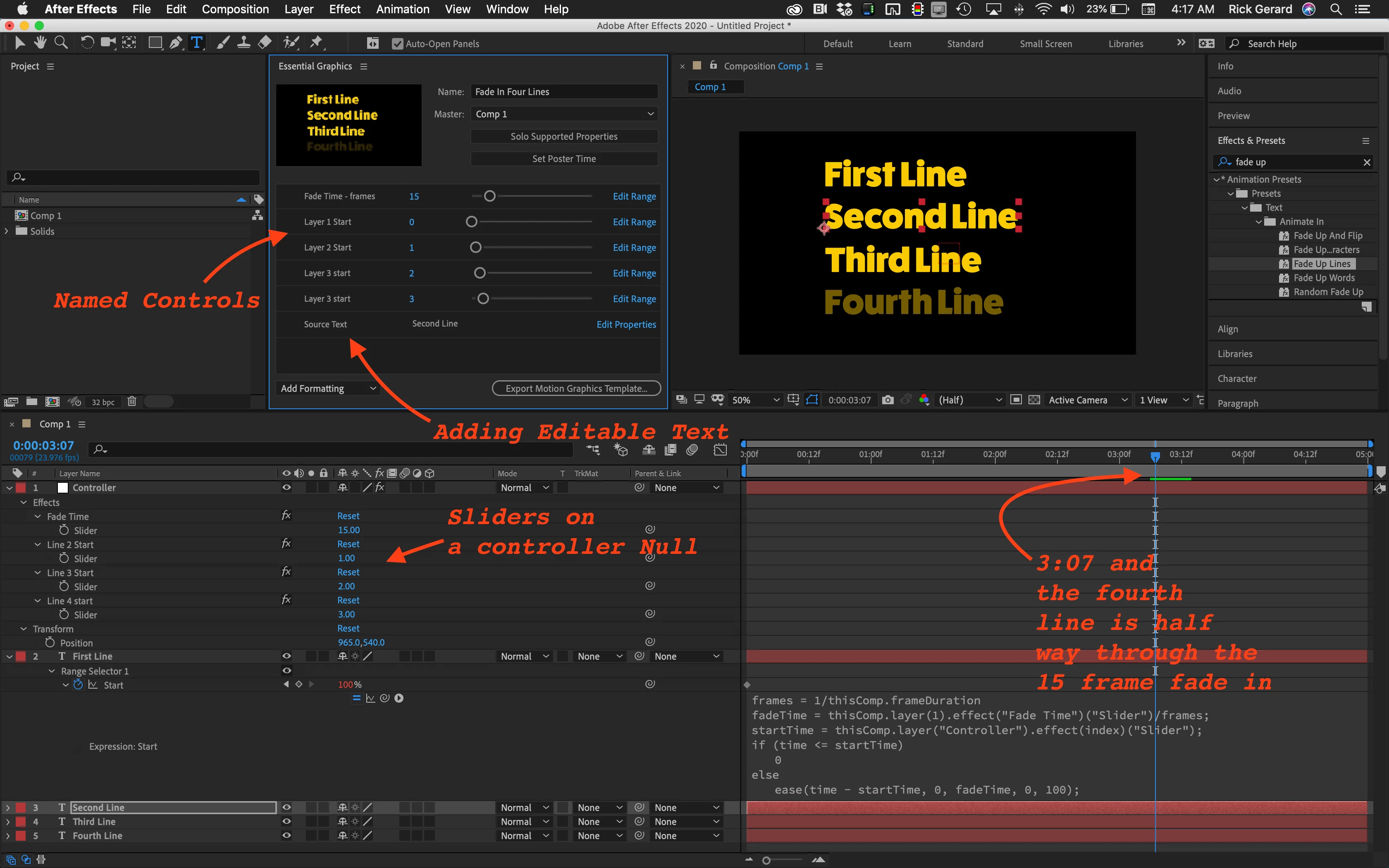
I think your basic approach is flawed. I would set up multiple text layers in After Effects and add a Null to the top of the stack with a bunch of Effects Control Sliders. One for fade in time and the others for layer start times. If you added the Fade Up Lines animation preset that comes with AE to the text layer and then added this expression to the Start property of the Range Selector you could set the start time and fade up time for as many text layers you would want to add to the template.
frames = 1/thisComp.frameDuration;
fadeTime = thisComp.layer(1).effect("Fade Time")("Slider")/frames;
startTime = thisComp.layer("Controller").effect(index)("Slider");
if (time <= startTime)
	0
else
	ease(time - startTime, 0, fadeTime, 0, 100);
Using direct references instead of layer names makes it easy to apply this expression to any number of text layers and as long as there is a start time slider for each text layer you won't run into any errors.
That would be just the start of a useful MOGRT. Here's what a few minutes work with this expression looks like:
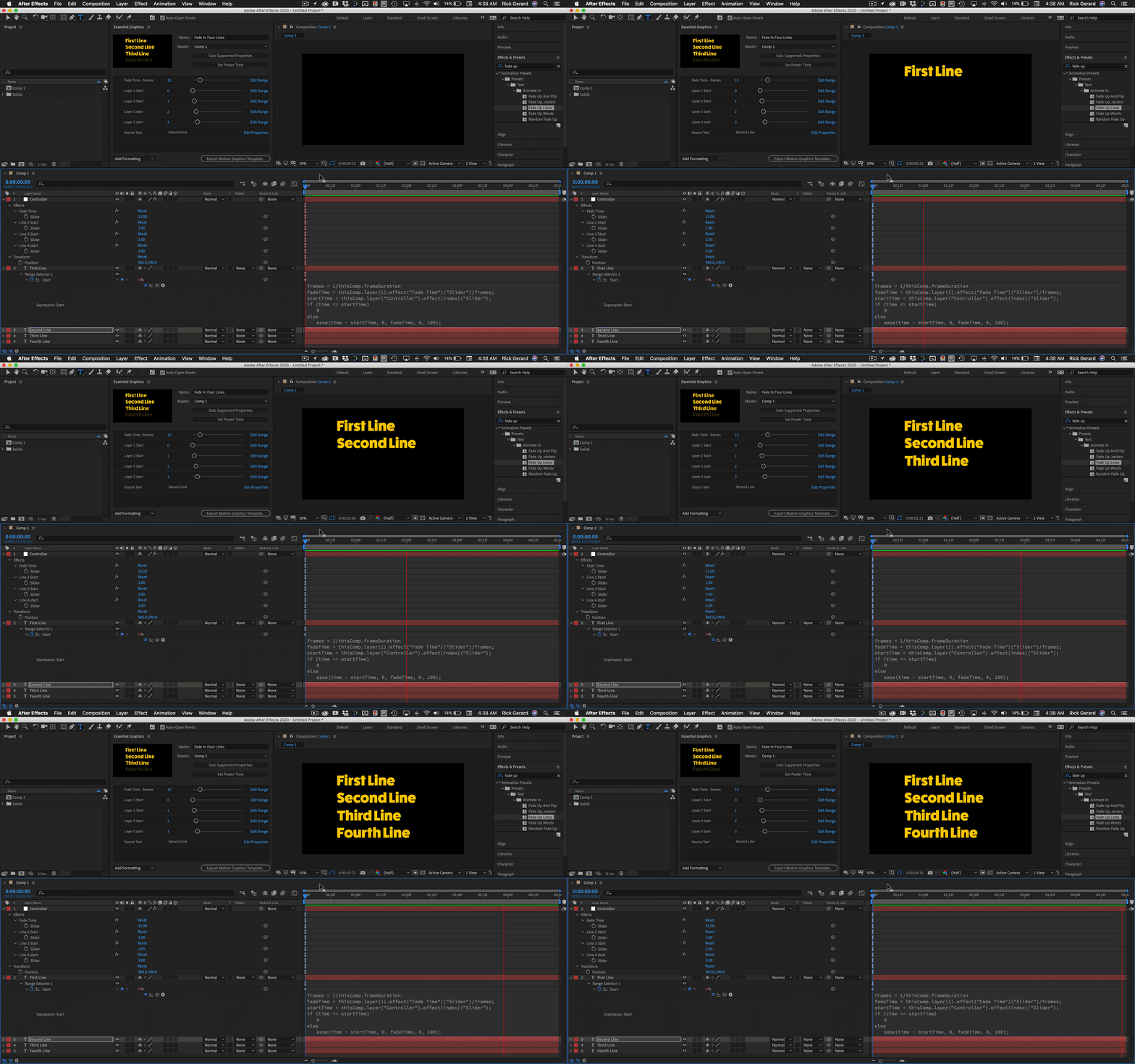
There are still a lot more things to add to the Graphics Template to make it useful. If you are familiar with the workflow required to complete a MOGRT you should not have much trouble turning this expression and a text animator into something useful.
You could also add similar expressions to control the position of each layer, set the fade-out time of one layer based on the fade-in time of another turn it into something that might be very useful.
Just for fun, I saved the project file and the Mogrt - Both are only a starting point to help you figure out how to proceed.
Fade In Four Line.MOGRT
Line by Line MOGRT.AEP

 AdChoices