nickk68104675
Inspiring
May 23, 2019
Answered

Track mask no longer an option?

  • May 23, 2019
  • 2 replies
  • 9279 views

Uh, Adobe...

If it ain't broke, don't fix it. Not Adobe's approach.

So, I've been trying to track a mask but haven't found any tutorial that's beneficial. HELP!
    This topic has been closed for replies.
    Correct answer caroline_edits

    We cover masking + mask tracking in this 90 second tutorial! Hope it helps anyone who's coming across this post.


    Caroline

    2 replies

    caroline_edits
    Community Manager
    caroline_editsCommunity ManagerCorrect answer
    Community Manager
    August 12, 2020

    We cover masking + mask tracking in this 90 second tutorial! Hope it helps anyone who's coming across this post.


    Caroline

    Participant
    October 19, 2021

    I am having the problem where the mask track doesn't show? I can do regular tracking, but not mask tracking. Any ideas? Do I need to turn something on?

    Jose Panadero
    Community Expert
    Community Expert
    May 23, 2019

    I think this is not an Adobe problem but yours. If you select your mask and open the Tracker window under the Window Menu, you will have the options to track your mask without any problem.

    nickk68104675
    Inspiring
    May 23, 2019

    That option is not available. Sure, I can track the video file...just not the mask. By the way, I am using the latest version of CC (whether or not that matters).

    Jose Panadero
    Community Expert
    Community Expert
    May 23, 2019

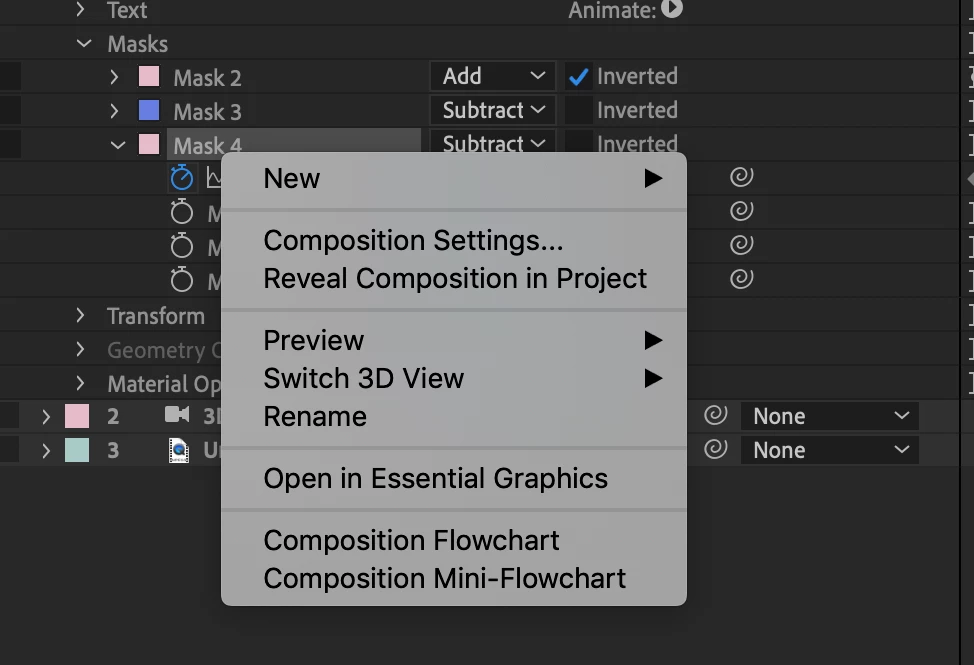
    If you are trying to do this on a graphic or solid layer it will be not available. Only available if your mask is over a video layer. Could you share an screen capture of your timeline with the masked layer?

    EDIT: You are trying to track a TEXT LAYER. This is why you can not track the layer. I can see the Text Category in your previous screen capture.
