Yuzuki_Taro
Known Participant
August 27, 2018
Answered

Track matte isn't working in 3D mode?

  • August 27, 2018
  • 3 replies
  • 5480 views

Hey there!

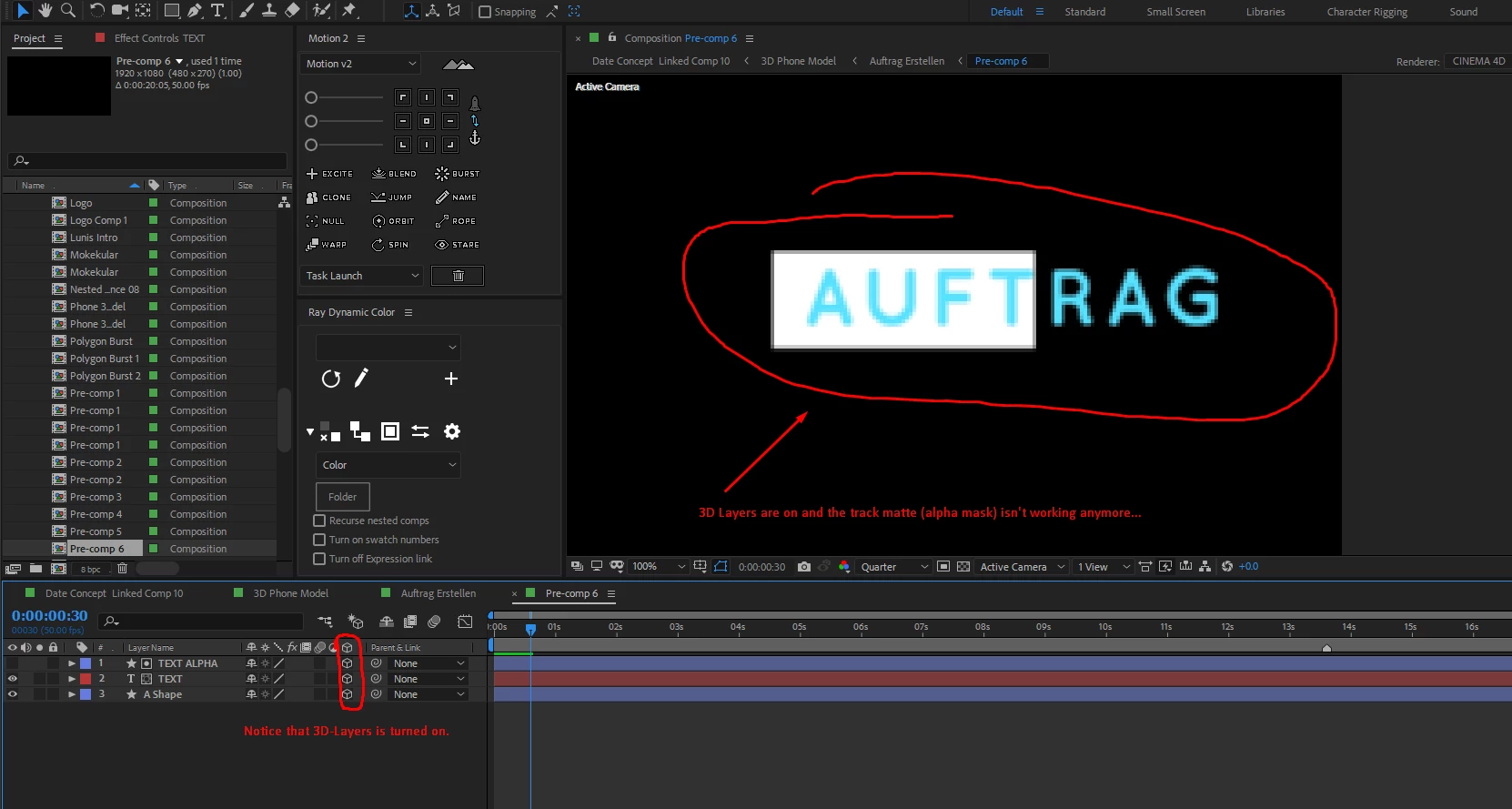
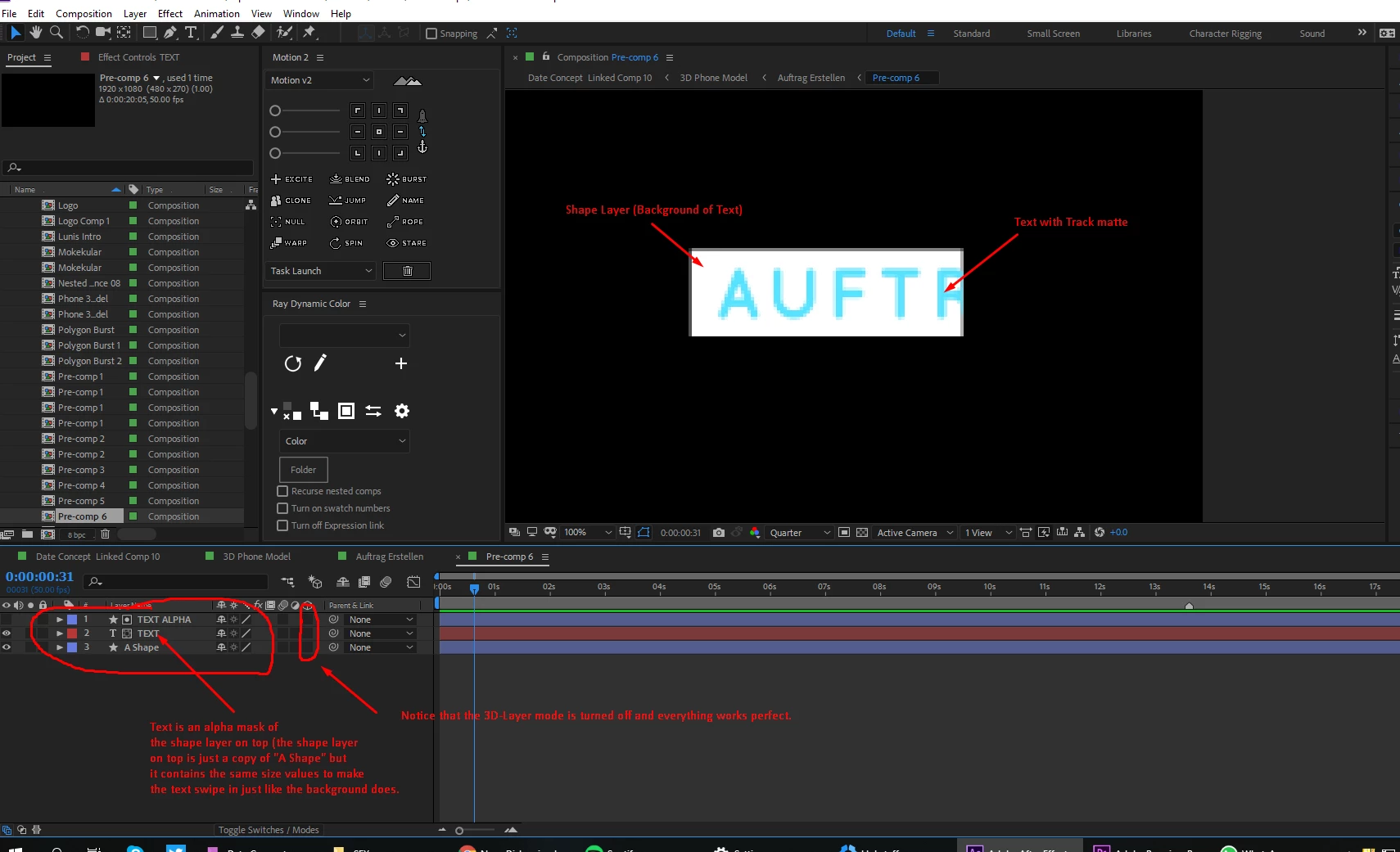
I am working on a project, where I am doing an 3D phone advertisement in after effects. I have to track some text next to the phone. The text is on a white shaper layer and I animated the size of the shape layer (disabled constrain proportions), set the first value to 0 and then to 100 so it kinda swipes in. I duplicated this layer and put it on top of my text layer and set the track matte of the text layer to alpha, so that it also swipes in. But when I turn on 3D-Layer the text disappears and moves behind the shape background and when I move it in front of the shape layer it works but stays there forever and the track matte isn't working anymore...

Is there any way to fix this?
Correct answer Roei Tzoref

change your 3d engine to classic 3d:

3 replies

Participant
May 2, 2025

May 2025 here - These solutions didn't work for me. I found a solution through a Reddit thread. Remove any layers styles on your layer.

SalaryMang
Participant
August 28, 2025

Solved, Thx

Participant
August 5, 2021

If anyone like me still have problems – I solved it by clicking the little sun-icon for each shape used as alpha.

Participating Frequently
January 7, 2023

Didnt solve my problem in AE2023 never ran into that before. Render is Classic 3D collapsed / not collapsed makes no difference. the layers are aligned in z achis. So the matte layer even is physically in front of the other layer. seems the issue only happens with this certain illustrator layer. Any known pronlems with Illustator layers? Thank you! Daniel

Known Participant
January 24, 2023

I have this problem which seems to be a new 2023 bug.  Trying to matte a 3D layer using a 2D matte layer won't work for me regardless of Classic 3D or Collapsed transforms settings 😞  

Roei Tzoref
Roei TzorefCorrect answer
Legend
August 27, 2018

change your 3d engine to classic 3d:

Yuzuki_Taro
Known Participant
August 27, 2018

oh... haha so simple... thank you mate!