
Answered
Track Matte Issue
Do Adobe has chaged the Track Matte dropdown menu options in new version [mine is 2023v]? Because I am following a tutorial in that Track Matte dropdown menu options is different than mine.
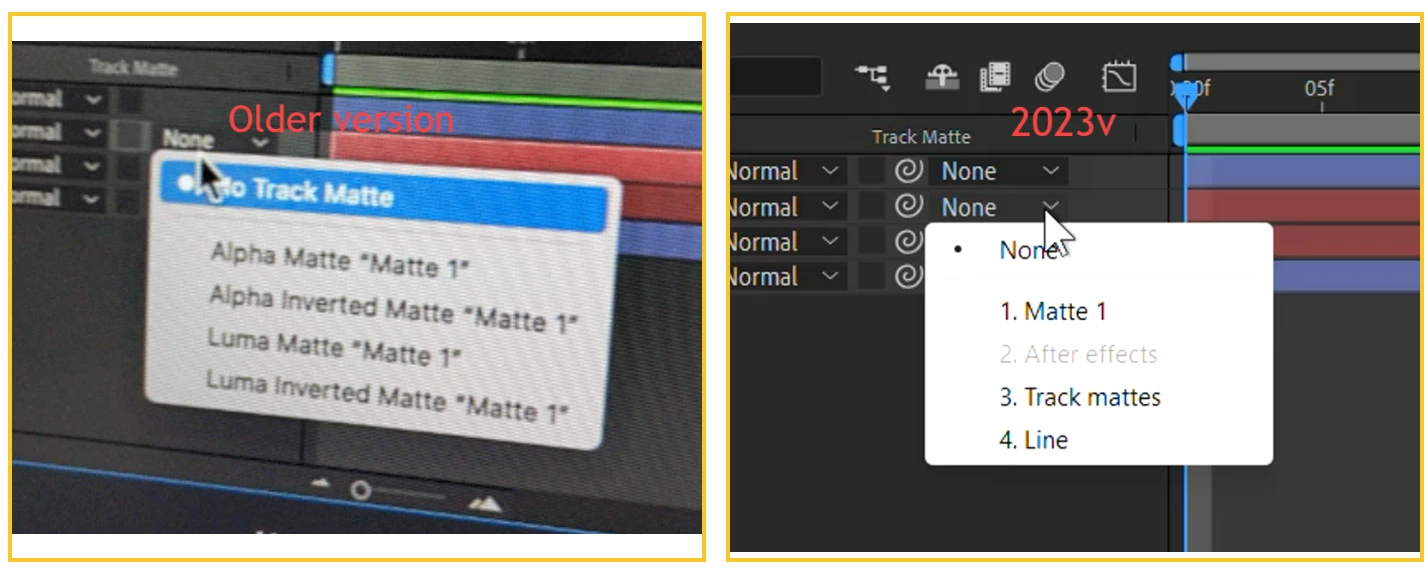

Do Adobe has chaged the Track Matte dropdown menu options in new version [mine is 2023v]? Because I am following a tutorial in that Track Matte dropdown menu options is different than mine.
Check out the following article for more details: https://helpx.adobe.com/in/after-effects/using/whats-new/2023.html#selectable-track-matte-layer
We're here to help.
Thanks,
Nishu
Already have an account? Login
Enter your E-mail address. We'll send you an e-mail with instructions to reset your password.
 AdChoices